
Tired of buffering and dead zones? Our guide to the best wireless routers is your ultimate solution. Say goodbye to a frustrating internet connection and unlock blazing-fast Wi-Fi speed for seamless streaming and gaming. We’ve done the hard work to simplify your choice, ensuring you get the powerful performance you deserve. Let’s explore the top models that will revolutionize your home network and end your connectivity woes for good.
Contents
- Top 5 Wireless Routers:
- 1. ASUS RT-BE96U – Best Wireless Router Overall
- 2. TP-Link Deco BE63 – Best Mesh Wireless Router
- 3. TP-Link Archer BE550 – Best Wireless 7 Router
- 4. ASUS RT-AX86U Pro – Best Wireless Router for Larger Homes
- 5. TP-Link Archer AX21 – Best Budget Wireless Router
- Things to Consider Before Buying a Wireless Router:
- Understanding Speed Standards: 802.11n vs 802.11ac vs 802.11ax
- The Impact of Dual-Band vs Tri-Band on Network Efficiency
- The Role of CPU and RAM in Router Performance
- How Antenna Design Influences Coverage
- Why WPA3 Should Be Your Security Standard
- The Importance of Regular Firmware Updates
- Evaluating the Layout of Your Space for Optimal Coverage
- Conclusion
Top 5 Wireless Routers:
1. ASUS RT-BE96U – Best Wireless Router Overall

If you need ultra fast reliable router that every other device in your home store of office often depends on, then Asus RT-BE96U strikes the right balance between speed, control and features security without overdoing it. As a tri-band system, it spreads the load between three bands so your console, smart TV, your PCs and your phones and tablets will all have their own lane to use; not get in each others’ way; reduce congestion at home & work.
You also have Multi-Link Operation (MLO) for supported devices that lets them talk on multiple bands simultaneously. The result is more reliable connections, fewer dropouts, and faster throughput when workloads increase—great for backup in the cloud, 4K streaming or competitive play.
Control stays in your hands. Quality of Service (QoS) tools help prioritize what’s important — allocate bandwidth to more important tasks like streaming videos or online gaming and away from other devices that are pulling you down. Powerful Parental Controls: Manage your kids’ screen time with flexible controls, including content filters, screen time limits, messaging management and more.
Network-level security ensures malware won’t get on your devices or virtual machines no matter where they are located. Makes it easy to customize your network, and manage connected devices while in the home or on-the-go; short range Connect app available through Amazon, Google Play and PC Web browsers.
Need flexibility? Go the Access Point Mode route and just drop the RT-BE96U into your existing setup or increase coverage without starting over. Whether you are supporting a busy household, an office full of computers or a game room with multiple consoles, this router is designed to accommodate lots of devices at the same time — all while delivering control and security to help keep your network protected.
2. TP-Link Deco BE63 – Best Mesh Wireless Router

TP-Link Deco BE63 If you’re tired of dead zones and need your devices to be able to fly, the TP-Link Deco BE63 is a smart upgrade. This tri band system is capable of covering up to 3,000 sq. ft, and supports 200+ devices, so you can connect as many phones, tablets, smart home devices, game consoles, and other WiFi enabled gadgets to your network without slowing it down. You’re able to wire together nodes both wirelessly and wired at the backhaul at once, enabling you to wring maximum Wi-Fi 7 benefits from it — higher throughput, lower latency and increased stability throughout the entire home.
Installation is quick through the Deco app, and once you’re online you have a single network name. AI-Roaming learns how you move around your space without interrupting connections to automatically switch your device between the fastest Wi-Fi node available, so streams don’t get interrupted as you move from room to room, game pings stay low and video calls are smooth even as you side-step interference hotspots.
With TP-Link HomeShield built in, Wi-Fi is now more secure and private than ever. If you’re looking for whole home coverage that responds to your day and won’t buckle under the pressure of heavy network usage (thanks to multiple devices), Deco BE63 is built to handle it. For a complete list of features and plan offerings, see TP-Link’s HomeShield information on their website.
3. TP-Link Archer BE550 – Best Wireless 7 Router

If your Wi-Fi lags when you stream, game or take video calls, the TP-Link Archer BE550 ins engineered to fix that. Its tri-band design includes a wide-open 6 GHz lane, delivering more bandwidth, less congestion and faster overall speed for 4K streaming, competitive gaming and lifesfreestyle home-users who need to do five things at once. You can expect faster starts, less buffer and better latency where it counts.
EasyMesh support allows seamless addition of compatible nodes so you have one, single network across your home as you roam room to room. No drops, no manual switching between 2.4 and 5 GHz — the system handles that for you automatically, at whatever distance you’re using it at in your house. And because your wired gear needs a boost as well, the BE550 also comes with one 2.5G WAN and four 2.5G LAN ports to ensure that desktops, NAS and console get next-level multi-gig performance without any bottlenecks.
Protection and control have come included with TP-Link HomeShield. You can apply strong parental controls, sweep your network for intruders and keep IoT devices in line with real-time protections — all from an app that doesn’t require an IT degree to navigate. It’s an easy way to make your home safer and maintain performance.
If you’re looking for a router that can handle today’s fast wireless speeds and won’t back down when things get moving in the right direction, Archer BE550 gives you everything you need: speed, coverage and all the tools to upgrade your whole online experience.
4. ASUS RT-AX86U Pro – Best Wireless Router for Larger Homes
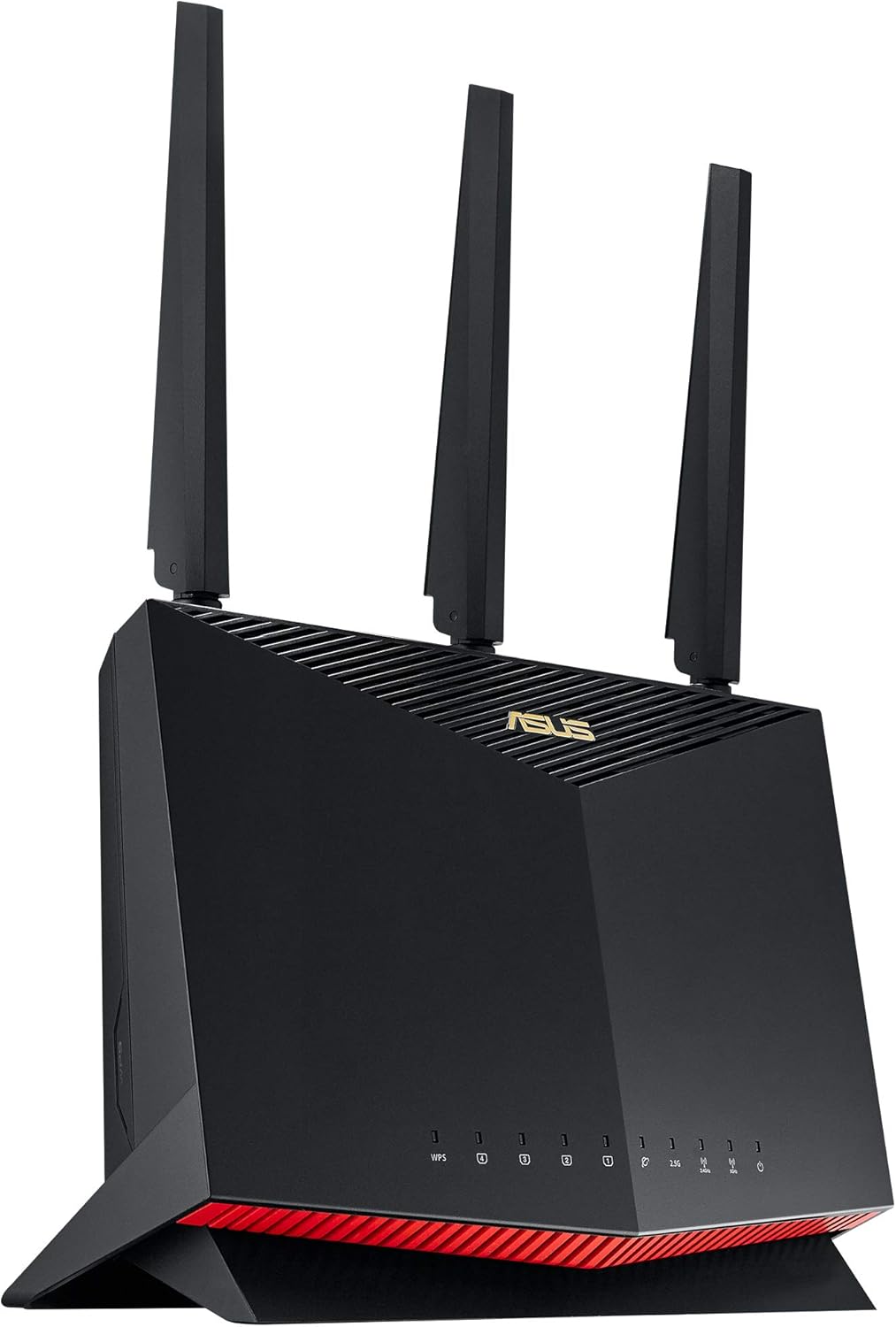
If your Wi-Fi cuts out every time you visit another room in the house, the ASUS RT-AX86U Pro is specifically designed to keep it streamlined. It’s meant for larger homes and it delivers a robust 5 GHz performance—close to 906 Mbps at 50 feet—and near or to the wired base line of around 939 Mbps. Manifesting as smoother 4K streams, snappier downloads, and more reliable video calls from room to room without continuing to chase the signal.
You also have security that takes care of itself. WPA3 encryption, automatic firmware updates, and filter-free parental controls bolster your network with the security you need to make sure only those who belong get in: The good guys—and even near-guys—are welcome; naughty visitors are not…all from an app you can manage in a minute—or 10
Live in a multi-story setup? The RT-AX86U Pro stands up on multiple floors, reducing drop-offs as you move around. If you have more than around 2,500 sq. ft., you can sprinkle in a mesh system or some extenders to cover more-difficult spots while still using the Pro as your main router.
If you’re all in on competitive gaming, a dedicated gaming router might offer more precise latency tools and more aggressive QoS. For everybody else who just needs fast, reliable and secure whole-home Wi-Fi with the least amount of hassle possible, the RT-AX86U Pro strikes a sensible balance — solid speeds, intelligent protection and coverage that can keep up with how you really live.”
5. TP-Link Archer AX21 – Best Budget Wireless Router

For those who are looking for a performance-boosting wireless router without going over budget, the Archer AX21 from TP-Link is a no-brainer. You’ll get Wi-Fi 6 (802.11ax) in a dual-band setup, which prioritizes more devices simultaneously and maintains constant speeds for the entire family.
You’ll receive up to 1.8 Gbps on all your devices for fast and reliable connections perfect for 4K/HD streaming and gaming, you can even connect multiple devices at the same time across two high speed networks supporting lag-free online gaming and smooth cross-device viewing. OFDMA also reduces congestion, sending data from multiple devices simultaneously, so you spend less time waiting as your game downloads or buffering while streaming a movie.
Control stays simple and practical. Beamforming concentrates the Wi-Fi signal toward your devices for stronger, faster connections. QoS (Quality of Service) enables you to prioritize device bandwidth and QOS applications, like Netflix, YouTube, Xbox or others Parents can manage online viewing when needed by blocking access for periods of time (up to 4 hours), Minneapolis Qos lets you allocate more wireless bandwidth to your video streaming devices. Prefer hands-free? With Alexa compatibility, you can perform voice commands to complete fast jobs.
Setup is straightforward. The box contains a power adapter, an RJ45 Ethernet cable and quick installation guide—just plug in, follow the prompts and you’ll be online in minutes. Whether gaming or streaming, powering your home office or checking in with family and friends, it just works – fast.
If you’re ready to take the strain off your Wi-Fi and stream or game in better, smoother quality, the Archer AX21 is up to the task, with faster overall throughput that can handle all your devices without breaking a sweat—even when your family’s online!
Things to Consider Before Buying a Wireless Router:
Overall, when choosing a wireless router you should evaluate your coverage needs, device count, and required speeds to ensure your network handles streaming, gaming, and smart devices; assess Wi-Fi standard (Wi-Fi 6/6E), security features, firmware support, and QoS settings for performance and protection; factor in future-proofing, ISP compatibility, and budget while testing placement and antenna options to maximize reliability and range for your home or office.
Understanding Speed Standards: 802.11n vs 802.11ac vs 802.11ax
802.11n tops out around 600 Mbps with 4×4 MIMO mostly on 2.4/5GHz; 802.11ac (Wi‑Fi 5) commonly delivers up to ~1.3 Gbps on 3×3 5GHz and introduced wider channels and MU‑MIMO; 802.11ax (Wi‑Fi 6) boosts theoretical capacity to 9.6 Gbps, adds OFDMA, 1024‑QAM and Target Wake Time, so you’ll get far better multi‑device efficiency and lower latency in dense environments.
The Impact of Dual-Band vs Tri-Band on Network Efficiency
Dual‑band gives you 2.4GHz for range and 5GHz for speed; tri‑band adds an extra 5GHz or 6GHz to split traffic and reduce contention, which helps if you run multiple 4K streams (~25 Mbps each), cloud backups, and simultaneous gaming. You’ll notice lower latency and steadier throughput in homes with 20–30+ devices, though cost, power use, and client support rise with tri‑band models.
Tri‑band shines in mesh systems by dedicating one band as a wireless backhaul: models like Netgear Orbi and Eero Pro 6 use a separate 5GHz/6GHz link to maintain near‑wired speeds between nodes, often improving mesh throughput by ~30–50% versus dual‑band setups. Keep in mind device support for 6GHz (Wi‑Fi 6E) is limited and higher‑frequency bands trade range for capacity, so you’ll want a mix of wired backhaul and strategic node placement for best results.
The Role of CPU and RAM in Router Performance
CPU and RAM directly shape real‑world performance: low‑end single‑core boxes with 128–256MB RAM struggle under VPN, DPI, or dozens of clients, while quad‑core 1.4–1.8 GHz chips paired with 512MB–1GB RAM sustain higher NAT and VPN throughput. Expect VPN speeds from ~200 Mbps on modest hardware up to 700–800 Mbps with dedicated crypto offload; more RAM also reduces connection churn when you have 50–100 devices.
How Antenna Design Influences Coverage
External, detachable antennas with 4–9 dBi gain and beamforming yield better range and usable signal than tiny internal radiators, and you’ll notice a 4×4 MIMO router outperform 2×2 models in multi‑device scenarios. 2.4 GHz travels through walls better, while 5 GHz gives higher throughput but shorter reach; mesh nodes with multiple antennas keep speeds steadier across larger homes than a single high‑power unit.
Orientation, gain and polarization matter: mounting antennas vertically favors horizontal coverage, tilting helps multi‑floor homes, and higher gain narrows vertical beamwidth—6–9 dBi boosts range but can create upstairs dead zones. Directional panels or Yagi antennas achieve long point‑to‑point links (kilometer scales outdoors), yet indoors a balanced 5–7 dBi omni per node spaced ~10–20 m works best. You can use a Wi‑Fi analyzer to check RSSI—aim for around −60 dBm or better in main living areas.
Why WPA3 Should Be Your Security Standard
WPA3 replaces the weakest elements of WPA2 by using SAE (Simultaneous Authentication of Equals) for stronger passphrase-based authentication and forward secrecy, protecting sessions even if a password is later exposed. You’ll get better resistance to offline brute-force attacks and improved protection for open networks via Opportunistic Wireless Encryption; check that your devices and router support WPA3-Personal or WPA3-Enterprise and use transition mode only during device rollouts.
The Importance of Regular Firmware Updates
Timely firmware updates patch known CVEs and close exploits that attackers automate, like the Mirai-style botnet attacks that leveraged unpatched routers and default credentials in 2016 to take down major services. You should enable automatic updates or pick vendors with monthly/quarterly release notes, verify firmware signing, and track change logs so you know which vulnerabilities were fixed and when.
Beyond enabling auto-updates, audit a vendor’s historical response times: firms that issued fixes within days of public disclosure—rather than months—demonstrate operational security maturity. Consider routers supported by OpenWrt or vendors that publish CVE mappings and EOL policies; if a device receives only 12–24 months of patches, plan replacement sooner or opt for a model with community firmware to maintain long-term protection.
Evaluating the Layout of Your Space for Optimal Coverage
Square footage, floor count, and wall materials directly affect coverage: a 1,200 sq ft single-story home with drywall often needs one strong router, while a 2,500+ sq ft multi-level house or one with concrete/brick walls typically requires mesh or wired access points to avoid dead zones.
Place primary equipment centrally and elevated (1.5–2 m) away from metal appliances and thick masonry; expect 5 GHz to perform well within ~30 feet line-of-sight while 2.4 GHz penetrates better through walls. For homes over 2,000–3,000 sq ft plan for 2–3 mesh nodes, prefer Ethernet backhaul for maximum throughput, and use a Wi‑Fi analyzer app to map dead zones and verify the final node placement.
Conclusion
Considering all points, you should weigh your coverage needs, device load, speed requirements, security features, firmware support, and budget before buying a wireless router; selecting a model that matches your internet plan and offers strong encryption, regular updates, and simple management will give you reliable performance, scalability, and a better network experience for your devices.
Leave a Reply