
Finding the best 3D printers shouldn’t feel like a puzzle. You want great results without the constant headache of failed prints. Imagine turning your wildest ideas into stunning reality with breathtaking print quality and total reliability. Whether you use filament or resin, you deserve a machine that works every time. We tested the top models to save you time and money. Let’s dive into our favorite picks for your workshop.
Contents
- Top 7 3D Printers:
- 7: Creality Ender 3 V3 SE
- 6: FLASHFORGE Adventurer 5M
- 5: Bambu Lab A1 mini
- 4: FLASHFORGE AD5X
- 3: Bambu Lab A1
- 2: Creality K1C
- 1: Bambu Lab P1S
- Things to Consider Before Buying a 3D Printer:
- Fused Deposition Modeling (FDM) for Versatility
- Resin-Based Printing (SLA/DLP) for High Detail
- Build Volume and Mechanical Precision
- Material Compatibility and Thermal Requirements
- Advantages of Rapid Prototyping and Customization
- Understanding Maintenance and Operational Costs
- Workspace Safety and Adequate Ventilation
- Essential Post-Processing Tools and Accessories
- Defining Your Specific Application Requirements
- Assessing Software Compatibility and Manufacturer Support
- To wrap up
Top 7 3D Printers:
7: Creality Ender 3 V3 SE
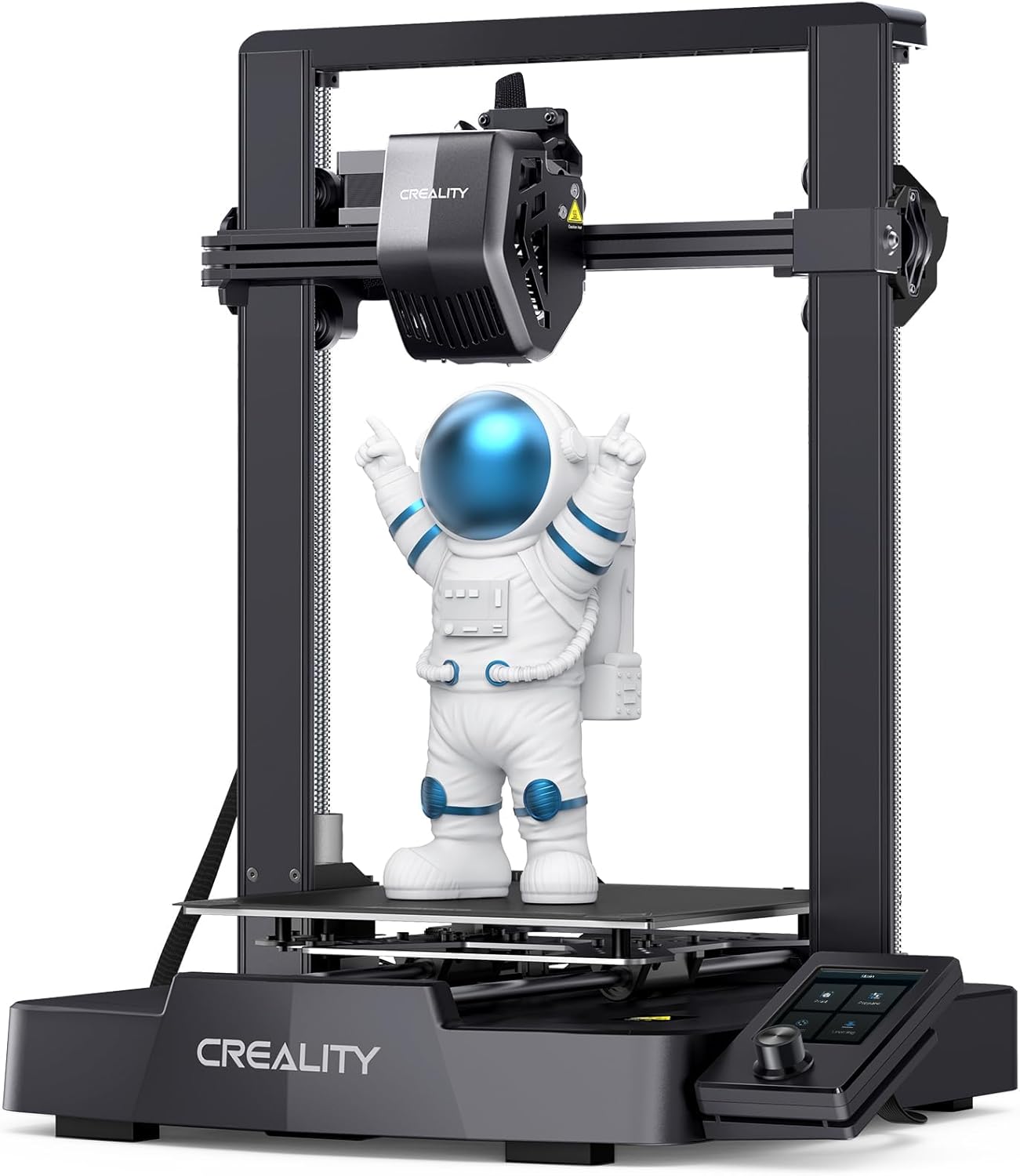
If you’re looking for a low-cost 3D printer, go no further than the Creality Ender 3 V3 SE.The initial setup for 3D printing was formerly a never-ending chore. The Ender 3 V3 SE eliminates that.Before anything else, your first layer will stay put since CR Touch’s automatic bed leveling maps the surface.My next stop will be a Sprite direct-drive extruder outfitted with two Z-axis rails, which will allow for more stable feeding and motion as you gain experience.
The bed-slingers of yesteryear pale in comparison to this printer’s 250 mm/s peak speed and automatic filament loading.Drawbacks: SD card file transmission only; no Wi-Fi. Careful handling is required for the PC-coated plate. Color only applied once.Ideal for: beginner tinkerers and those on a tighter budget. Avoid: if you’re looking for color or app control.
6: FLASHFORGE Adventurer 5M
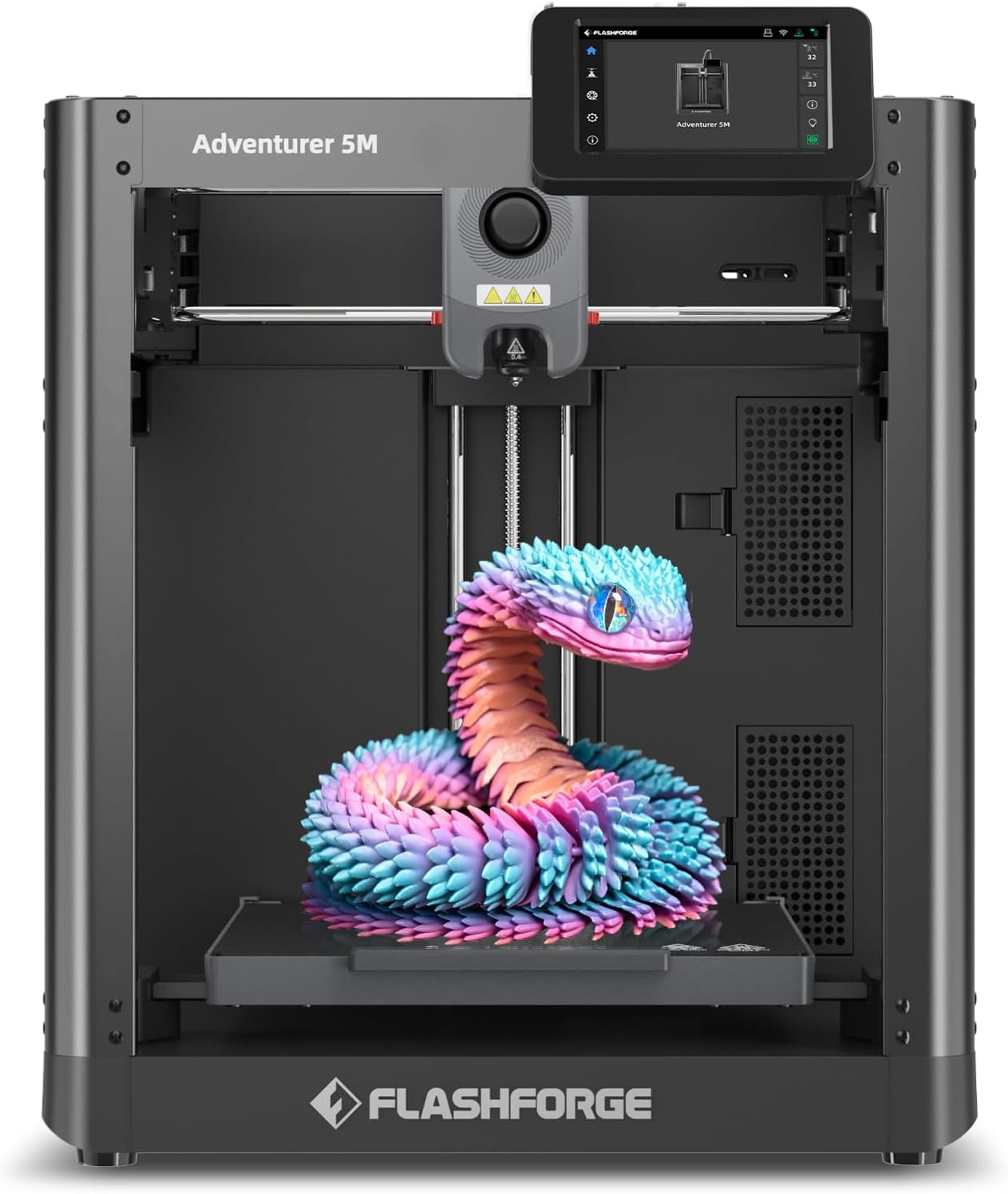
Quick, hands-free printing has never been easier than with the FLASHFORGE Adventurer 5M, the top affordable option.In general, cheap printers aren’t very fast. In this regard, the Adventurer 5M deviates.At the outset, there’s the CoreXY all-metal frame, which is twelve times quicker than an entry-level bed-slinger, reaching 600mm/s with an acceleration of 20,000mm/s².What follows is a high-flow direct extruder operating at 280°C with automated bed leveling—first layers are perfect and melting is fast.
At last: a removable nozzle that lasts three seconds. You can change the clog in a matter of seconds, which is inevitable for newcomers.Downside: high-temperature materials aren’t allowed due to the open top. One color right out of the package. The software urges users to create an account.Ideal for: novices who are impatient and want speed right away. Warning: not for use with engineering plastics or multicolor fans.
5: Bambu Lab A1 mini
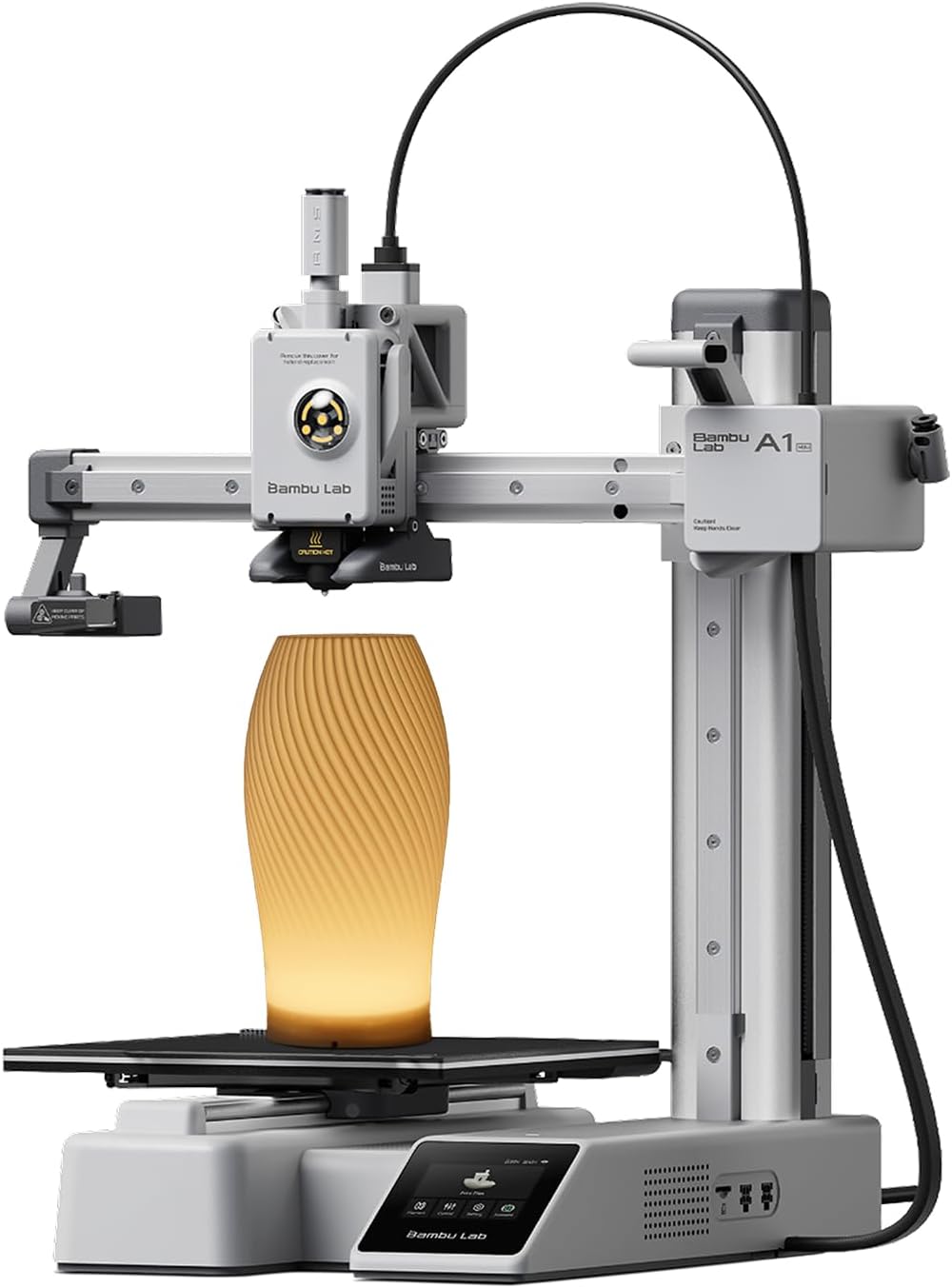
The Bambu Lab A1 small is the easiest way to start printing using 3D technology.You can’t expect everyone to have a desk large enough to accommodate a workbench. Despite its diminutive size, the A1 small is packed with genuine quality.The first step is active flow-rate correction and full-auto calibration. Prints are crisp because the printer adjusts itself.After that, it takes no more than twenty minutes to set up; just take it out of the box, follow the on-screen instructions, and you’ll be printing documents in no time.
The printer comes with an LED lamp kit so you can create beautiful lights, and it runs at a decibel level below 48.Downside: you can only develop a tiny amount here. Colorless unless you include the AMS light. Difficult filaments do not have a housing.Particularly well-suited for: cramped quarters, pupils, and first-timers experiencing anxiety. Avoid: multicolor prints or those with a lot of text without an add-on.
4: FLASHFORGE AD5X

The FLASHFORGE AD5X is an excellent entry-level printer for multicolor printing on a budget.Plain old one-color prints are so dated. The AD5X brings vibrant hues without breaking the bank.The first is the built-in support for up to four colors. This means that you may print logos, toys, and models with real color separation, not just paint.Up next: a CoreXY structure moving at 600 mm/s enabled by one-click auto-leveling. Speed is important since color printing require more time.
Lastly, a direct-drive extruder capable of reaching temperatures required by more durable filaments—300°C. This goes beyond the capabilities of simple PLA.Downside: using four colors results in greater swap waste. Building volume of 220 mm is not very large. It takes more time to set up than a machine with just one color.Apt for: newbies who are comfortable printing in color. This is not the right choice for: those seeking a steep learning curve.
3: Bambu Lab A1

If you’re just starting out and want a machine that can handle everything, go no further than the Bambu Lab A1.An easy/capable trade-off is imposed by the majority of first printers. No choice is being made by the A1.The first is a lightning-fast acceleration of 10,000 mm/s², which allows for precise prints with minimal user intervention, as well as full-auto calibration and active flow-rate adjustment.The following is an open frame with a generous 256 mm build capacity that is both beginner-friendly and capable of handling larger projects.
Lastly, to enable multi-color printing, simply snap on the AMS light. You can begin with a single color and unlock the whole palette at a later time.Drawback: The separate AMS lite is required for multicolor results. Advanced filaments are bypassed by the open frame. Access to the app is conditional on activating an account.Intended audience: newcomers with an eye toward expansion. Avoid: enclosed-only printing unless you’re looking for a bargain.
2: Creality K1C

If you’re just starting out and are ready to print on more challenging materials, the Creality K1C is your best bet.Beyond basic plastic, open-frame printers have a hard time handling complex materials. A new shelf of filaments is unveiled by the K1C’s sealed chamber.To start, there is a 600 mm/s CoreXY frame that is completely encased. The closed build maintains a constant temperature, preventing the warping of demanding materials.What follows is a 300°C direct extruder that is hardened and clog-free; this will allow you to print carbon-fiber-reinforced filament, which destroys less expensive nozzles.
At last, it has real plug-and-play setup and completely automated leveling—despite its capabilities, it starts up just like a new phone.Drawbacks: only one color available unless you accessorize. Because of the enclosure, the footprint is larger. Keep the top vent open if you’re using a cooler filament.Who it’s best for: newbies looking for long-lasting components. Not for: those looking for a cheap starting point or multicolored fans.
1: Bambu Lab P1S
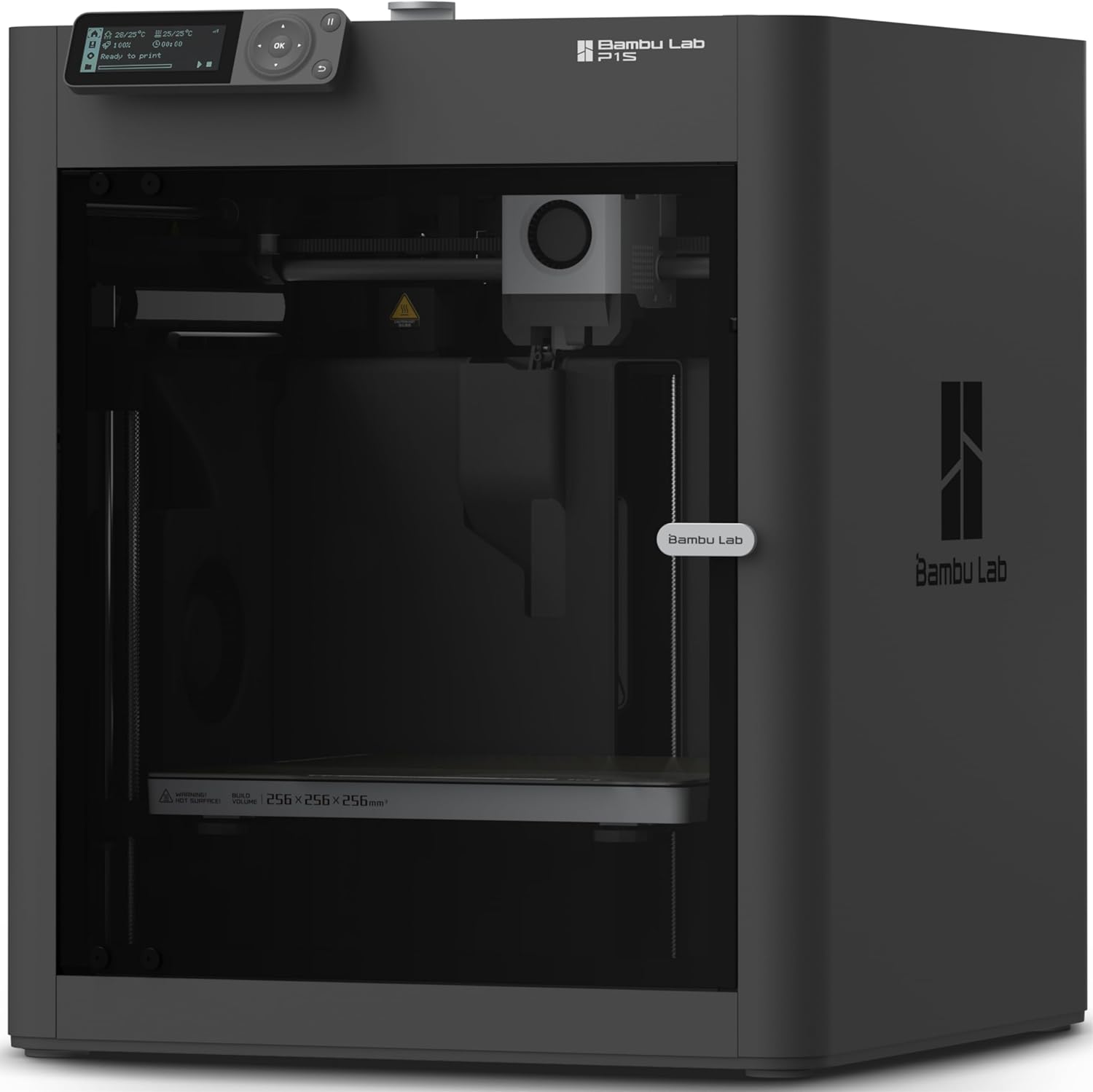
In 2026, the Bambu Lab P1S, a printer that you can upgrade as your needs change, is the best 3D printer for beginners.At some point, all of the other choices reach a maximum. Once you’ve moved past the novice stage, the P1S will continue.To start, there is a 500 mm/s fully enclosed CoreXY chamber, which is capable of handling sophisticated filaments that open frames are unable to.Second, no other option here combines a confined room with a palette of up to sixteen colors and various materials via the AMS.
Third, despite all that power, it is still really beginner-friendly with features like automated bed leveling and a 15-minute setup.No. 4: the complete Bambu ecosystem, which includes a vast collection of print-ready models that you can access from your mobile device.Downside: the separate AMS unit is required for multicolor. Here, it is the most expensive option. It is highly dependent on the Bambu app and cloud.Ideal for: newbies who wish their initial printer could last forever. Avoid: if you’re simply interested in deals or prefer to shop offline.
Things to Consider Before Buying a 3D Printer:
You need to evaluate several factors before purchasing a 3D printer. From print quality and speed to material compatibility and budget, understanding these aspects will help you make the best choice for your needs and ensure a rewarding 3D printing experience.
Fused Deposition Modeling (FDM) for Versatility
Versatility defines FDM printers, making them a popular choice for hobbyists and professionals alike. They work with a variety of thermoplastic materials, enabling you to create everything from prototypes to intricate designs.
Resin-Based Printing (SLA/DLP) for High Detail
Precision defines resin-based printing technologies like SLA and DLP, which excel in producing detailed and smooth surfaces. These printers use liquid resin cured by UV light, yielding exceptional accuracy for intricate designs. Resin-based printing utilizes light-sensitive liquid resin, allowing for remarkable detail in finished products. Commonly used in jewelry, dental applications, and miniatures, this technology provides a professional finish, capturing fine textures and complex geometries that FDM methods may struggle to achieve. Proper handling and safety measures are necessary due to the resin’s volatile nature.
Build Volume and Mechanical Precision
Build volume directly impacts the size of your projects. Selecting a printer with sufficient capacity ensures you can create larger items or multiple parts at once. Mechanical precision also plays a role, as higher precision leads to improved detail in your prints.
Material Compatibility and Thermal Requirements
Choosing a printer based on material compatibility is vital. Look for models that support a range of filaments, including PLA, ABS, and specialty materials. Thermal requirements impact the printer’s ability to effectively manage different materials, which influences the quality and durability of the finished object.
Printing with various materials demands attention to thermal performance. Always ensure that your chosen 3D printer can maintain the necessary temperatures for your preferred filaments. This capability not only prevents issues like warping or under-extrusion but also enhances your project outcomes, maximizing versatility in your printing endeavors.
Advantages of Rapid Prototyping and Customization
Customization allows you to bring unique ideas to life far more quickly than traditional manufacturing methods. Rapid prototyping means you can test designs and iterate instantly, fostering innovation in your projects.
Understanding Maintenance and Operational Costs
Operational costs include not just material expenses but also maintenance and potential repairs. Daily use might lead to technical issues that require attention, impacting your overall budget.
Regular maintenance is vital to ensure your 3D printer operates smoothly. Expenses for replacement parts, specialized tools, or professional repairs can accumulate over time. It’s wise to factor in these costs along with filament and other operational vitals when budgeting for your 3D printing endeavors.
Workspace Safety and Adequate Ventilation
Establishing a safe workspace is non-negotiable. Use proper safety gear, especially when handling materials. Ensure your area has adequate ventilation to disperse fumes from certain filaments, which can improve air quality and comfort during printing sessions.
Essential Post-Processing Tools and Accessories
Investing in the right post-processing tools enhances your finished prints. Consider items like scrapers, sanding blocks, and cutting knives for refining your models. These tools not only improve aesthetics but also help in achieving desired functionality and durability.
Post-processing is often overlooked but plays a critical role in the overall quality of your projects. Along with scrapers and sanding tools, brushes and paints can help achieve a professional finish. Think about adding UV stabilizers or glue for specific materials to enhance bonding and longevity.
Defining Your Specific Application Requirements
Identify whether your printing needs are for prototyping, production, or educational purposes. Each application demands different capabilities from a 3D printer, such as precision, speed, and material types.
Assessing Software Compatibility and Manufacturer Support
Evaluate the compatibility of the printer’s software with your existing design tools. Adequate manufacturer support is vital for troubleshooting and updates, ensuring optimal performance.
Researching software compatibility involves checking what design programs work seamlessly with the printer. Manufacturer support becomes significant when issues arise, as knowledgeable customer service can guide you through problems. Look for positive reviews on support experiences and confirm availability of regular software updates, as this contributes to enhanced functionality over time.
To wrap up
With this in mind, consider your specific needs such as print volume, material compatibility, and budget before purchasing a 3D printer. Evaluate user support, software ease of use, and quality of prints to ensure that your choice aligns with your projects. Making informed decisions will enhance your 3D printing experience and yield satisfying results.
Leave a Reply