
Hunting for the best Asus laptops often feels overwhelming, especially with endless specs and confusing model names. You shouldn’t have to settle for sluggish performance when you could own a stunning ROG or ZenBook powerhouse. We tested the market to reveal top-tier choices that guarantee speed and reliability for every budget. Stop stressing over reviews and find your dream machine right now. Here are our top picks.
Contents
- Top 5 Asus Laptops:
- 1. Asus ROG Zephyrus G15 – Best Asus Laptop Overall
- 2. Asus ROG Strix G16 – Best Asus Laptop for Gaming
- 3. Asus Vivobook S 14 OLED – Best Asus Laptop for AI-Powered Productivity
- 4. Asus TUF Gaming F16 – Best Rugged Performance Asus Laptop
- 5. Asus Vivobook Go 15 – Best Budget Asus Laptop
- Things to Consider Before Buying a Asus Laptop:
- Gaming Laptops
- Business Laptops
- 2-in-1 Laptops
- Performance Specifications
- Portability and Design
- Assessing Your Needs
- Identifying Required Features
- Potential Drawbacks
- Summing up
Top 5 Asus Laptops:
1. Asus ROG Zephyrus G15 – Best Asus Laptop Overall

The ROG Zephyrus G15 is an outstanding all-arounder among Asus laptops because it combines powerful gaming capabilities with a lightweight design that you can really carry around with you every day. With an AMD Ryzen 9 5900HS and an RTX 3080 graphics card, your system will run smoothly through demanding games, creative workloads, and multitasking.
With a 165Hz refresh rate, the 15.6-inch Quad HD (2560×1440) IPS display is designed for fluid animation, and adaptive sync aids in reducing screen tearing for smoother gameplay. With more space to notice details and remain organized, a higher resolution is also ideal for streaming, editing, or working with numerous windows. Using it in brighter rooms is made easier with the anti-glare coating, which prevents reflections.
The model’s portability is a major selling point. You can take it with you from home to class or the office without feeling like you’re lugging along a brick thanks to its slim profile and light weight (4.2 pounds vs. many gaming laptops).
A familiar configuration for gaming and work is yours with Windows 10 Home and a comfy gaming keyboard. When it comes to lightweight design that doesn’t sacrifice serious gaming capability, premium performance, and a crisp high-refresh screen, this is a great option.
2. Asus ROG Strix G16 – Best Asus Laptop for Gaming

The ROG Strix G16 is an ASUS gaming laptop that is engineered to provide high frame rate stability, lightning-fast loading times, and uninterrupted gaming sessions. You have a powerful system that can handle modern games, creative tasks, and intensive multitasking thanks to your Intel Core i7-14650HX processor and NVIDIA GeForce RTX 5060 Laptop GPU, which is built on NVIDIA’s Blackwell architecture. You’re running Windows 11 Home.
Rapidity is pervasive. Games, voice chat, web browsers, and media players will all operate easily with 16 GB of DDR5-5600 memory. With the 1 terabyte PCIe Gen 4 SSD, you can quickly start games and enjoy rapid boot times. Plus, you have ample space to build a true library without having to worry about juggling installs right away.
The 16-inch 165Hz FHD+ screen is optimized for fluid movement and responsive gaming, while the addition of ACR film enhances contrast and reduces glare, which is great for playing in bright settings or when transferring between different areas.
A large component of performance is thermals, and ROG Intelligent Cooling is designed to maintain system stability even when the system is under heavy stress. You can game for longer without experiencing slowdowns thanks to features like an end-to-end vapor chamber, a tri-fan design, and Conductonaut Extreme liquid metal on the CPU, all of which help manage heat.
A full-circle RGB light bar that synchronizes with your keyboard and ROG gear adds to the style customization. For a more understated arrangement, Stealth Mode disables the lights for a cleaner appearance.
3. Asus Vivobook S 14 OLED – Best Asus Laptop for AI-Powered Productivity

The Asus Vivobook S 14 OLED is a great choice if you’re looking for a lightweight laptop that seems purpose-built for AI-powered modern productivity without sacrificing portability. You can multitask with ease on this machine, thanks to its Ryzen AI processor, 24GB of RAM, and roomy 1TB SSD. It’s perfect for office apps, creative tools, and background activities. Everything is kept efficient for everyday work, streaming, and light creation by means of integrated graphics.
The 14-inch ASUS Lumina OLED display, which is 3K, is the true show-stopper. The improved scrolling, editing, and multitasking experience is a result of its sharp 2880×1800 resolution and fast 120Hz refresh rate. The 16:10 aspect ratio, which allows you to view more content on screen, is ideal for documents, timelines, and side-by-side windows. With OLED, your work will appear more vivid and clear, which is great if you care about the aesthetics of your presentations, images, or content creation.
Another compelling argument in its favor is its portability. Its 2.87-pound weight and 0.63-inch thickness make it the perfect travel companion for the commute from home to the job or college. The single-zone RGB backlight allows you to choose colors, brightness, and lighting modes to suit your setup or mood, while the ergonomic keyboard ensures you stay comfortable even when typing for long periods of time.You also have an integrated numeric keypad, which is great for spreadsheets, budgeting, and fast data entry, among other number-heavy jobs.
4. Asus TUF Gaming F16 – Best Rugged Performance Asus Laptop

If you’re looking for a gaming laptop from Asus that can withstand regular use without sacrificing performance, the TUF Gaming F16 is a great choice. Modern games operate smoothly on your Windows 11 machine, which is powered by an Intel Core 5 210H CPU and an NVIDIA GeForce RTX 4050 Laptop GPU with up to 115W Max TGP and NVIDIA Advanced Optimus. You can also enjoy seamless performance and efficiency switching while on the go.
Enjoy seamless gameplay on the 16-inch FHD display with 144Hz refresh rate. Streaming, editing clips, or creating video is a breeze with 100% sRGB color accuracy. With Adaptive-Sync, you won’t have to worry about stuttering, screen tearing, or latency when playing fast-paced games.
The TUF line’s long lifespan is a major selling point. If you do a lot of traveling, take your laptop wherever you go, or just want something that feels more durable over time, the F16 is a great choice because it has been tested to meet MIL-STD-810H military-grade requirements, meaning it can tolerate harder circumstances than the average laptop.
Its cooling system is designed to provide long-term performance. Stay consistent for longer sessions with the help of an anti-dust filter, multiple exhaust vents, specialized heat pipes, and Arc Flow Fans that work together to manage heat more efficiently without adding unwanted noise.Subtle embossed TUF branding and a sleek Mecha Gray finish keep design unobtrusive, while a backlit keyboard facilitates late-night gaming or work sessions.
5. Asus Vivobook Go 15 – Best Budget Asus Laptop
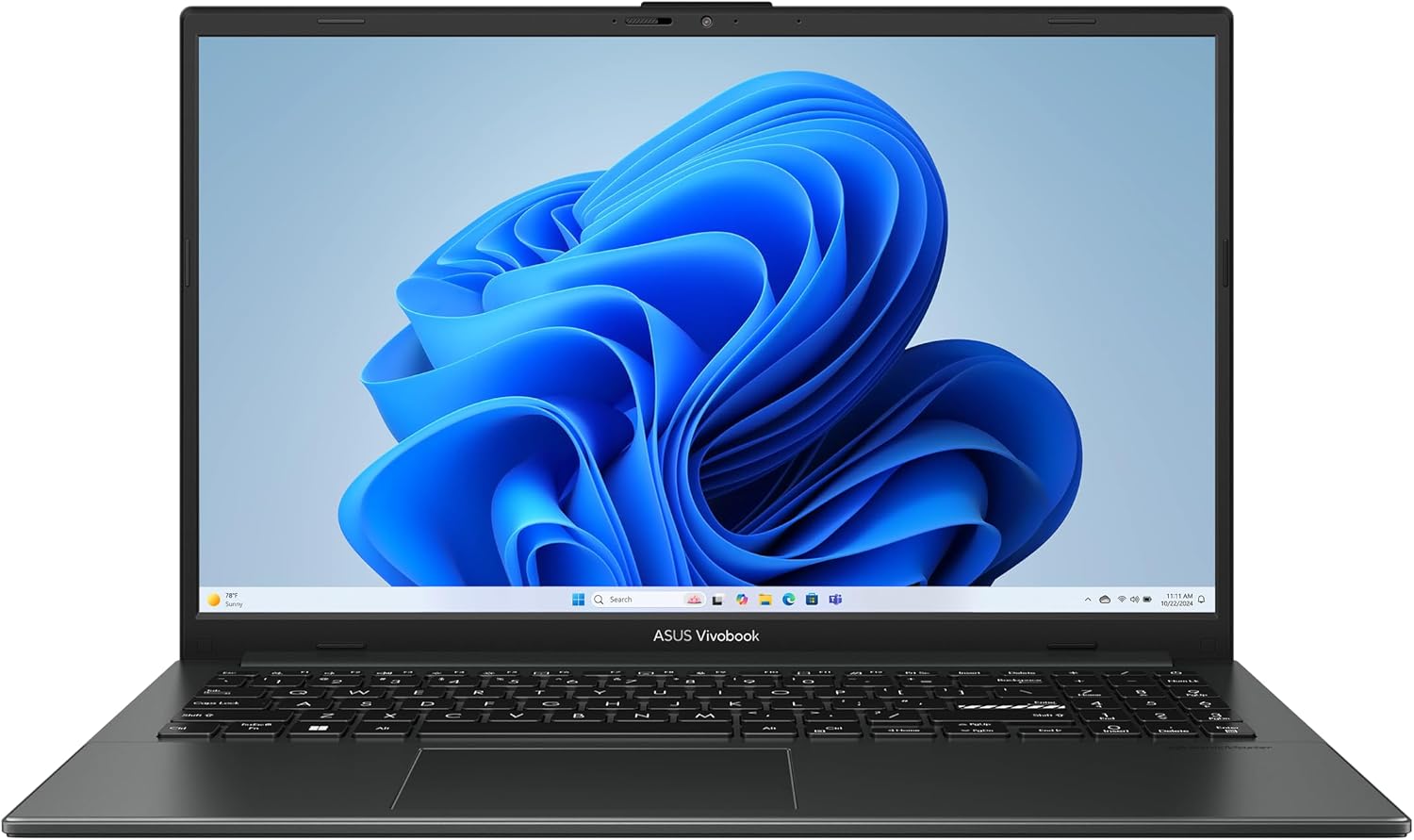
The Asus Vivobook Go 15 is an affordable option for anyone looking for a durable laptop that can handle everyday streaming, work, and school with ease. You get more than enough screen real estate for web surfing, video chatting, document viewing, and movie watching on the 15.6-inch Full HD display with 250 nits of brightness and 45% NTSC color gamut.
Keeping numerous tabs open, working in Office software, and handling light apps without continual slowdowns is handled by the AMD Ryzen 3 7320U, a power-efficient 4-core, 8-thread processor. Even when you’re not editing or gaming heavily, the integrated AMD Radeon graphics ensure seamless video playback and assist with everyday images.
You have 8 GB of RAM and a 256 GB solid-state drive (SSD) for everyday productivity, which means you can boot up quickly and retrieve files easily. This configuration is great if you want fast performance for everyday tasks but don’t want to waste money on unnecessary specs. Another great thing is the battery life. The 42Wh battery may last up to 11 hours, so you can get through a whole class or workday without constantly stopping to charge it.
Little things that make a difference in comfort are important as well. With its numeric keypad and 180° lay-flat hinge, this chiclet keyboard is perfect for data entry and spreadsheets. It also offers more versatility when it comes to sharing your screen. When you’re not using the 720p HD camera to record a video call, you may slide its physical shutter to keep private footage private.
Things to Consider Before Buying a Asus Laptop:
Laptop choice shapes your workflow and budget, so before buying an Asus laptop you should evaluate your performance needs, battery life, display quality, portability, thermal design, and upgradeability. Check whether the CPU/GPU, RAM, and storage meet your typical tasks, verify build quality and keyboard comfort, review real-world battery and thermal tests, confirm warranty and service options, and compare prices to secure the right value for your use.
Gaming Laptops
You’ll find Asus gaming machines offering NVIDIA RTX 30/40-series GPUs, 16-32GB RAM, and 240-360Hz panels for esports; models like the ROG Strix G15 or Scar 17 pair 1TB NVMe SSDs with advanced cooling, while TUF series gives you durability and 144Hz at a lower price point-so prioritize GPU and cooling for sustained 100+ FPS in AAA titles.
Business Laptops
You’ll notice ExpertBook models emphasize long battery life (10-14 hours), MIL-STD chassis, TPM 2.0, optional Intel vPro, and predictable service plans, making them suited for hybrid work and secure deployments with 1080p webcams and biometric login.
For deeper business needs, you should evaluate port selection (Thunderbolt 4, HDMI, GbE), warranty tiers (on-site next-business-day options), and manageability features like BIOS lockdown and enterprise imaging support; corporate buyers often choose 12th/13th Gen Intel Core i5/i7 variants with 256-1TB SSDs and 16GB RAM to balance performance and longevity while reducing downtime.
2-in-1 Laptops
You’ll get convertible ZenBook Flip and VivoBook Flip models offering 360° hinges, stylus support, and touch OLED displays; typical setups use 11th-13th Gen Intel or Ryzen U-series CPUs, 8-16GB RAM, and battery lives around 9-12 hours, ideal if you switch between tablet and laptop modes.
When you dig deeper, focus on hinge durability ratings, pen latency (Wacom AES or active stylus support), and display color coverage-ZenBook Flip 13 often ships with OLED 2.8K and Intel Evo validation for instant wake and consistent battery life, while Vivobook Flip trades some premium glass for lower cost and wider port selections, so pick based on whether you need precision drawing or general versatility.
Performance Specifications
You should match CPU and GPU to tasks: Intel Core i5/i7 or AMD Ryzen 5/7 handle productivity and light editing, while discrete NVIDIA RTX 30/40-series suits gaming or 3D work. Aim for 16GB RAM for multitasking and at least a 512GB NVMe SSD for large projects; faster PCIe 4.0 drives appear in newer ZenBook and ROG models. Check thermal design-sustained clocks and real-world benchmarks reveal whether the laptop maintains performance under load.
Portability and Design
You’ll balance screen size, weight, and build: 13-14″ ZenBooks commonly weigh 1.0-1.3 kg for easy carry, while 15-17″ machines run 1.6-2.5 kg. Metal chassis add rigidity and premium feel but can raise price; convertible hinges add versatility for drawing or presentations. Check keyboard travel and trackpad responsiveness if you type a lot, and expect 8-12 hours on ultraportables versus 4-8 hours on gaming laptops.
Consider trade-offs: thin ultrabooks often house 50-70Wh batteries and may thermal-throttle under prolonged loads, so choose 60-90Wh if you need sustained performance away from a desk. Thicker chassis allow more ports-full HDMI and RJ45-so prioritize those if you dock frequently. Inspect hinge designs like Asus’s ErgoLift for typing angle and airflow, and review real-world battery and weight benchmarks before deciding.
Assessing Your Needs
You should map tasks to specs: for video editing target a 6+ core CPU, 16-32GB RAM, and a discrete GPU; for programming and office work 8GB-16GB RAM and a modern CPU suffice; for light web/email prioritize battery life and weight under 1.4 kg. Factor in screen size-14″ balances portability and productivity, 15-16″ gives more thermal headroom.
Identifying Required Features
List features by task: if you edit 4K video, prioritize an i7/Ryzen 7, 32GB RAM, and NVMe 1TB; for coding and multitasking, favor 16GB RAM and a comfortable 14-15.6″ 1080p display; for portability, choose sub-1.2kg ZenBook options with 10-12 hours battery life.
Dig deeper by matching single components to workflows: choose Intel/AMD CPU generations (13th/14th gen or Ryzen 6000/7000 series) for IPC gains, prefer NVMe PCIe 4.0 SSDs for faster media transfer, and select IPS/AMOLED panels with 100% sRGB or 1000:1 contrast if color accuracy matters.
Potential Drawbacks
Some Asus models show variability in thermal design and component choices: you may encounter fan noise, thermal throttling, or displays with lower brightness on budget lines. Additionally, certain ultrabooks solder RAM, limiting future upgrades, and premium configurations can be expensive compared with similar-spec competitors.
Digging deeper, you’ll find examples: high-refresh ROG laptops often trade battery life (3-5 hours gaming) for performance, while thin Zephyrus models can run hotter under sustained CPU+GPU loads and may reduce clocks to control temps. Also check regional warranty and service reviews-parts availability and support response times differ by country-so validate local after-sales coverage before buying.
Summing up
With this in mind, weigh your intended use, performance requirements, display and battery expectations, build quality and portability, after-sales support, upgradeability and available ports, and budget when choosing an Asus laptop; test the keyboard, thermals and real-world battery life if possible so you select a model that meets your needs and delivers reliable long-term value.
Leave a Reply