
Best Audio Interfaces can transform a shaky home recording setup into pro-level sound fast. I tested top USB audio interfaces and compared latency, build quality, and recording clarity to help you pick the right gear. If you’re frustrated by hiss, dropouts, or confusing specs, this guide offers clear, trusted advice and game-changing picks you can use today. Read on to find the perfect match.
Contents
- Top 7 Audio Interfaces:
- 7: Behringer UMC22 Audiophile 2×2 USB Audio Interface
- 6: M-AUDIO M-Track Duo USB Audio Interface
- 5: Universal Audio Volt 2 USB Audio Interface
- 4: Audient iD4 MKII USB-C Audio Interface
- 3: Solid State Logic SSL 2+ MKII USB-C Audio Interface
- 2: Focusrite Scarlett 2i2 4th Gen USB-C Audio Interface
- 1: Universal Audio Apollo Solo Heritage Edition
- Things to Consider Before Buying a Audio Interface:
- Desktop and Portable USB Interfaces
- High-Bandwidth Thunderbolt and PCIe Systems
- Input and Output (I/O) Requirements
- Preamplifier Quality and Phantom Power
- Advantages of Integrated Audio Solutions
- Limitations of Entry-Level Hardware
- Identifying Your Studio Recording Needs
- Comparing Connection Protocols and OS Compatibility
- Managing Buffer Size and Latency
- Essential Accessories and Cable Management
- Conclusion
Top 7 Audio Interfaces:
7: Behringer UMC22 Audiophile 2×2 USB Audio Interface

When starting off with home recording, the Behringer UMC22 is your best bet for an affordable audio interface.Connecting a microphone directly to a laptop will not work. For studio use, you’ll need a proper power source and an XLR input. Both are provided by the UMC22.To start, there’s a combination input mic preamp that was built by Midas. There is no noise in the signal when using XLR or quarter-inch.
The 48-volt phantom power is next, and it may be toggled from the rear panel. Never mind the packaging—a condenser microphone is ready to go right out of the box.
Lastly, it has its own headphone level for direct monitoring. There is zero lag when you hear your own voice while you play.The recording ends at 48 kilohertz, which is a drawback. There is only room for one microphone preamp, thus it will be impossible to record a duet. A different driver is usually required for Windows.For guitarists putting down demonstrations and first-time recorders, this is the best option. If you’re after high-resolution audio, you might want to look elsewhere.
6: M-AUDIO M-Track Duo USB Audio Interface
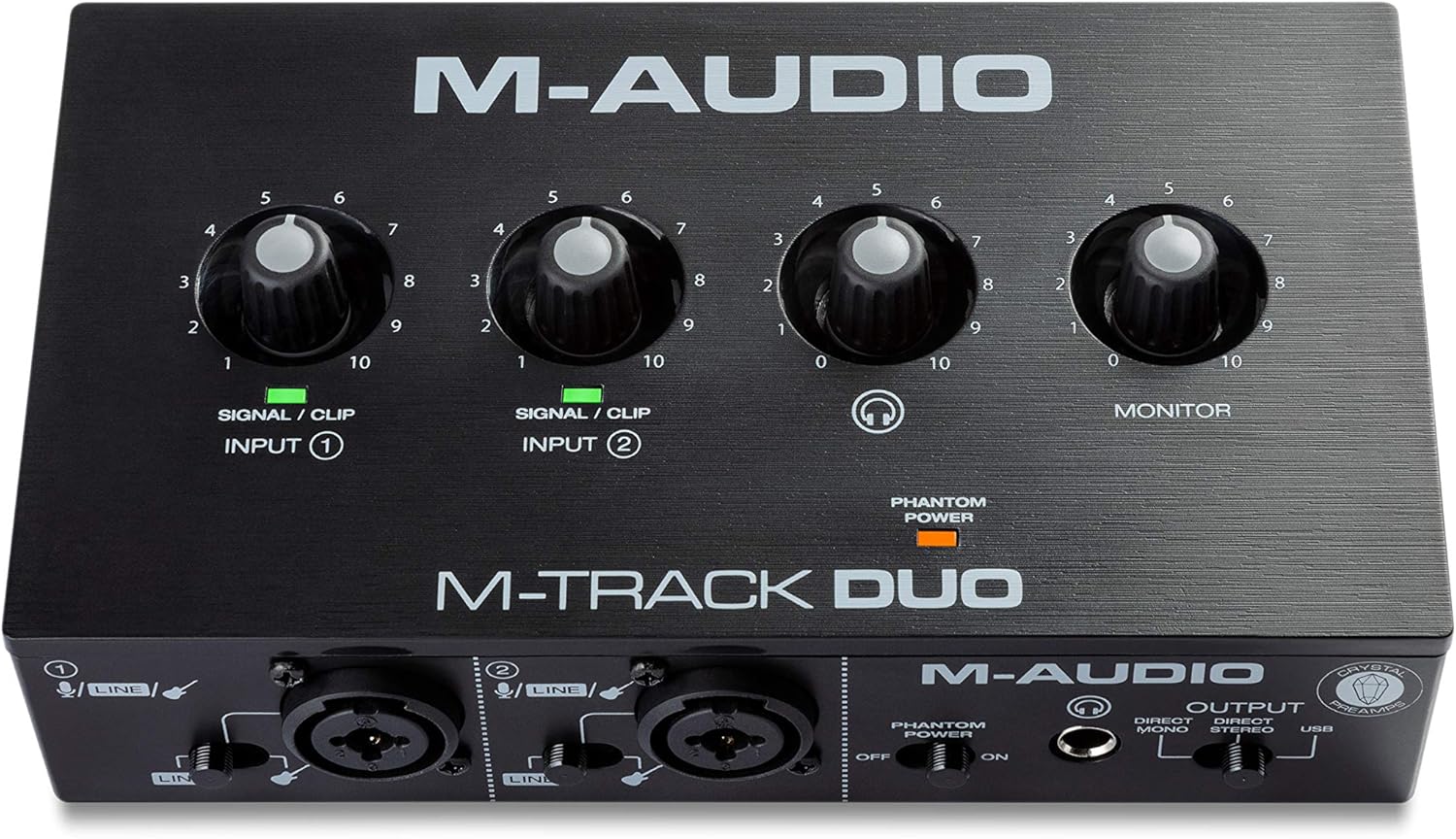
The top affordable audio interface for simultaneous recording of two microphones is the M-Audio M-Track Duo.Up until a pal turns up with a guitar, one input is enough. One person records at a time. The M-Track Duo puts a stop to that.To start, there are two combo inputs that can accept either a line source, an instrument, or a microphone. Perform each instrument independently.After that, the Crystal preamps from the same brand will be fed by phantom power on both channels. On one side, we have two condenser microphones.
At last, we have the MPC Beats software and a USB/Direct switch for monitoring with zero latency.Low resolution (48 kilohertz) is a drawback. Plastic, not metal, makes up the body. Under intense pressure, buyers make a noise that sounds like hiss.Duos, podcasting couples, and affordable singer-guitarists are the ideal candidates. Those seeking a metal construction or increased sample rates should not use this.
5: Universal Audio Volt 2 USB Audio Interface

When it comes to capturing that authentic, analog sound of yesteryear in vocals, nothing beats the Universal Audio Volt 2.While technically sounding OK, clean recordings may sound clinical when compared to your beloved albums. Volt 2 makes up for the lack of coziness.To start, we have Vintage mode. The full-bodied sound of the legendary 610 preamp from the same manufacturer is yours at the touch of a button.Up next: 192 kilohertz converters with 24-bit data. Detailed down to the last breath and string.
When it comes down to it, it’s compatible with all major platforms and comes with LUNA recording software.The lack of a dial to mix vintage and modern sounds is a major drawback. An adapter and external power source are required for iPhone recording. We do not have a compressor on board.Who it’s best for: acoustic musicians, rappers, and singers who prefer to play without effects. Engineers requiring an absolutely neutral signal should not use this.
4: Audient iD4 MKII USB-C Audio Interface

When recording solo as a guitarist, nothing beats the Audient iD4 MKII.You won’t get a full sound from most compact interfaces because the guitar input is usually an afterthought. In contrast, the iD4 MKII has its construction reversed.To begin, there is an instrument input that mimics the behavior of a vintage valve amplifier’s front end—a JFET. The sound of live guitar and bass is still present.Taking a cue from the ASP8024 HE recording console, the following is a Class-A mic preamp. The norm for large studios with one channel.
Lastly, it has an all-metal body that is powered via USB-C and two headphone outputs. Moreover, you may use the volume knob as a scroll wheel.Regrettably, stereo miking is not an option due to the single microphone preamp. Not a single MIDI port. Up to 96 kilohertz, recording is not possible.Ideal for: musicians that play guitar, bass, or write music alone. Not suitable for: duos or individuals using MIDI to control hardware synths.
3: Solid State Logic SSL 2+ MKII USB-C Audio Interface
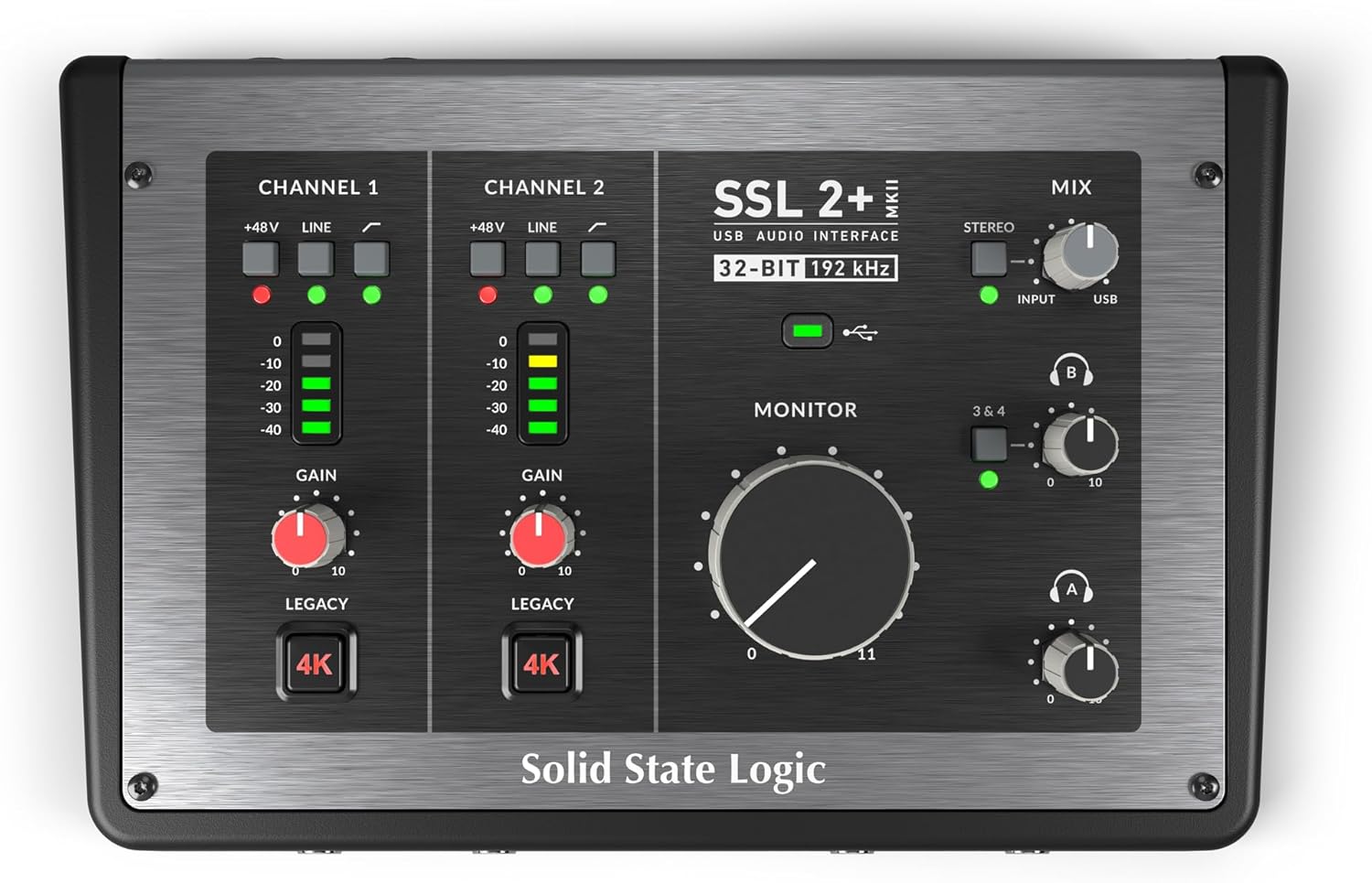
The top audio interface for duo recording is the Solid State Logic SSL 2+ MKII.Two individuals, a single headphone jack. Every time, someone gets the wrong combination. Problem solved using SSL 2+ MKII.You have two independent headphone outputs, and you may adjust the volume for each one. Everybody can hear what the singer and producer require.Here we go: Legacy 4K. The renowned analog lift and presence of the company’s mixing consoles can be added with the touch of a button.
The last thing we have here are converters that can handle 192 kilohertz, 32 bits, MIDI, four line outputs, and stereo loopback for streaming.The downside is that it takes up more room on a desk than the average two-input box. Legacy 4K will always have an impact.The gain must be adjusted manually; there is no automated level setting.Ideal for: livestreamers, synth users, and producer-vocalist combos.Avoid if you’re a beginner or a traveler looking for automatic levels.
2: Focusrite Scarlett 2i2 4th Gen USB-C Audio Interface

An industry-leading, level-setting audio interface—the Focusrite Scarlett 2i2 4th Gen.Terrible gain destroys excellent takes. The track is too noisy and too low. When the volume is too high, the big chorus sounds distorted. In such case, the 2i2 steps in.Auto Gain is the first. It automatically sets the correct level after a short while of play.After this, we have Clip Safe. In the event that a particularly loud moment is about to clip, it will lower the level by monitoring the signal as you record.
Lastly, the same converters found in the brand’s flagship interfaces allow for an air mode and a 120 dB dynamic range. The focus moves to the vocals and guitars.The microphone connections are on the rear panel, which makes them inconvenient for fast swaps. Not a single MIDI port. There is just one headphone jack.Recommended for: aspiring songwriters and singers looking for immediate professional results. This product is not suitable for use with MIDI devices or with pairs of headphones.
1: Universal Audio Apollo Solo Heritage Edition

If you’re a musician who wants a polished sound when you record, the Universal Audio Apollo Solo Heritage Edition is your best bet.
You may get a raw signal from any of the other interfaces here. The software is where the polish is added later. The Apollo Solo takes down that barrier.Firstly, processing on the UAD SOLO Core. While you play, a built-in chip operates analog tape machines, equalizers, and compressors with almost no latency at all. Except for this interface, none of them do this.Next up: technology for Unison preamps. The microphone input mimics the operation of vintage preamps made by API, Neve, and Manley; the instrument input mimics the action of Marshall and Fender amplifiers.
The Heritage Edition bundle, which includes five high-quality plug-in titles from Universal Audio, Pultec, and Teletronix, comes in at number three.Fourth, a bus-powered headphone amplifier designed for quiet, powerful monitoring.The most costly option here is a drawback. The cable is not included, and it requires Thunderbolt 3. You can only use one processor core for all of your plug-ins.The ideal choice for producers, guitarists, and vocalists looking for a finished, release-ready sound right from the start. Do not use if you are a beginner or if your computer does not have Titanium.
Things to Consider Before Buying a Audio Interface:
Choosing the right audio interface can significantly impact your recording and production quality. Factors such as connectivity options, preamp quality, and compatibility with your existing gear all play a role in your decision-making process. Understanding these elements ensures you invest wisely in equipment that meets your sonic needs.
Desktop and Portable USB Interfaces
Desktop and portable USB interfaces are popular choices for their convenience and versatility. These interfaces typically connect easily to laptops or desktops, offering adequate performance for recording and mixing tasks. Brands like Focusrite and PreSonus provide compact models that can power microphones and instruments without the need for complex setups. Their affordability combined with straightforward functionality makes them a go-to for musicians and podcasters alike.
High-Bandwidth Thunderbolt and PCIe Systems
High-bandwidth Thunderbolt and PCIe systems cater to professional users needing superior performance. Thunderbolt interfaces enable the simultaneous processing of multiple channels, making them ideal for complex projects with extensive plugins. PCIe cards, while requiring installation inside a computer, minimize latency, offering near-zero delay. This level of speed and efficiency is particularly advantageous in settings where high-resolution audio and multiple inputs are required, such as film scoring or large ensemble recordings.
Input and Output (I/O) Requirements
Determining your I/O requirements involves assessing the number of sources you’ll typically record. If you’re working solo, a simpler interface with two inputs might suffice. However, for band recordings or podcasting, four or more inputs become essential. Additional outputs can also be beneficial for routing audio to studio monitors or external processors. Opt for interfaces that offer flexibility in both input and output configurations to suit various recording scenarios.
Preamplifier Quality and Phantom Power
Preamplifier quality plays a significant role in the clarity of recorded sound. High-quality preamps can provide a clean gain boost without introducing unwanted noise or distortion. Phantom power support is also necessary if you plan to use condenser microphones, which require external power. Some brands are known for superior preamp performance, ensuring vocal and instrument recordings remain crisp and detailed. Investing in equipment with reliable preamps can substantially improve overall audio fidelity.
Advantages of Integrated Audio Solutions
Ease of use defines integrated audio solutions, making them ideal for newcomers. Often, these all-in-one units come with built-in effects, monitoring features, and straightforward interfaces, facilitating a smoother learning curve. Consider a small home studio setup where compatibility and quick connections are paramount. Integrated systems frequently require less physical space, which is beneficial for limited work environments or when traveling.
Limitations of Entry-Level Hardware
Entry-level audio interfaces can hinder your creative potential, mainly due to their reduced audio quality and limited input/output options. Expect less flexibility with processing power, which can restrict how many tracks you can record simultaneously. Often, these devices are designed for basic tasks, leaving more advanced features reserved for higher-tier equipment. Budget considerations may drive choices, but sacrificing quality can impact your overall sound production experience.
Identifying Your Studio Recording Needs
Understanding your specific recording needs plays a significant role in your selection process. Evaluate whether you require multiple microphones for live recording, certain types of inputs for instruments, or specific output configurations for studio monitors. For instance, a larger studio setup may benefit from an interface with eight or more inputs, while a home studio might only need two channels to accommodate a basic vocal and guitar recording.
Comparing Connection Protocols and OS Compatibility
Connection protocols significantly affect performance and usability. USB, Thunderbolt, and FireWire each offer distinct advantages and drawbacks. USB is widely supported and typically offers sufficient speed for most applications, whereas Thunderbolt provides lower latency and is ideal for high-track-count projects. Ensure that whichever protocol you choose is compatible with your operating system, as macOS and Windows have different compatibility parameters that can impact functionality.
Managing Buffer Size and Latency
Adjusting the buffer size is essential for minimizing latency. A lower buffer size allows for real-time monitoring, but it may strain your CPU, potentially leading to audio glitches. For tracking vocals or instruments, you might want to set a smaller buffer, while a larger buffer can be beneficial during mixing when latency is less critical. Regularly testing different settings will help you find the optimal balance for your specific system.
Essential Accessories and Cable Management
Maintaining good cable management not only improves your workspace’s appearance but also enhances performance. Using high-quality cables helps decrease interference, ensuring cleaner sound transmission. Invest in cable ties or organizers to prevent tangling and signal degradation. Accessories like proper microphone stands and interface stands will contribute to positioning audio elements optimally, enhancing sound capture and overall functionality in your studio setup.
Conclusion
Choosing the right audio interface requires careful consideration of your specific needs and preferences. Assess factors such as connectivity options, sound quality, and budget to determine which features are most relevant for your projects. Prioritizing compatibility with your existing equipment can prevent headaches down the road. Many users find that investing in a slightly higher-quality model often leads to better long-term satisfaction and results. Selecting the right interface will ultimately enhance your audio production experience significantly.
Leave a Reply