
Best Budget Tablets are your gateway to high performance without breaking the bank. If you’re tired of overpaying for technology, these affordable tablets will meet your needs without emptying your wallet. Our expert review simplifies your search by spotlighting value-packed devices with impressive features. Discover the amazing world of budget-friendly gadgets that truly deliver power and efficiency. Let’s dive into the details of these incredible tablets and find the perfect match for you.
Contents
- Top 5 Budget Tablets:
- 1. Apple iPad – Best Budget Tablet Overall
- 2. Amazon Fire Max 11 – Best Budget Big‑Screen Tablet
- 3. Lenovo Tab M11 – Best Budget Productivity Tablet
- 4. Samsung Galaxy Tab A9+ – Best Budget Tablet for Streaming
- 5. Lenovo Tab M9 – Best Budget Travel‑Friendly Entertainment Tablet
- Things to Consider Before Buying a Budget Tablet:
- Long-Term Value vs. Short-Term Savings
- Screen Size and Resolution: Finding the Sweet Spot
- Battery Life: What You Really Need for Your Usage
- Android vs. iOS: The Impact on Usability
- Additional Software Considerations
- Reputation and Reliability: What to Look For
- Evaluating Warranty and Post-Purchase Support
- Learning from Customer Feedback: What’s Valuable
- Expert vs. User Reviews: Balancing Perspectives
- To wrap up
Top 5 Budget Tablets:
1. Apple iPad – Best Budget Tablet Overall
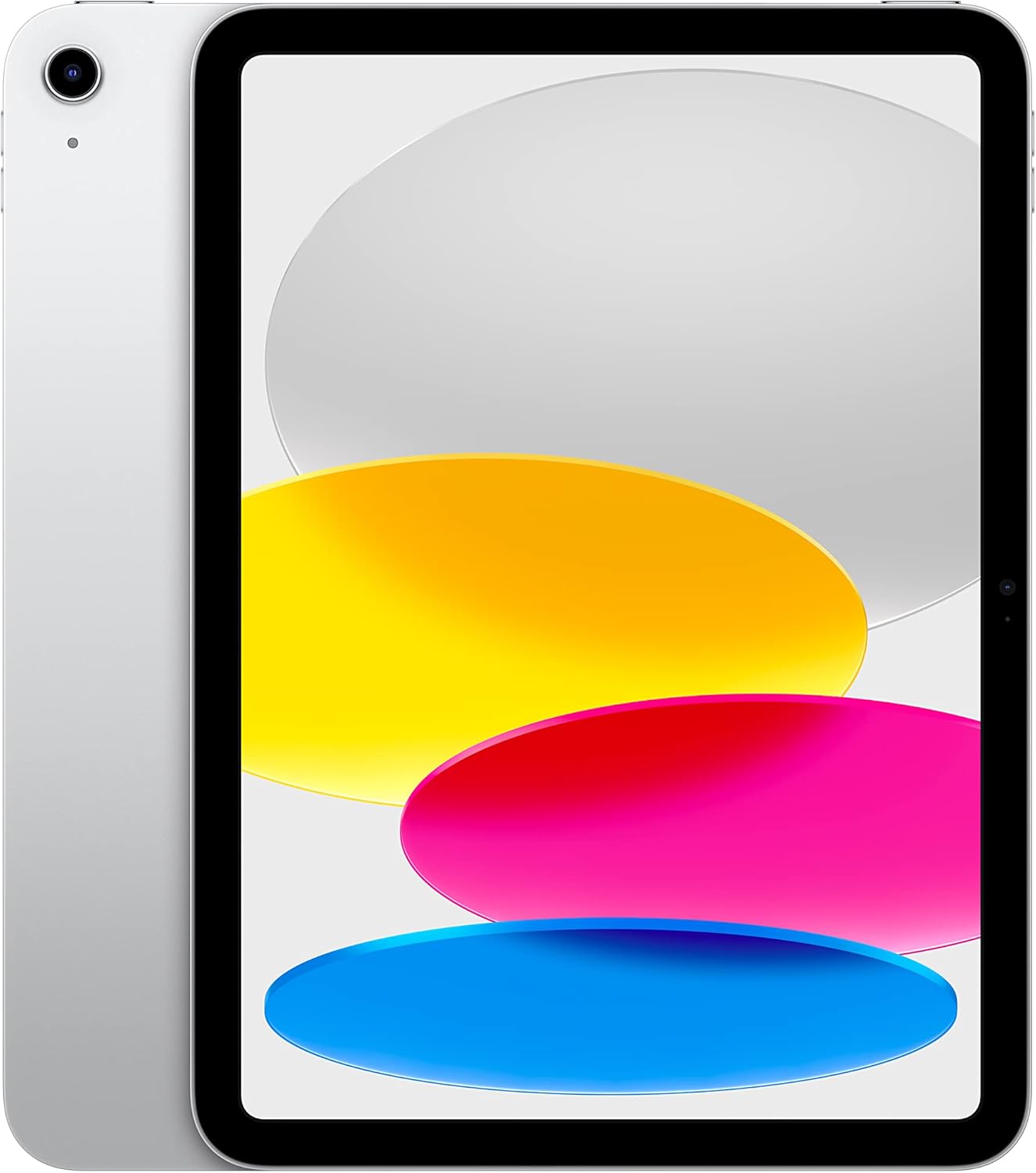
There was a time when Apple iPad would have been the only go-to tablet for anyone looking for a cost-effective and high-performing tablet. The 10.9-inch Liquid Retina display features a resolution of 2360 x 1640 pixels, delivering your content in vivid colors and crisp details. With the A14 Bionic chip, the iPad is fast and efficient so you can game, stream and multitask between apps smoothly.
This opens you up to a whole new array of productivity tools under iPadOS. And when you want to do more, with powerful apps, just add an Apple Pencil and keyboard to write a novel as if by magic or post your life story in high-res. All the great built-in apps on iPad — along with more than a million apps in the App Store designed just for the large Retina display — work together to help you make the most of every So much to see and touch.
It also offers Wi-Fi 6 for better and faster connectivity, so you can download your files rapidly, stream shows smoothly, and browse with virtually no lag. And its all-day battery life lets you take the iPad with you wherever you go, instead of having to keep it plugged in. It also comes in 64GB or 256GB storage sizes, depending on what suits you best.
Use it for work, school or leisure and experience a journey of simplicity in an enhanced way, made solely to better your day-to-day. Take your digital experience to the peak level with this powerful and versatile device.
2. Amazon Fire Max 11 – Best Budget Big‑Screen Tablet

For a large-screen experience without breaking the bank, the Amazon Fire Max 11 is great for shopping. Featuring a beautiful 11-inch screen with a resolution of 2000 x 1200, you will get to see every detail in your favorite movies, TV shows and games. The Tablet is also certified for low blue light, to protect the eyes during long viewing engagements.
Fire Max 11, powered by the octa-core processor and with 4 GB of RAM, guarantees you a fast and smooth enough performance for streaming videos or games as well as some multitasking on top. And not only that, you also get to enjoy faster internet speeds thanks to its Wi-Fi 6 technology!
With families in mind, the Amazon Kids feature also comes with easy-to-use parental controls that help parents manage screen time and content. Season with an Amazon Kids+ subscription and they’ll get access to even more books, popular apps, games, and videos for kids.
In addition, the Fire Max 11 has Alexa integration so you can manage your smart home with voice commands better than ever. Whether you’re on the hunt for recipies, music or even a joke for one of those more frustrating days, Alexa is not far. In the end, this is what makes the Amazon Fire Max 11 a good choice for your every entertainment and smart home requirements at a budget-friendly price.
3. Lenovo Tab M11 – Best Budget Productivity Tablet

The Lenovo Tab M11 is a great option if you are looking for an affordable yet reliable productivity-focused tablet. Crafted for users who need both performance and mobility, this tablet can be used solely for business tasks or relaxation activities, it is a versatile gadget within your tech arsenal.
Empower yourself with a MediaTek Helio G88 Octa-Core processor that delivers smooth streaming and professional performance on the Tab M11. The WUXGA display Have an 11inch screen and a max resolution of 1920 x 1200, this screen size bring your visuals to life with exceptional color and clarity.
You can switch between multiple applications and browser tabs with ease, as the laptop is kitted out with a 128GB SSD storage. Additionally, you can move quickly between your tasks with no lag to get in your way, which means you can concentrate on the stuff that actually counts. Additionally, a USB-C port and 3.5 mm audio jack helps keep users connected with their peripherals while allowing for quick face-to-face file transfers, so they can connect, collaborate and stay productive anytime on the road or at home.
The Lenovo Tab M11 gives you the power to unleash your creativity and productivity on the go with up to 10 hours of battery life – so you can focus entirely on getting things done without being tied down by a charging outlet. Choose a Tablet that suits your Workflow and Use cases to maximize your productivity and simplify the daily grind.
4. Samsung Galaxy Tab A9+ – Best Budget Tablet for Streaming

If you need a budget tablet that performs exceptionally well while streaming and general usage, you should consider Samsung Galaxy Tab A9+. The tablet provides an impressive 11-inch display with a resolution of 1920 x 1200 pixels. It delivers bright images and graphics that help improve the entertainment experience of watching videos, playing games, or spending time with family. With quad speakers powered by Dolby Atmos, the Tab A9+ offers an enriched audio experience that resonates clearly with music, shows, and games and can be enjoyed by the whole family.
The Tab A9+ has modern performance features such as 4GB RAM and 64GB storage or 8GB RAM and 128GB storage that can be expanded up to 1TB. The Qualcomm Snapdragon 695 processor allows you to multitask different applications, such as checking the web, browsing emails, and scribbling notes, without interruption.
Moreover, the tablet is family-friendly due to the availability of Samsung Kids, a safe place where your children can learn and play while having fun. It is also thin and light, allowing you to take it wherever you go. The Galaxy Tab A9+ is a perfect mix of entertainment, productivity, and portability that brings fun for the whole family.
5. Lenovo Tab M9 – Best Budget Travel‑Friendly Entertainment Tablet

For an easy to transport and at the same time, budget tablet for entertainment, it is difficult to pick anything other than Lenovo Tab M9. You will stay entertained for long hours as you watch your favorite movies or shows on the beautiful 9-inch HD display, which is perfectly sized for animation marathons. A 5100 mAh battery with the powerful video playback every day can last up to 13 hours, making it an ideal travel companion on any given trip or downtime.
With a strong MTK G80 Octa-Core processor and 32GB of storage, the Tab M9 provides fluid performance when gaming or surfing. You’ll like how well it goes about the business of your everyday life, all while being nice to drive.
One standout feature is Google Lens – search what you see. Whether it’s translating text, solving homework problems or discovering more about things such as products, plants and places – this tool makes using your tablet a richer experience. There is also facial recognition, fast and easy but secure way to open your phone.
The Lenovo Tab M9 offers an ideal blend of practical and fun in a compact, light design. Traveling on vacation, able to relax at home, or somewhere in the middle on the road, rest assured that this tablet will maximize your media solutions and expand with you for a mobile life with ease of connectivity. It is the perfect choice for those who want a mid way product which are neither high in specs nor low end.
Things to Consider Before Buying a Budget Tablet:
You want to make a smart investment when purchasing a budget tablet, ensuring it meets your needs without overspending. Evaluating factors such as performance, display quality, battery life, and software compatibility can help you find a device that offers the best value. By understanding what features matter most for your daily use, you’ll be able to choose a tablet that balances affordability and functionality effectively. This guide provides clear insights to help you navigate the options and make an informed decision tailored to your requirements.
Long-Term Value vs. Short-Term Savings
Spending less upfront can mean dealing with outdated software support or hardware that struggles under future app updates. A $100 tablet might serve immediate needs but could start lagging or require replacement within a year. Investing closer to $250-$300 often secures longer software updates and better overall durability, ultimately stretching your value beyond the initial savings.
Extended device lifespan plays a significant role in overall value. For example, a budget tablet with regular system updates and a sturdy build can handle evolving apps and operating systems, reducing replacement frequency. Additionally, improved battery life and better components in slightly pricier models minimize maintenance cost and frustration. When assessing tablets, factor in potential longevity and ongoing enjoyment rather than focusing solely on the initial price tag.
Screen Size and Resolution: Finding the Sweet Spot
Striking a balance in screen size and resolution is key to comfortable viewing without sacrificing portability. Screens between 8 to 10 inches provide ample workspace and media enjoyment without feeling bulky. A resolution of 1280×800 pixels or higher delivers crisp visuals and sharp text, enhancing reading and video playback. You might find a 10-inch model with a 1920×1200 resolution especially satisfying for streaming high-definition content, while an 8-inch screen is perfect for on-the-go tasks without added weight.
Battery Life: What You Really Need for Your Usage
Battery capacity impacts how long you can rely on your tablet during work, entertainment, or travel. Look for devices offering at least 6000mAh, which typically supports 8 to 10 hours of moderate use. This means you won’t need to recharge frequently when watching movies, browsing, or handling emails throughout the day. Tablets with quick-charging capabilities can also save you time during short breaks, restoring hours of usage in about 1 to 2 hours of charging.
In scenarios like long commutes or outdoor use where power outlets aren’t available, tablets boasting larger batteries around 8000mAh extend usage time to 12 hours or more. Some models include power-saving modes that intelligently reduce background activity to stretch battery life further. Considering how often and where you’ll use your tablet helps determine whether extra battery endurance or fast charging takes priority, ultimately improving your portability and convenience.
Android vs. iOS: The Impact on Usability
Android tablets generally offer more flexibility with customization and a larger variety of hardware at budget-friendly prices, but often come with fragmented software updates and pre-installed bloatware. iOS, exclusive to Apple’s iPads, provides a polished user experience and tighter security, though budget options are rarer and tend to be older models. Your familiarity with either ecosystem and your preferences for app quality, device performance, and integration with other devices will heavily influence how intuitive and enjoyable your tablet feels.
Additional Software Considerations
Beyond the OS itself, the availability of important apps and software support makes a significant difference. Certain budget tablets, especially those using Fire OS or lesser-known platforms, may restrict access to popular Google or Apple services, which limits app choices. Warranty terms, frequency of software updates, and pre-installed third-party apps can either enhance or detract from your user experience and productivity. Compatibility with software you rely on, such as Microsoft Office or Adobe Creative Suite alternatives, should also factor into your decision.
Examining these additional software factors helps you avoid surprises post-purchase. For example, some Android tablets might not receive timely system updates, leaving you exposed to security risks or missing out on new features. Fire OS tablets lack native Google Play support, instead relying on Amazon’s app store, which limits app variety. Moreover, manufacturer UI overlays can introduce extra apps and ads that consume resources and detract from the clean stock Android experience. Factor in how often you’ll need software improvements and whether the tablet’s app ecosystem aligns with your everyday tasks to ensure ongoing satisfaction.
Reputation and Reliability: What to Look For
Your tablet’s brand reputation can be gauged through user reviews, expert ratings, and industry awards. Brands like Samsung, Lenovo, and Amazon have a strong foothold in the budget tablet market, regularly praised for their build quality and software updates. Pay attention to how quickly the brand rolls out patches and firmware updates—good support signals a long-term commitment. Frequent hardware malfunctions or negative feedback on forums can be red flags that warn you to explore other options.
Evaluating Warranty and Post-Purchase Support
Warranty terms vary widely, impacting the overall value of the tablet. Most budget tablets come with a standard one-year warranty, but some brands extend this to two years or include features like accidental damage protection. Check if the brand provides easy access to repair centers or mail-in services, as well as responsiveness via phone, chat, or email. After-sales service that includes timely replies and fair resolution policies can save you from unnecessary expenses and inconvenience, elevating the ownership experience.
Diving deeper into warranty specifics, examine what parts and issues the coverage includes. For example, a warranty that excludes battery replacements or accidental drops might cost more in the long run. Some manufacturers offer extended warranties or protection plans at an additional cost, which can be worthwhile if you anticipate heavy usage or accidental damage risks. Also, explore if customer support offers software assistance or device diagnostics remotely—these services can often resolve problems without needing physical repairs, adding convenience and value.
Learning from Customer Feedback: What’s Valuable
Customer reviews often spotlight recurring issues or positive features that affect daily usability—like screen responsiveness in colder weather or the quality of the included accessories. Pay attention to patterns in complaints about software updates or hardware reliability, rather than isolated negative comments. Reviews mentioning consistent performance variations or customer service experiences can steer you away from brands that might sell a compelling product initially but don’t back it up long-term.
Expert vs. User Reviews: Balancing Perspectives
Expert reviews provide detailed, benchmark-driven insights, measuring performance with specialized tools and comparing specs across similar devices, which helps you understand technical quality. User reviews, in contrast, focus on how the tablet feels over weeks or months, exposing usability nuances and real-life durability. Combining both perspectives gives you a balanced view—experts evaluate hardware and software objectively, while users reveal the everyday impact of those strengths and weaknesses on typical usage.
Experts often test battery endurance using continuous video playback or intensive app use, rating how long a tablet sustains under heavy load, whereas user reviews reveal how factors like screen brightness adjustments and wireless signal strength influence actual battery life in real scenarios. Similarly, while experts can dissect processor speed and graphics performance with synthetic benchmarks, experienced users report on multi-tasking fluidity and occasional app crashes during prolonged use. Merging these insights lets you anticipate challenges and benefits beyond initial specs and early impressions, tailoring your choice to your unique style.
To wrap up
To wrap up, before purchasing a budget tablet, you should evaluate your primary needs, such as battery life, screen quality, and processing power, to ensure the device aligns with your daily tasks. Consider the operating system and app compatibility to match your preferences and existing devices. Pay attention to storage options and connectivity features for seamless usage. By assessing these factors carefully, you can make a well-informed decision that balances cost with performance, ultimately selecting a tablet that serves your requirements efficiently without overspending.
Leave a Reply