
Searching for the best camera gimbals for smooth video can turn shaky footage into professional art. No one likes jittery clips that ruin a great story. Whether you need cinematic stabilization or steady handheld shots, the right gear makes a huge difference. We found the top tools to turn your shaky clips into breathtaking masterpieces. Let’s explore the gear that will elevate your films today.
Contents
- Top 7 Camera Gimbals for Smooth Video:
- 7: ZHIYUN CINEPEER Weebill 3E
- 6: FeiyuTech SCORP Mini 3 Pro
- 5: DJI RS 4 Mini
- 4: Hohem iSteady MT2 Kit
- 3: Zhiyun Weebill 3S
- 2: DJI RS 5
- 1: DJI RS 4 Pro
- Things to Consider Before Buying a Camera Gimbals for Smooth Video:
- Handheld Single-Grip Stabilizers for Mirrorless Cameras
- Professional Dual-Handle Systems for Cinema Rigs
- Compact Gimbals for Action Cameras and Smartphones
- Payload Capacity and Equipment Compatibility
- Battery Endurance and Power Management Features
- Build Quality and Overall Device Weight
- Benefits of Fluid Motion and Creative Versatility
- Potential Drawbacks Regarding Setup Time and Portability
- Defining Your Specific Shooting Style and Environment
- Establishing a Budget for Hardware and Essential Accessories
- Testing Software Integration and App Functionality
- Mastering Proper Balancing and Calibration Procedures
- Implementing the Ninja Walk for Vertical Stability
- Summing up
Top 7 Camera Gimbals for Smooth Video:
7: ZHIYUN CINEPEER Weebill 3E

The Zhiyun CINEPEER Weebill 3E is the top ultra-budget gimbal that first-time stabilizer buyers of mirrorless cameras should consider.That camera is fantastic. Uploaded your debut video. It appeared to be stormy-weather footage shot from a boat. It turned out to be your gimbal.Problem solved with the Weebill 3E.Firstly, it has a three kilogram payload capacity in an A4-sized body, which is more than gimbals that cost twice as much and is small enough to fit in any suitcase.
The next step is to simply remount the plate to achieve native vertical shooting without the need for additional brackets. Crucial for TikTok, Reels, and Shorts.The 16-hour battery, which can be charged by USB, means you won’t need a power bank all day.Drawbacks: missing fill light, absence of AI tracking, and wrist rest offered separately.Apt for: novice consumers, budget-conscious videographers, and vloggers just starting out. Avoid if you’re a creator who requires AI tracking or who works in low light.
6: FeiyuTech SCORP Mini 3 Pro

If you’re a solitary creator in need of an affordable gimbal with built-in AI tracking, go no further than the FeiyuTech SCORP Mini 3 Pro.On this shoot, you’re by yourself. The camera will pause once you step out of frame.With the SCORP Mini 3 Pro, you’re never out of shot.The first is the integrated AI Tracking 4.0, which has a range of 18 meters and doesn’t need any additional hardware, software, or Bluetooth.A 1.3-inch OLED remote handle follows, allowing you to operate the gimbal without removing your hand from the camera.
At last, a gimbal that can accommodate four different types of cameras—smartphones, compacts, action cams, and mirrorless—into one convenient package.Downside: lenses up to 50mm are optimized for. The app is required for advanced modes. Relative to DJI, the build feels lower.If you’re a solitary vlogger, artist who films yourself, or shoots on multiple devices, this is the best option for you. Avoid: full-frame users who wear hefty eyeglasses.
5: DJI RS 4 Mini

If you’re a mirrorless producer looking for professional-grade stabilization without the bulk, the DJI RS 4 Mini is the ideal tiny gimbal for you.When the shot is important, cheaper gimbals break.For the tiniest Ronin yet made, DJI has delivered with the RS 4 Mini.First, the auto axis locks release all three axes simultaneously, so you won’t have to fiddle with the manual clamps right before taking a shot.Coming up next: 4th Gen stabilization with built-in vertical shooting – go from horizontal to vertical in less than 10 seconds, accessory-free.
As a last accessory, you may get an RS Intelligent Tracking Module that can follow your subject without using your hands, and it’s magnetically attachable up to 10 meters.Shortcoming: the battery cannot be replaced. We sell the tracking module separately. No heavier rigs will be accepted at the 2 kilogram payload limit.Ideal for: filmmakers, YouTubers, and APS-C mirrorless users. Avoid: full-frame cameras with bulky lenses.
4: Hohem iSteady MT2 Kit

For creators that shoot daily with numerous cameras, the finest mid-range all-device gimbal is the Hohem iSteady MT2 Kit.You can capture the interview with your mirrorless camera, back-up footage with your GoPro, and interviews on your phone. Three instruments. Three sessions of coordination.With the MT2 Kit, you can construct any device with ease.To start, the Arca-Swiss quick release allows you to move between four different types of cameras—mirrorless, compact, action, and smartphone—without having to rebalance your camera.
Coming up next: a magnetic AI tracker that locks on with a single motion and doesn’t need an app or Bluetooth.At long last, a body weighing 653 grams and a battery life of 17 hours—both of which are better than any DJI compact on our list.Downside: Heavy full-frame rigs are not allowed due to the 1.2 kg payload ceiling. For more complex modes, download the Hohem app. Compared to DJI, the build quality is lower.Who it’s best for: creators who use many devices, vloggers who document their travels, and shooters who rely on rapid reflexes. Avoid: full-frame users who wear hefty eyeglasses.
3: Zhiyun Weebill 3S
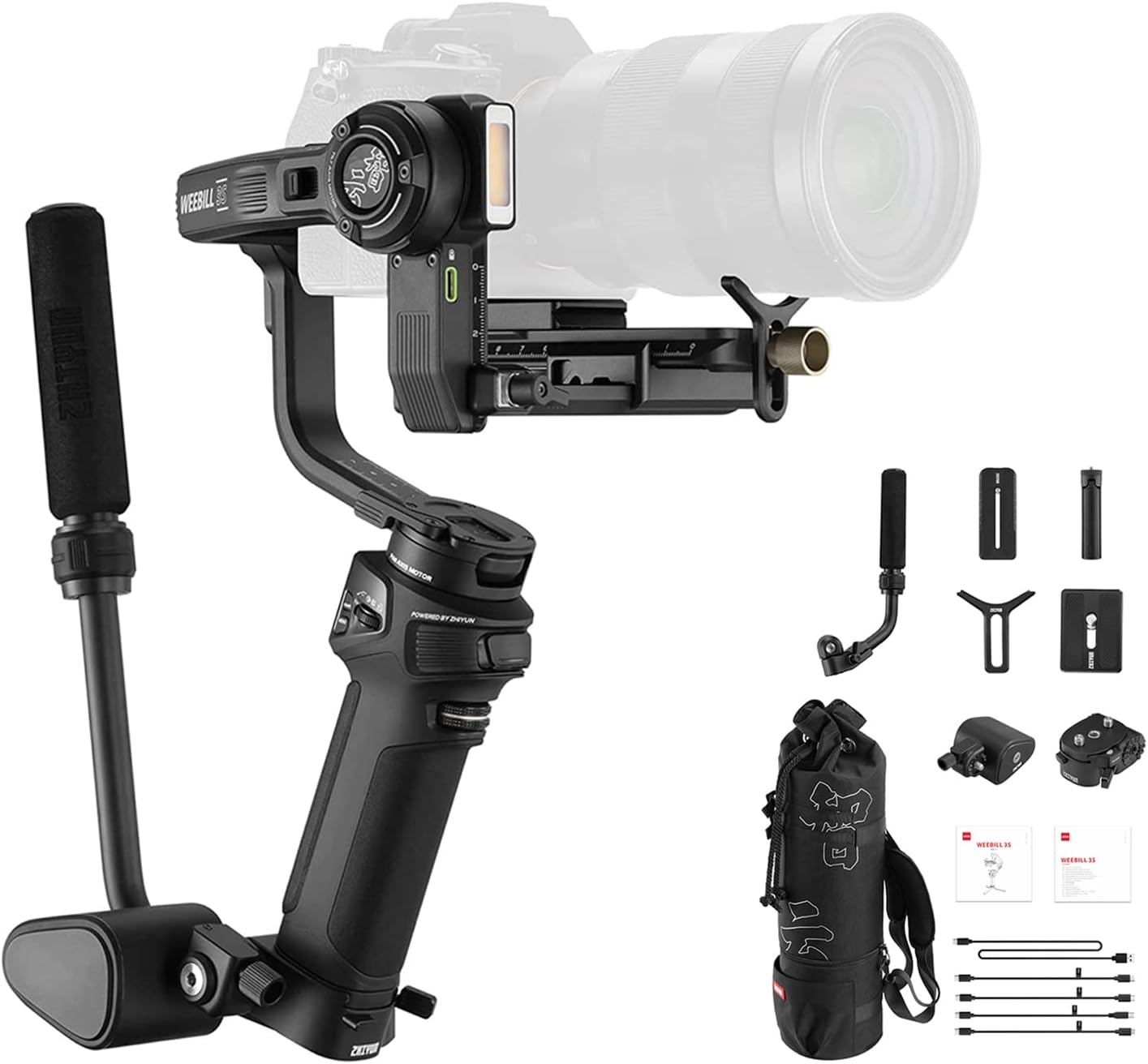
If you’re a solitary creator in need of a gimbal for stabilization, lighting, and audio, go no further than the Zhiyun Weebill 3S.It’s just the two of you. Managing a mic, holding a light, and using a gimbal all at once is not possible.All three are resolved by the Weebill 3S.First, there’s a built-in 1000 Lux fill light with dual color temperature. No need to bring a separate light on your rig to highlight objects in any condition.This is followed by a built-in microphone that can be controlled via Bluetooth, allowing for pristine audio and a wireless trigger—all from the handle.
Lastly, you may run and gun for hours in Sling Grip Mode 2.5 with a wrist rest, which cuts fatigue by more than 50%.One drawback is that the sling grip is not included in the base outfit. Denser than the mini alternatives offered by DJI. Robots won’t follow.Ideal for: independent producers, event filmmakers, and video bloggers. Do not use if you require AI tracking or if your journey arrangement is small.
2: DJI RS 5
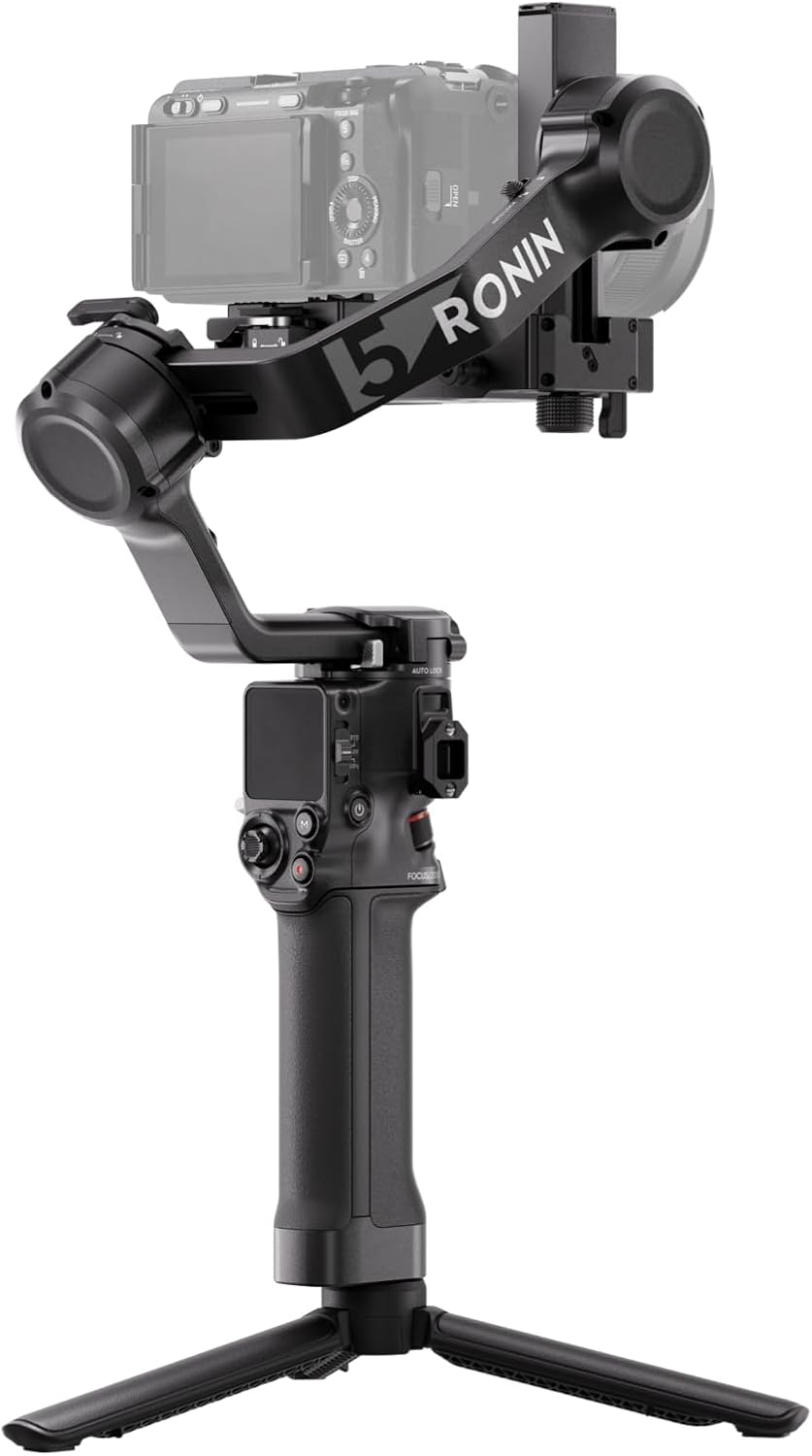
In 2026, DJI released the RS 5, its top-tier gimbal for professional filmmakers.Down below this, you’ll find gimbals that steady the roll, tilt, and pan.Even when walking, shots go off. The RS 5 is the initial standard-issue Ronin to address this issue.To start, the RS 5 fixes the up-and-down bounce from walking that all other gimbals in this range let through thanks to its Z-axis stabilization, which is new to the base Ronin line. Your camerawork is reminiscent of dolly shots.After that, there will be a 5th-Generation algorithm that is 50% stronger than the previous RS gimbal, and it will be faster, stronger, and more precise.
Lastly, there’s the Electronic Briefcase Handle, which operates independently from every angle thanks to its joystick and camera buttons.Drawbacks: fresh with little information. Android users are required to sideload the Ronin app in order to achieve full tracking with the Combo.Ideal for: filmmakers working alone, ambitious artists planning for the future, and serious innovators. Avoid: if you’re on a tight budget.
1: DJI RS 4 Pro

Our top-of-the-line one-handed stabilizer for professionals.Less sturdy gimbals are ruined by cinema cameras and their thick glass. You can leave it to the RS 4 Pro.To start, it can confidently haul the heaviest film equipment thanks to its 4.5-kilogram payload, carbon fiber arms, and 20% increased engine torque compared to the RS 4.Additionally, it has the most precise autofocus of any consumer gimbal thanks to its LiDAR focusing system, which has 76,800 ranging points close to 20 meters. Things don’t go stale, ever.
Thirdly, you can film an entire wedding or documentary without ever having to plug in the BG70 Battery Grip, thanks to its impressive 29-hour battery life.The most costly choice here is a drawback. Weariness from long shooting is caused by heavier setup. To get the Ronin app for Android, go to DJI’s website and sideload it.Ideal for: cinema operators, wedding cinematographers, and professional filmmakers. Forget about little travel builds.
Things to Consider Before Buying a Camera Gimbals for Smooth Video:
There’s a wealth of options when choosing a camera gimbal, making it important to understand key factors before making a purchase. Assess your shooting style, desired features, and budget to ensure you select the best gimbal for achieving smooth, professional-quality video.
Handheld Single-Grip Stabilizers for Mirrorless Cameras
Handheld single-grip stabilizers are ideal for mirrorless cameras, providing you with a compact and lightweight solution to achieve smooth footage. Their ease of use makes them perfect for solo filming or spontaneous shoots.
Professional Dual-Handle Systems for Cinema Rigs
Professional dual-handle systems offer enhanced stability and control, making them suitable for heavy cinema rigs. These setups provide filmmakers with the ability to capture dynamic shots with minimal shake.
Designed for advanced cinematography, professional dual-handle systems typically include features like adjustable counterweights and precise controls. With dual grips, you gain better maneuverability for complex shots, allowing creative expression and professional results.
Compact Gimbals for Action Cameras and Smartphones
Compact gimbals cater specifically to action cameras and smartphones, offering portability without sacrificing stability. They are perfect for adventurous shooters looking to capture high-quality video on the go.
Compact gimbals integrate advanced stabilization technology, ensuring your footage remains steady even during action-packed moments. Lightweight and easy to carry, they’re ideal for travel and spontaneous video capturing, enhancing your mobile filming experience significantly.
Payload Capacity and Equipment Compatibility
Understand the gimbal’s payload capacity to ensure it can handle your camera and accessories. Many devices offer varied weight limits, impacting stabilization efficiency. Assess your existing gear to confirm compatibility with the gimbal you choose.
Battery Endurance and Power Management Features
Focus on battery life and power management when selecting a gimbal. Short battery life may disrupt your shoots, while advanced power features can enhance functionality. Research options that fit your shooting schedule and style.
Battery endurance often defines how long you can film uninterrupted. Many models feature smart power management, extending operational time. Some even support charging while in use, which can be a game-changer during extended shoots. Evaluating these features will ensure you have reliable performance, minimizing interruptions in your workflow.
Build Quality and Overall Device Weight
Evaluate the build quality and weight of the gimbal to balance portability and durability. A lightweight option is easier to handle for long shoots, but it shouldn’t compromise stability. Finding the correct materials and design will enhance your filming experience.
Build quality plays a significant role in how well the gimbal withstands various shooting environments. Lightweight materials, such as carbon fiber or aluminum, provide easy handling without sacrificing durability. Choosing the right gimbal enhances portability while maintaining robustness, allowing you to focus on capturing stunning footage without worrying about equipment failure.
Benefits of Fluid Motion and Creative Versatility
Fluid motion enhances your storytelling by creating professional-looking shots. Motorized gimbals offer unprecedented versatility, allowing you to experiment with angles and movements that were previously challenging without stabilization. You can achieve sweeping cinematic shots, dynamic action sequences, and smooth transitions, elevating your video projects significantly.
Potential Drawbacks Regarding Setup Time and Portability
Taking the time to set up a motorized gimbal can detract from spontaneous shooting. Portability often becomes an issue due to the weight and size of the equipment, making it less ideal for on-the-go creators or those who work in tight spaces.
Carrying a motorized gimbal can hinder your mobility, particularly in fast-paced environments. Initial setup demands adjustment and balancing, which can waste precious shooting time. For creators who thrive on capturing spontaneous moments, this may be a significant drawback, requiring you to plan your shots more meticulously.
Defining Your Specific Shooting Style and Environment
Identify your shooting style, whether it’s handheld filming, low-angle shots, or dynamic movements. Different gimbals cater to distinct environments, such as indoor or outdoor settings, which can heavily influence your selection.
Establishing a Budget for Hardware and Essential Accessories
Outline a budget that accounts for both the gimbal and necessary accessories like batteries, tripods, and stabilization tools. This approach ensures you have a complete setup without overspending.
Creating a detailed budget helps prioritize important items and avoid impulse purchases. Factor in all aspects from the gimbal’s cost to accessories, ensuring each component enhances your filming experience to achieve professional-level results.
Testing Software Integration and App Functionality
Examine the software compatibility of the gimbal with your camera and smartphone. Many models offer apps that enhance functionality, like tracking or customizable settings.
Evaluating app features is important for maximizing your equipment’s potential. Ensure the app supports features you’ll need, such as time-lapse modes or mobile control, which can significantly improve your shooting efficiency and enhance creative possibilities.
Mastering Proper Balancing and Calibration Procedures
Balancing your gimbal is necessary for smooth footage. Ensure each component is adjusted correctly to avoid unwanted shakes or tilts. Familiarize yourself with calibration settings to enhance stability during use.
Implementing the Ninja Walk for Vertical Stability
Utilizing the Ninja Walk technique can significantly improve vertical stability. This method involves placing one foot in front of the other while keeping your knees slightly bent. It minimizes bounce and creates a fluid motion in your footage.
Practicing the Ninja Walk will allow you to glide seamlessly across various terrains. Focus on the synchronization of your steps, maintaining a steady grip on the gimbal, and controlling your camera’s tilt. This will help reduce vertical jolts and create a more polished final product.
Summing up
The decision to buy a camera gimbal requires careful consideration of your specific needs, budget, and desired features. Assess factors like weight capacity, battery life, and compatibility with your camera gear. Prioritize stability, ease of use, and any additional functionalities that enhance your filmmaking experience.
Leave a Reply