
Best Ergonomic Mouse choices can end wrist pain and make long workdays comfortable. If you crave pain-free computing, our hands-on tests and expert picks cut through hype to show which vertical mouse or ergonomic design truly helps. You’ll feel instant relief and renewed freedom – a game-changer for anyone who types all day. We promise clear, trusted recommendations to save time and protect your hands. Read on to find the right fit.
Contents
- Top 7 Ergonomic Mouse:
- 7: Perixx PERIMICE-713 Wireless Ergonomic Vertical Mouse
- 6: Anker 2.4G Wireless Vertical Ergonomic Mouse
- 5: Logitech Ergo M575S Wireless Trackball Mouse
- 4: Logitech Lift Vertical Ergonomic Wireless Mouse
- 3: Logitech MX Vertical Wireless Ergonomic Mouse
- 2: Razer Pro Click V2 Vertical Wireless Mouse
- 1: Logitech MX Master 4 Ergonomic Wireless Mouse
- Things to Consider Before Buying a Ergonomic Mouse:
- Trackball and Contoured Models
- Sensor DPI and Connectivity Options
- Health Benefits and Strain Reduction
- Learning Curves and Initial Investment
- Evaluating Build Quality and Material
- Utilizing Programmable Buttons and Software
- Measuring Your Hand for the Correct Size
- Optimizing Workspace Ergonomics and Posture
- Final Words
Top 7 Ergonomic Mouse:
7: Perixx PERIMICE-713 Wireless Ergonomic Vertical Mouse
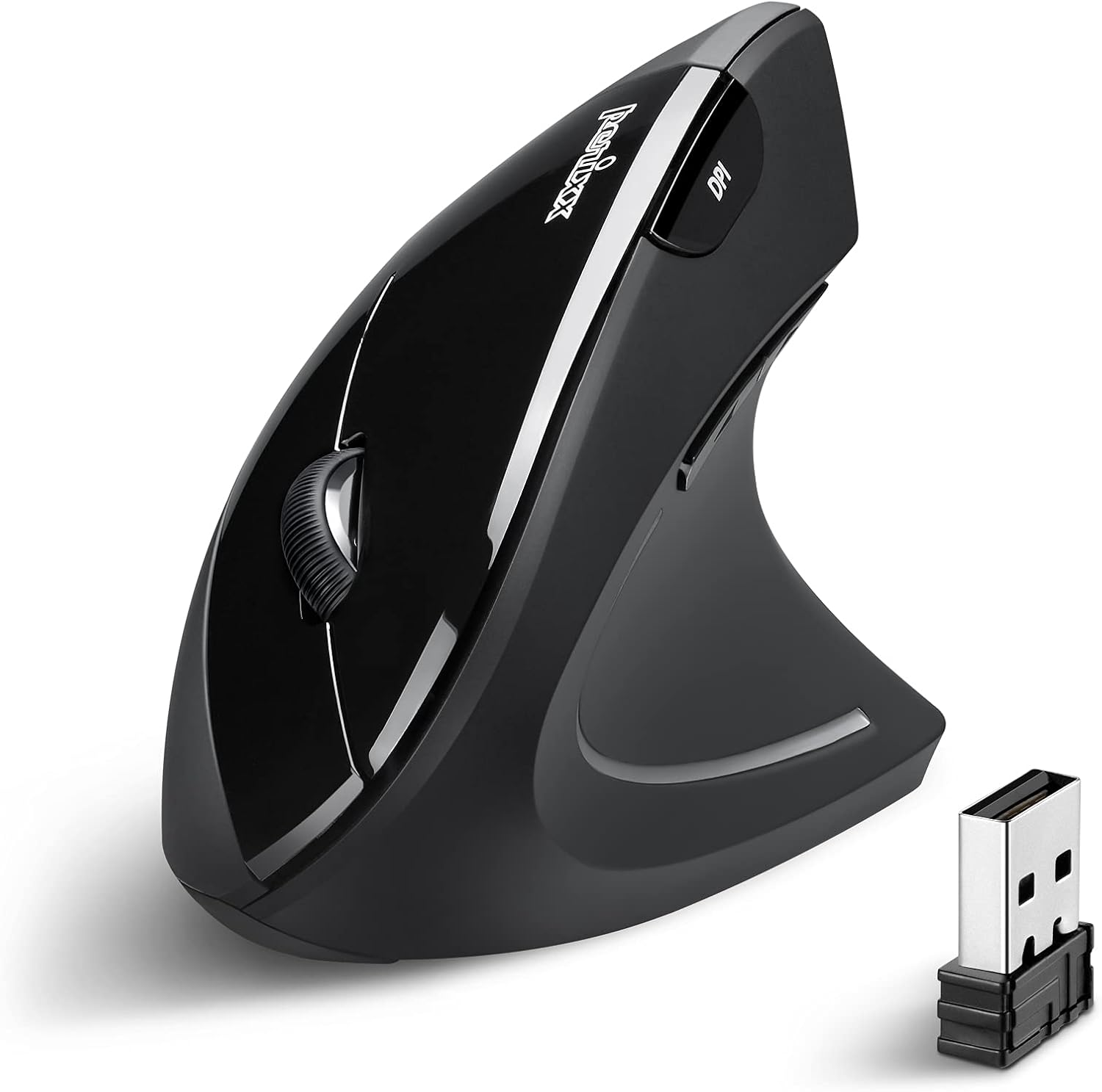
The Perixx PERIMICE-713 is the most affordable and trustworthy method for evaluating a vertical grip.Betting on a different hand position is risky. Buying a form that doesn’t work for your hand is a no-go for anyone.First, rather than rolling your forearm flat, a neutral wrist is maintained with an upright vertical shell.The next thing to talk about are the two buttons you use thousands of times every day—the quiet left and right clicks.
At last, a switch between 1000 and 1600 DPI, along with dedicated buttons for forward and backward navigation that eliminate the need for the keyboard.Downsides: you can’t customize the buttons and they’re all silent save for the primary ones. Unfortunately, macOS does not support back and forward.This is the best option for budget-conscious first-time vertical purchasers. Not for: People using Macs who require side buttons.
6: Anker 2.4G Wireless Vertical Ergonomic Mouse

For bigger hands, the greatest affordable vertical mouse is the Anker 2.4G Wireless Vertical Mouse.A lot of low-priced verticals are designed to fit smaller hands. Larger fingers dangle over the edge, and the tension only shifts.To begin, a huge palm is filled with a life-size handshake sculpture, allowing the hand to rest rather than hold.Then, you’ll see a button that lets you choose between 800, 1200, and 1600 DPI. Press the low setting for spreadsheet precision, and press the high one to quickly switch between windows.
At last, the thumb-based page navigation is accompanied by five buttons, one of which is next and the other is previous.Negatives: No Bluetooth, no ability to couple with many devices; only a 2.4GHz receiver. There are audible clicks. One set of AA batteries per pack.Ideal for: those with big hands and desks with just one computer. Forget about delicate hands or peaceful coworking spaces.
5: Logitech Ergo M575S Wireless Trackball Mouse
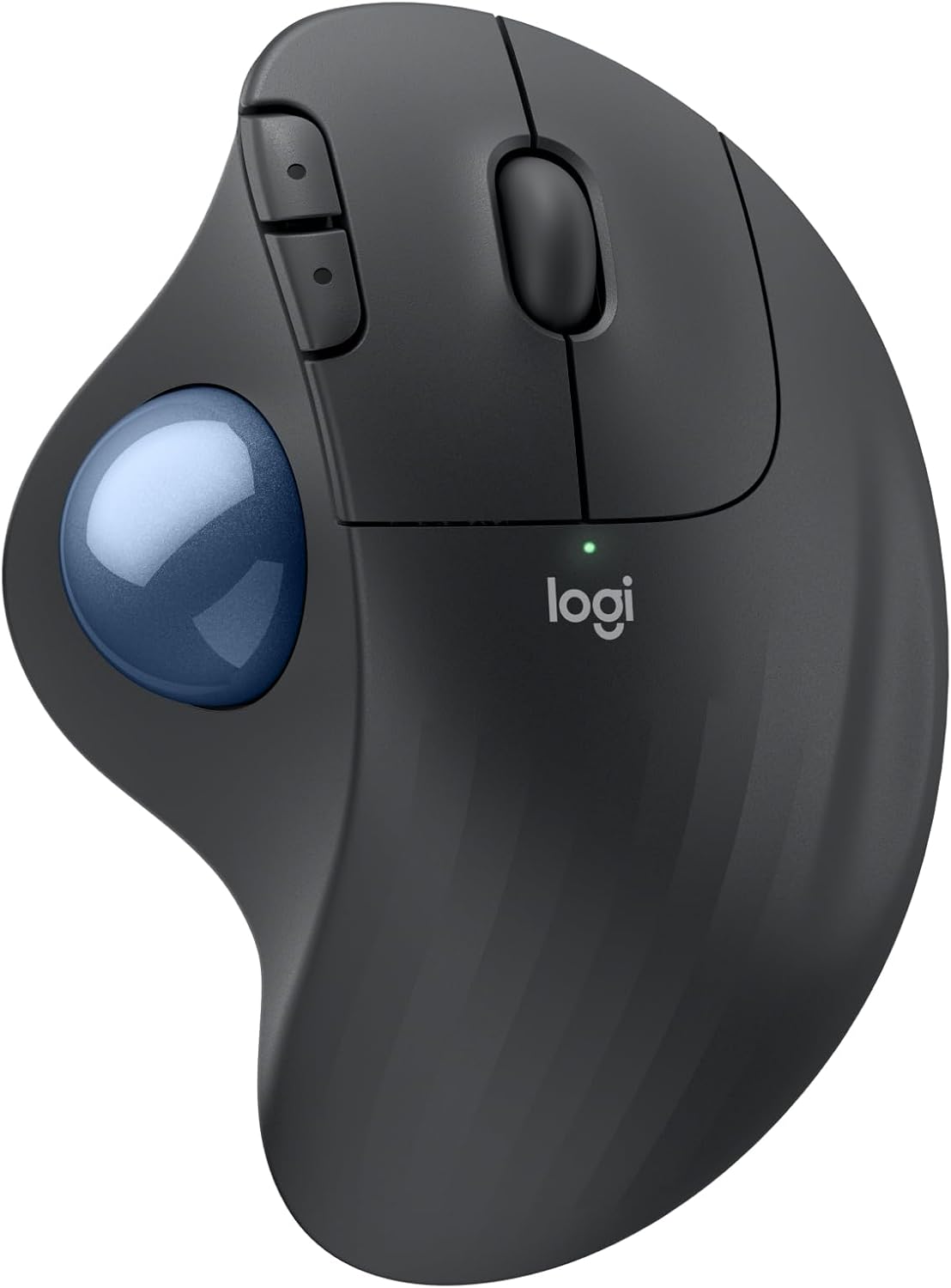
For a compact workstation, nothing beats the Logitech Ergo M575S.Maintain a proper wrist angle with a vertical mouse. You can still feel your forearm dragging over the desk. That is broken by a trackball.To start, there’s a ball that you may control with your thumb; as you keep your palm motionless, the cursor will move over the entire screen.The next one was developed in-house at Logitech’s ergonomics department and reduced strain on the forearm muscles by 25%.
Last but not least: it glides on any surface and doesn’t require any space to swing. A cramped corner, an armrest, and a lap.Negatives: Accuracy requires practice, and customers have reported a sluggish initial week. Only for right-handed users; disposable AA batteries not tilt-adjustable.Recommended for: working on a slanted desk, relieving pressure on the forearms and shoulders, and work done while seated on the couch. People who are left-handed or who work at the pixel level should not do this.
4: Logitech Lift Vertical Ergonomic Wireless Mouse

The Logitech Lift, the sole vertical here designed for lefties, is also the greatest ergonomist-certified option for smaller hands.For the most part, ergonomic mice mimic the shape of a typical right hand. Lefties and smaller hands are disregarded.The first is a vertical angle of 57 degrees, which was determined by ergonomists’ standards and not by mere speculation.The next step is to use whisper-quiet clicks to switch between quick free-spin and accurate notched scrolling on a SmartWheel.
And lastly: three devices can be powered for up to two years on a single AA battery, when connected by Bluetooth or Logi Bolt.Negatives: customers with lengthy fingers have repeatedly complained that the size is too small for their hands. Submerged switches. You can buy the left-handed version separately.Particularly well-suited for: workplaces with many devices, users with small or medium hands, and those who prefer to use their left hand. Neither big hands nor batteries are compatible.
3: Logitech MX Vertical Wireless Ergonomic Mouse

The top-tier full-size vertical for two-machine workstations is the Logitech MX Vertical.Hand fatigue sets in after the wrist angle is managed.With each inch that the cursor moves, your arm moves an inch further.At 10% reduced muscle activity, the first angle is 57 degrees on a full-size body.Then, compared to a standard 1000 DPI mouse, a 4000 DPI sensor reduces hand movement to a fraction of that. Fewer miles, less weariness.
Last but not least: Logitech Flow allows you to transfer data between three PCs with the single cursor.The buttons are too far away for smaller hands, and it is cumbersome. Long documents require continuous spinning due to the lack of a free-scroll wheel.Optimal for: sitting all day, using many computers, and people with big hands. Recommendation: not for those with little hands or those who like to use their left hand.
2: Razer Pro Click V2 Vertical Wireless Mouse

For those who require both relief and speed, the Razer Pro Click V2 Vertical is the ideal vertical trainer.Ergonomic mouse typically sacrifice accuracy for user comfort. As you work, your wrist also grinds on the desk.The first is that the hand glides rather than drags since the built-in base support raises the wrist off the desk.Secondly, the comfort enhancement has no impact on precision because a 30K optical sensor detects every minor correction.
Last but not least: a battery life of up to six months, with three full workdays of juice returned after just five minutes of charging via USB-C.Downsides: it’s bulky and awkward to use for quick flicks. There isn’t a left-handed version or a free-scrolling mode. Configuration requires the software from Razer.Desks with many devices, people who work long hours and play video games, and those who work precisely are ideal. Not recommended for those who prefer a lighter touch or who are left-handed.
1: Logitech MX Master 4 Ergonomic Wireless Mouse

The Logitech MX Master 4 is the greatest ergonomic mouse overall and the best option for people who sit at a desk all day.Alternate selections correct your posture. This one corrects your posture and frees up your hands for other tasks.A Haptic Sense panel, which is located under the thumb, will first pulse to confirm an action. Not a single item here responds.Second, as you move the pointer about the screen, an overlay called the Actions Ring will change shape depending on the app you’re using.Finally, there’s a slanted thumb wheel and a MagSpeed wheel that can scroll 1,000 lines per second, stopping on a single pixel.
The fourth feature is an 8K DPI Darkfield sensor that can be used in open-plan offices. It tracks on naked glass and makes subtle clicks.Detriment: limited to right-handed users. Restricted business computers prevent the use of Logitech’s software, which is necessary for haptics, gestures, and the Actions Ring. As a result, high-refresh monitors may experience choppy polling at 125Hz.People who work at a desk all day, like editors, will benefit most from this. Intended users: right-handed people or those with limited access to computers at work.
Things to Consider Before Buying a Ergonomic Mouse:
Vertical mice promote a handshake grip that reduces forearm twisting. Semi-vertical models combine aspects of traditional and vertical mice, offering a more familiar feel while addressing wrist strain. Many users find semi-vertical designs to be versatile.
Trackball and Contoured Models
Trackball mice allow users to control the cursor by rotating a ball instead of moving the entire device. Contoured models are specifically shaped to fit the hand’s natural form and improve comfort during extended use.
Trackball and contoured mice often appeal to those who experience wrist pain or discomfort. These designs support a more neutral wrist position, reducing strain over long periods. Users particularly appreciate trackball mice for minimizing arm movement, which can enhance productivity in tight workspaces. Contoured models also feature wrist rests that promote proper posture, making them suitable for prolonged use.
Sensor DPI and Connectivity Options
Evaluating sensor DPI and connectivity is necessary for optimal performance. DPI, or dots per inch, affects the cursor’s sensitivity, making it vital for tasks requiring precision.
Most ergonomic mice come with adjustable DPI settings, allowing a user to fine-tune the sensitivity according to specific tasks. Wired and wireless options vary in responsiveness, so investing in a reliable wireless connection can enhance movement fluidity while minimizing lag. Features like Bluetooth connectivity or USB options further add to the convenience, particularly in multi-device setups, ensuring versatility for different workflows.
Health Benefits and Strain Reduction
Ergonomic mice significantly reduce the risk of repetitive strain injuries (RSI), promoting long-term health benefits. By aligning the wrist in a more natural position, discomfort decreases, allowing for extended use without pain. Investing in quality ergonomic devices can have a profound impact on your comfort levels during daily tasks.
Learning Curves and Initial Investment
Initial adaptation to ergonomic mice may present a learning curve. Users often need time to adjust their hand positioning and mouse movements, which can affect productivity temporarily. However, the long-term benefits often outweigh this initial hurdle.
Choosing an ergonomic mouse involves understanding the balance between investment and learning curve. Some users may find the transition challenging, as their muscle memory will rely on traditional mouse shapes. This adjustment period can vary, but many individuals report improved comfort and efficiency once they become accustomed to ergonomic designs. Investing in a quality ergonomic mouse may involve a higher upfront cost, but it often leads to fewer health issues, reducing long-term medical costs associated with RSI and poor posture.
Evaluating Build Quality and Material
Choosing a mouse built from high-quality materials ensures durability and comfort during extended use. Pay attention to the weight and texture, as these factors influence grip and control. A well-constructed device often provides a more satisfying tactile experience, which contributes to overall effectiveness.
Utilizing Programmable Buttons and Software
Taking advantage of programmable buttons allows tailored shortcuts for enhanced workflow efficiency. Customizing these buttons according to specific tasks, such as copy-pasting or switching between applications, can streamline your daily operations effectively.
Many ergonomic mice come with accompanying software that enables further customization of button functions, cursor speed, and sensitivity settings. For example, software might allow the creation of macros, enabling multiple actions with a single button press. Utilizing these features can significantly reduce repetitive movements and improve your overall interaction with your computer.
Measuring Your Hand for the Correct Size
Measure from the tip of your longest finger to the base of your palm for accurate sizing. This measurement will help in selecting the mouse that fits comfortably and aids in reducing strain during extended use.
Optimizing Workspace Ergonomics and Posture
Adjust your chair and desk height so that your elbows remain at a 90-degree angle when using the mouse. Position the monitor at eye level to prevent neck strain.
Correct workspace ergonomics also include ensuring that your mouse is within easy reach and that your wrist remains straight while using it. Keep your forearm parallel to the floor, allowing for smoother movements and enhancing overall comfort during prolonged use. Incorporating a wrist rest may further assist in maintaining proper alignment.
Final Words
Considering an ergonomic mouse requires careful thought about comfort, functionality, and device compatibility. Evaluate features like size, grip type, and additional functions to ensure the mouse suits your daily activities. A well-chosen device can enhance productivity and reduce strain, making investing time in selection worthwhile for your long-term comfort and efficiency.
Leave a Reply