
Finding the best gaming mouse is crucial for unlocking your true potential on the digital battlefield. Are you tired of losing crucial fights due to a slow sensor or an uncomfortable grip? It’s time to unleash flawless accuracy and dominate your opponents with gear that keeps up. We’ve rigorously tested the top models—from ultralight to ergonomic designs—to help you find the perfect weapon for your hand. Let’s dive into the picks that will give you a competitive edge.
Contents
- Top 5 Gaming Mouse:
- 1. Razer Viper V3 Pro – Best Gaming Mouse Overall
- 2. Razer Naga Pro Wireless – Best Gaming Mouse for MMO Games
- 3. Logitech G502 LIGHTSPEED – Best Gaming Mouse for Work and Play
- 4. Razer Orochi V2 – Best Ultra Lightweight Gaming Mouse
- 5. Logitech G305 LIGHTSPEED – Best Budget Gaming Mouse
- Things to Consider Before Buying a Gaming Mouse:
- Essential Features That Influence Gameplay
- Sensitivity and DPI: Precision at Your Fingertips
- Polling Rate: The Speed Factor in Responsiveness
- Ergonomics: Comfort Meets Extended Use
- Connectivity: The Pros and Cons of Each
- Battery Life: How Long Before You Recharge
- Durability: Materials That Withstand Intense Gaming
- Design: Aesthetics That Match Your Setup
- Final Words
Top 5 Gaming Mouse:
1. Razer Viper V3 Pro – Best Gaming Mouse Overall

Are you still looking for a professional gaming mouse that is powerful, precise and contains the greatest levels of durability? Built based on feedback from the top athletes, it brings you precision and consistency in the heat of battle with high-speed tracking and reliable wireless performance. At 54 grams*, this breakthrough design makes the RC-F4 your trusted FOUL WEAPON so you can feel balanced in-game and able to quickly flick, make plays, and achieve victory.
The focal point of the Focus Pro 35K Optical Sensor Gen-2 is weapon accuracy, and features near perfect 1-DPI step adjustments that won’t let you down when you’re lining up those all important kills or for moving around challenging surfaces like glass. With our Razer 8000 Hz HyperPolling technology and HyperSpeed multi-device support, you get a lag-free, breakneck-fast wireless connection that allows for doubly fast transmission than it’s predecessor while using less power.
For enduring performance, the Optical Mouse Switches Gen-3 provide a 0.2 ms of input actuation and leverages zero debounce delay as well as a 90 million click lifespan. This translates that every movement is registered with great accuracy and low reaction time, while built to last for intensive use over the years.
Another upper hand is the battery life– it can go for around 95 hours on a single charge. If you’re training, streaming or just competing in your online match, the last thing you want to worry about is running out of battery.
If performance, endurance and responsiveness form the basis of your quest, new Razer Viper V3 Pro has got you covered! It’s not a mouse built directly to keep up with you and your modern habits, but one that will ensure your gameplay never reaches the same stalemate.
2. Razer Naga Pro Wireless – Best Gaming Mouse for MMO Games

If you’re in the market for a gaming mouse that can cater to your playstyle and provide you with years of use, the Razer Naga Pro Wireless is certainly worth putting on your shortlist. Designed for MMO and other genres, it provides the ability to switch between three interchangeable magnetic side plates including 2, 6 and 12-button configurations complete with a G-shift button you can use to double the number of custom inputs. With 19+1 programmable buttons, you have the ability to make quick casts in your game by reducing complex clicks.
HyperScroll Pro Wheel free-spinning mode puts you in total control of your scrolling rate. Opt for precise, definite steps, such as weapon selection, or flick it to scroll up and down more freely. Paired with Razer HyperSpeed Wireless, it’s the fastest wireless technology on the market so you’re not only getting more stable connections, but also faster response times: no cable or wire to get in your way!
Accuracy is equally reliable. The Focus Pro 30K Optical Sensor is the same high-performance sensor used in the Logitech G PRO X Superlight, making sure your aim stays as sharp through pebble and even glass. Optical Mouse Switches Gen-3 focus on durability and speed, with fast 0.2ms actuation time, zero debounce delay and a tested 90-million click lifespan to ensure everything you need to stay lightning swifteven as you play in season after season of elite competition.
Battery life is another advantage. You’ll get up to 150 hours with HyperSpeed Wireless or achieve 300+ hours on Bluetooth, moving from work to play and taken from one device to the next. Recharge via USB-C or go big with the Razer Dock Pro for increased versatility.
Naga Pro Wireless isn’t just about personalization; it also has to be reliable since how and what people play on their PC can vary significantly.
3. Logitech G502 LIGHTSPEED – Best Gaming Mouse for Work and Play

If you crave a mouse that provides pro-level gaming precision, but remains pragmatic enough for regular work sessions, the Logitech G502 LIGHTSPEED is built with you in mind. Powered by Logitech’s LIGHTSPEED wireless technology, you’ll get a faster-than-wired performance with an industry-leading response rate. Combine it with PowerPlay, and you’ll never need to plug in your mouse again, keeping the G502 HERO charged while at play and at rest5 5In some instances, the cable may need to be connected.
At the heart of PRO X SUPERLIGHT is the HERO 25K sensor, providing performance beyond all expectations. At 1:1 tracking, with 400+ IPS, and a range from 200 – 25,600 DPI, no pixel is missed even when you’re moving as fast as you can. This kind of performance will give you the confidence that this machine not only has your back when it comes to high-octane gaming but also if you’re working on detailed design or editing work as well.
The G502 also emphasizes customization. Customize your buttons with 11 programmable buttons and a single profile with onboard memory: execute complex commands, or unleash a pre programmed combo during game play in between pushing all the right buttons. Its hyper-fast scroll wheel helps to make long documents, spreadsheets or in-game inventories that bit more manageable.
Lighter and better than ever, the G502 LIGHTSPEED is built for high-performance gaming with next-gen LIGHTSPEED wireless Durable and comfortable obe: g502 is an icon, topping the charts through every generation, and the mouse of choice for serious gamers. Whether you’re playing ranked games or grinding productivity tasks, this mouse provides speed, accuracy and efficiency on every level – giving a dependable play- and workmate.
4. Razer Orochi V2 – Best Ultra Lightweight Gaming Mouse
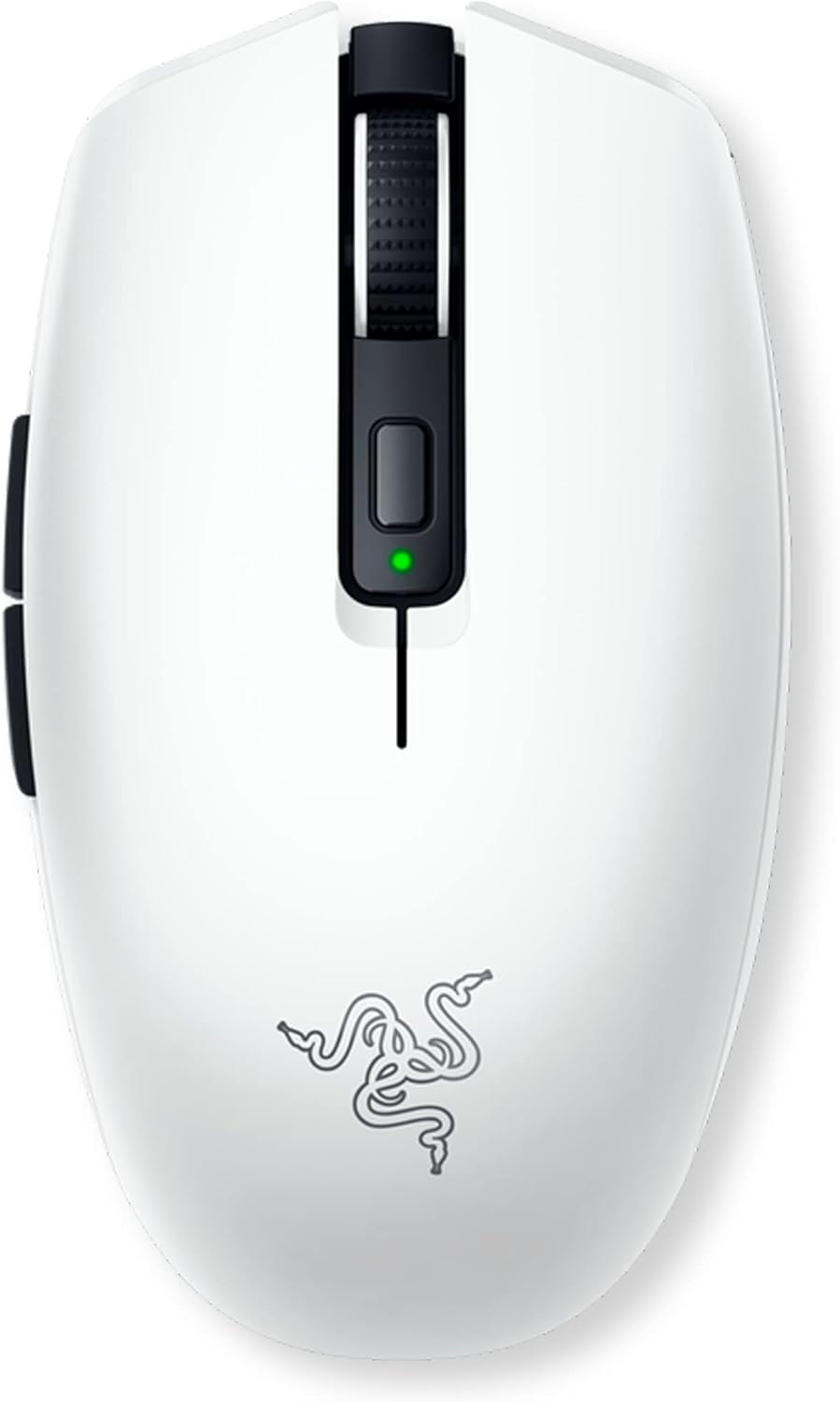
Looking for an ultra-lightweight, super-responsive gaming mouse that is portable as well? The Razer Orochi V2 provides uncompromised performance in a travel-friendly design. Clocking in at 59 grams (excluding cable), this small mouse is optimised for both speed and control to deliver unparalleled precision not only during intense match-ups, but also for general on-the-go demands.
With two wireless modes, you can quickly adjust to your preferences. Opt for Bluetooth when you’re on the go, or Razer HyperSpeed Wireless when it’s time to play, and enjoy up to 950 hours of battery life—enough to power through long periods of usage, every day—or up to 425 hours in Bluetooth mode. But that will result in fewer disruptions and allow them to spend more time concentrating on winning.
You won’t have to replace the Orochi V2. Its second-generation Razer Mechanical Mouse Switches has been optimized and tweaked for the fastest response times for gaming and for extended durability up to 60 million clicks. And when you combine it with the Razer 5G Advanced 18K DPI Optical Sensor, you’ll get an accurate tracking and no spinouts or jitters regardless of how smooth or rough your surface.
The mouse is easy and convenient to power. It’s powered by two AA or AAA batteries that are stored in a handy hybrid battery compartment; the staggered slot location to achieve ideal weight distribution and balance. This provides the mouse with an agile and yet comfortable feel, regardless of how you power the mouse.
Small and portable, the Razer Orochi V2 is a flexible, lightweight gaming mouse you can take anywhere to perform at your best in any situation.
5. Logitech G305 LIGHTSPEED – Best Budget Gaming Mouse

Looking for a wireless mouse with strong performance that won’t break the bank? Logitech G305 LIGHTSPEED is purpose-built for a high-performing gaming experience, compact and lightweight in design at only 99 grams.
With its 99 grams, G305 is comfortable, durable and lighter than most traditional wireless mice. With Logitech’s LIGHTSPEED wireless technology, no compromises are made on either channel bandwidth or data transmission, delivering a consistent 1ms report rate response time, fast enough for competition-level twitch targeting!
Performance is influenced by the HERO sensor’s responsiveness, providing up to 12,000 DPI and 400 IPS tracking. This sensor is also super power efficient, delivering up to 10 times lower power consumption than previous Logitech sensors, so you can game for long hours without worrying about power reduction.
Battery life is another highlight. Enjoy hours of non-stop gaming with 1 AA battery (included) — up to 250 hours of smooth, lag-free wireless gameplay. Ideal for on the go or even LAN play, the compact receiver can be stowed underneath for travel to keep it safe and tidy.
And with the Logitech G305 LIGHTSPEED, you can see that you don’t have to skimp for an affordable mouse. Featuring professional grade QCA mechanical switches and with optimum keystroke distance and pressure on the D-pad, it reduces the reaction time of your competitors making it easier for you to send them back home. For an in-between gaming mouse with a mix of performance and value, the G305 is one that you can depend on even for casual or competitive play.
Things to Consider Before Buying a Gaming Mouse:
Most gamers underestimate how much your mouse affects performance, so you should evaluate sensor accuracy, DPI range, lift-off distance, polling rate, ergonomics for your grip, weight and balance, button layout and durability, wired versus wireless latency, customization software, and compatibility with your system and favorite games to ensure the device complements your playstyle and comfort.
Essential Features That Influence Gameplay
Sensors, switches, weight tuning, polling rate and ergonomics directly change aim, tracking consistency, and fatigue over long sessions. Optical sensors like the PixArt PMW3360 deliver near-zero acceleration and consistent 400–12,000 DPI ranges, while mechanical switches (Omron 50M vs 20M) affect click feel and lifespan. Weight-adjust systems let you tune inertia for flick shots or steadier tracking. Match these specs to your genre: low-DPI precision for FPS, higher DPI for high-res or fast-turn genres.
Sensitivity and DPI: Precision at Your Fingertips
DPI determines cursor movement per inch; pro CS:GO players commonly use 400–800 DPI paired with low in-game sensitivity to preserve muscle memory. eDPI (DPI × in-game sensitivity) standardizes settings across mice—e.g., 800 DPI × 0.5 sensitivity = 400 eDPI. On-the-fly DPI switching and native sensor ranges avoid interpolation, which can introduce jitter.
Polling Rate: The Speed Factor in Responsiveness
Polling rate (Hz) is how often your mouse reports position to the PC: 125Hz equals ~8ms, 500Hz ≈2ms, 1000Hz ≈1ms. Higher rates reduce input latency and can tighten perceived responsiveness, especially in fast flicks or high-frame-rate play. Check firmware and USB bandwidth limits if you use multiple high-rate devices.
Testing tools like MouseTester or the polling data in Logitech G HUB and Razer Synapse reveal stability—not just peak Hz. Wireless implementations such as Logitech Lightspeed and Razer HyperPolling now offer true 1000Hz with sub-2ms latency; older Bluetooth or generic dongles may cap at 125–250Hz and add jitter. Match polling rate with your monitor refresh (144Hz/240Hz) and in-game frame rates to minimize micro-lag and ensure consistent shot timing.
Ergonomics: Comfort Meets Extended Use
Grip style and mouse dimensions shape control and fatigue: palm grip favors longer, fuller bodies (130–140mm), claw and fingertip grips often prefer shorter, lighter mice (≤120mm). Weight impacts control—ultralights (60–70g like Model O) aid fast flicks, midweights (85–100g) provide stability, while >110g suits low-sensitivity players who need momentum. Button placement, thumb rests, and textured grips influence repeatability and error rates during long sessions.
Measure your hand from wrist crease to middle-fingertip (small ≤17cm, medium 17–20cm, large >20cm) to match chassis size. Right-handed ergonomic shells (Logic, Razer) often add thumb buttons and contoured rests; ambidextrous shapes (Zowie FK, Model O) suit mirrored grips. Surface finish, side-grip material, and button actuation force (40–70g) also affect comfort and precision over marathon play.
Connectivity: The Pros and Cons of Each
You’ll choose between USB wired, 2.4GHz dongle, and Bluetooth—each with clear trade-offs: wired gives rock-solid power and latency, dongles deliver gaming-grade performance, and Bluetooth maximizes compatibility and battery life at the cost of polling speed. Consider the port availability on your rig, whether you travel with the mouse, and if you need multi-device switching.
Battery Life: How Long Before You Recharge
You should expect modern gaming wireless mice to last roughly 20–70 hours with RGB on, and 60–100+ hours in low-power or Bluetooth modes; flagship models like the Logitech G Pro Wireless often hit 48–60 hours with lighting enabled, while ambidextrous designs without heavy RGB can exceed 70 hours. Charging times usually fall between 1–3 hours, and many mice offer wired passthrough while charging.
Battery longevity depends on polling rate (1,000Hz uses more power than 125–500Hz), sensor workload during high-DPI flicks, and RGB intensity—LED lighting can shave 10–30% off runtime. You can extend sessions by dropping polling to 500Hz for casual play, disabling RGB, or enabling power-saving sleep between movements. Consider mice with quick-charge features (10–15 minutes for several hours of use), replaceable AA options for multi-day endurance, or wireless charging ecosystems (e.g., Logitech Powerplay) if you want continuous play without plugging in.
Durability: Materials That Withstand Intense Gaming
Assess materials like ABS and PBT plastics, aluminum or magnesium chassis, plus braided or paracord cables for longevity; PTFE skates reduce wear and maintain glide. Look for switches rated 50M–80M clicks (Omron 50M is common, Kailh sometimes 80M). Honeycomb shells (Glorious Model O ~67g) lower weight but collect dust, whereas solid shells (Logitech G502 Hero ~121g) resist debris and feel stiffer under sustained use.
Design: Aesthetics That Match Your Setup
Choose a shape and button layout that fits your grip—palm, claw, or fingertip—and pick ambidextrous or right-handed designs based on handedness; RGB zones, matte vs glossy finishes, and tactile side grips influence both looks and function. Models like Razer DeathAdder V2 (ergonomic palm) or Glorious Model O (ultra-light) illustrate how form dictates fit and visual impact.
Check RGB ecosystems and software compatibility—Razer Synapse, Logitech G HUB, Corsair iCUE or Asus Aura Sync—to sync lighting across peripherals; 16.8 million-color support is standard on premium mice. Consider finish: matte resists fingerprints better than gloss, removable side grips or swappable plates add customization, and cable type (paracord vs rubber, ~1.8m) affects desk drag and visual tidiness.
Final Words
Drawing together your priorities—sensor performance, grip comfort, button layout, build quality, and software—helps you choose a gaming mouse that fits your playstyle and budget; test ergonomics, note DPI and polling-rate requirements, and weigh wired versus wireless trade-offs before you buy.
Leave a Reply