
Best Projector Screens can transform a dull movie night into a stunning home theater experience. If you’re tired of washed-out colors, poor contrast, or blurry images, this guide helps you pick a projection screen that delivers crisp, bright 4K performance and easy setup. Our expert-tested picks save time and money while boosting picture quality. Get ready for breathtaking, cinema-grade visuals that make every scene unforgettable. Read on for top picks and buying tips.
Contents
- Top 7 Projector Screens:
- 7: Mdbebbron 120 inch Foldable Projector Screen
- 6: Elite Screens Manual B 100-Inch Pull Down Screen
- 5: Aoxun 120 Inch Motorized Projector Screen
- 4: KHOMO GEAR 100 Inch Fixed Frame Projector Screen
- 3: Silver Ticket STR Series 92 Inch Fixed Frame Screen
- 2: Elite Screens CineGrey 3D 120 Inch ALR Fixed Frame
- 1: VIVIDSTORM S PRO 84 Inch Floor Rising ALR Screen
- Things to Consider Before Buying a Projector Screen:
- Fixed Frame vs. Retractable Screens
- Manual vs. Electric Motorized Options
- Impact of Screen Gain and Viewing Angles
- Selecting the Right Aspect Ratio for Your Content
- Standard White vs. High-Contrast Grey Fabrics
- Advantages of Ambient Light Rejecting (ALR) Surfaces
- Measuring Your Available Installation Space
- Matching Screen Material to Projector Brightness
- Managing Light Control in the Viewing Area
- Safe Cleaning Methods for Specialized Fabrics
- Preventing Surface Tension and Wrinkling
- Summing up
Top 7 Projector Screens:
7: Mdbebbron 120 inch Foldable Projector Screen
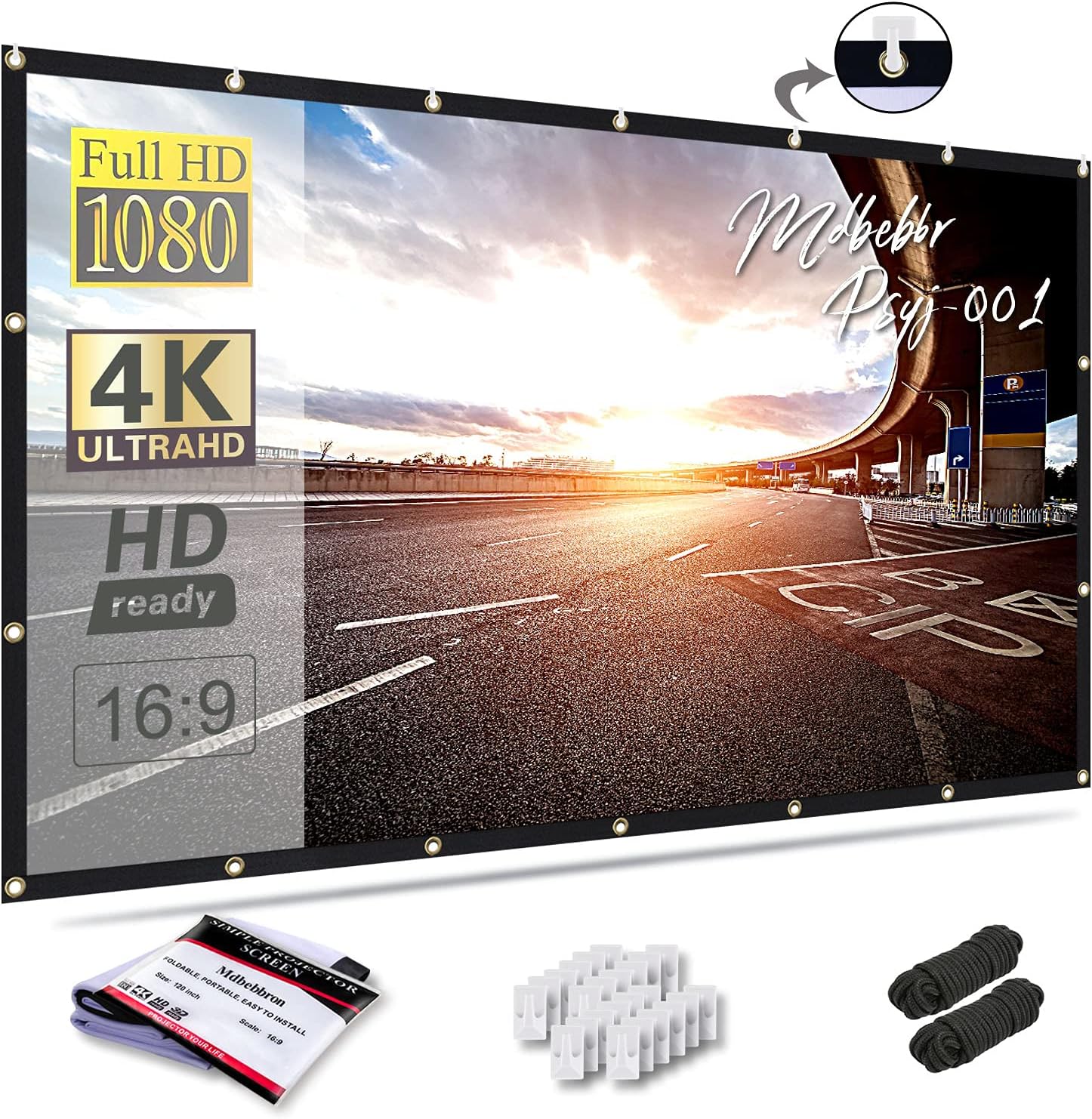
The finest low-cost alternative to a painted wall is the Mdbebbron 120-inch.Light is reflected and refracted by painted walls because of their texture.First, a 120-inch piece of fabric in a 16:9 aspect ratio—a large image from a screen that can be folded into a drawer.And because it may be hung in a doorway because it is double-sided, you can project it either front or rear.
Lastly, the polyester does not wrinkle, so you can fold, compress, or pack it and it will still hang neatly.Drawbacks: folds only appear under direct light; there is no tension and no frame. Light seeps in from behind because there is no black backing.For those who are renting or who have never owned a projector before, this is the ideal option. Avoid if you’re looking for a flat surface or a theater room.
6: Elite Screens Manual B 100-Inch Pull Down Screen

When it comes to pull-down screens, the Elite Screens Manual B is your best bet outside of a theater.Most individuals aren’t capable of giving a screen an entire wall. You can put this one back into its carrying case with ease.To start, there are no dark corners on the MaxWhite 2 surface; the 1.1 gain remains constant across the whole viewing angle.The next step is to set the screen’s height; an auto-lock mechanism will halt it at intervals of 2 inches.
Last but not least: it has Greenguard Gold certification for indoor emissions and mounts to the wall or ceiling.Downside: If you watch every day, the hand-pulling gets old. Shown against a dark wall is the white casing. Edges are not taut.Apt for: co-living spaces and tenants unable to commit to a wall. Watchers who tune in every day are not for this.
5: Aoxun 120 Inch Motorized Projector Screen

If you prefer not to touch your motorized screen, the Aoxun 120-inch is your best bet.Pulling with your hands is acceptable behavior up until it becomes an excuse to not pay attention.To begin, you can lower and raise the screen from any location in the room using an RF remote and a control panel located on the wall.The motor is also whisper-quiet, never interrupting your opening score, since it operates at a volume of less than 42 dB.
Last but not least: a 4-layer black-backed PVC surface with 1.2 gain prevents light from penetrating from behind.Disadvantages: watching in widescreen requires pausing the drop midway and relying on your eyes because the panel is 4:3. Having an outlet close to the mount is necessary.Ideal for: areas with multiple uses, ceiling-mounted installations, and numerous visitors. Those seeking an ideal widescreen aspect ratio should not use this.
4: KHOMO GEAR 100 Inch Fixed Frame Projector Screen

One of the greatest options for a long-term, drum-tight screen is the KHOMO GEAR 100-inch fixed frame.So far, every screen has either waved, folded, or rolled. When the frame is flat, the corners are sharper, and the frame never moves.To begin, the surface is stretched across a sturdy aluminum frame using a tension-rod system; this ensures that the surface will never sag or ripple.
Afterward, the black velvet is applied to the frame, which helps to absorb projector overshoot and ensures that the picture edges land sharply.In conclusion, it is compatible with ultra-short throw, works with 4K and 8K, and has HDR and active 3D.Downside: that wall will now serve as a screen indefinitely. Two individuals are required for frame assembly.Ideal for: media rooms, dedicated walls, and owners of UST projectors. Not for: tenants who require the wall to be returned.
3: Silver Ticket STR Series 92 Inch Fixed Frame Screen

For the most optimal viewing experience in a dimly lit, specially designed space, consider the Silver Ticket STR Series.A flexible frame will provide a gentle wave to your image, and thin frames flex more easily.As a first step, a 6-piece snap frame can be assembled into a sturdy rectangle. The surface remains flat and unbowed in the middle.Coming up next: 1.1 gain white vinyl has a 160-degree viewing angle and no resolution loss, so no one will ever feel left out.
Last but not least: it is compatible with both short and long throw projectors, as well as 4K, 8K, HDR, and active 3D.Limitation: can only be mounted on a wall; there is no choice for a leg or stand. Assembling requires actual care and time.For those who value picture perfection, subterranean theaters, and rooms with regulated lighting are ideal. Avoid in well-lit living rooms or if you’re a renter.
2: Elite Screens CineGrey 3D 120 Inch ALR Fixed Frame

When it comes to rooms that are impossible to darken, nothing beats the Elite Screens CineGrey 3D.The light from your lamp and the window will both be reflected on a white screen.One benefit of using CineGrey 3D angular-reflective material is that it both absorbs overhead light and bounces back the light from your projector.Next, 1.2 gain on a gray background makes black levels deeper; contrast is better in areas where a white screen becomes too flat.
Last but not least: it supports 8K, 4K, active 3D, polarized passive 3D, and has an ISF certification for color accuracy.The viewing angle is reduced to 90 degrees, which means that even with wide seating, the edge brightness would be lost. Projectors that use triple-laser technology or ultra-short-throw technology will not work with it.Who it’s best for: long-throw projector owners, sports played during the day, and window-facing living rooms. Wide seats and UST configurations are not suitable.
1: VIVIDSTORM S PRO 84 Inch Floor Rising ALR Screen

In 2026, the best projector screen will be the floor-mounted VIVIDSTORM S PRO, which is a home theater system.If you want to change the look of your room, select a wall or ceiling; every other screen here does the same thing.To begin, there is no need to drill holes or attach brackets to the ceiling because the screen is floor-mounted and raised by a motorized metal cabinet.Second, in order to prevent light from the ceiling from reaching the UST ALR surface, it employs a light-suppression filter and an optical sawtooth structure.
As a third benefit, the 84-inch panel always rises perfectly level without settling or waves because it is tensioned.Fourthly, it rests just inches from the screen and is designed for ultra-short-throw laser projectors.Downside: You can’t use a projector mounted on the ceiling; only UST projectors will do. There must be dedicated floor space for the cabinet.Owners of laser TVs, tenants without drilling capabilities, and rooms driven by design are the ideal candidates. Avoid if you have a small floor plan or a projector mounted on the ceiling.
Things to Consider Before Buying a Projector Screen:
There’s a plethora of projector screen options available, making it vital for you to evaluate what suits your needs best. From different types to varying materials, understanding these factors can significantly enhance your viewing experience and help you make an informed purchase.
Fixed Frame vs. Retractable Screens
Fixed frame screens boast a taut surface for optimal image quality, making them excellent for home theaters. Alternatively, retractable screens offer flexibility, disappearing when not in use, thus saving space. Each type serves distinct needs, bringing unique benefits to various viewing environments.
Manual vs. Electric Motorized Options
Manual screens are budget-friendly, requiring physical operation for setup. In contrast, electric motorized options provide effortless control with a remote or wall switch, enhancing convenience. Depending on your budget and usage frequency, the choice can greatly affect overall satisfaction.
Traditionally, manual screens are favored in settings where budget constraints exist. Simple mechanics allow for easy setup without the need for electricity. Electric motorized screens, however, incorporate advanced technology, suitable for habitual users who appreciate quick deployment. Frequent movie watchers or business presenters may find the convenience of motorized options invaluable, providing an efficient transition between uses.
Impact of Screen Gain and Viewing Angles
Screen gain indicates how much light is reflected, affecting brightness. A higher gain is beneficial in well-lit rooms, while lower gain screens can offer better viewing angles. For instance, a screen with a gain of 1.0 may reflect light uniformly across a wider area compared to a gain of 2.0, which focuses brightness more narrowly.
Selecting the Right Aspect Ratio for Your Content
Aspect ratio significantly impacts visual content presentation. Choose between common ratios like 16:9 for widescreen formats or 4:3 for traditional presentations to align with your content type. Selecting the right ratio ensures that images and videos appear as intended, fostering a better viewing experience.
Understanding your content’s format leads to optimal screen selection. For cinematic films, a 16:9 ratio is ideal, whereas a 4:3 ratio works best for business presentations. If your content includes various formats, consider a screen that accommodates both, enabling effective display without cropping or distortion.
Standard White vs. High-Contrast Grey Fabrics
Choosing between standard white and high-contrast grey fabrics affects the viewing experience significantly. Standard white screens typically deliver bright, clear images under ideal lighting conditions, while high-contrast grey options excel in spaces with ambient light, enhancing darker scenes and improving overall color depth.
Advantages of Ambient Light Rejecting (ALR) Surfaces
ALR surfaces are designed specifically to reject unwanted light, making them ideal for viewing in brighter rooms. This technology optimizes image quality by reflecting the projector’s light while absorbing ambient light, creating a more vibrant and sharper picture.
Enhanced viewing experiences become achievable with ALR surfaces due to their unique design that allows for both high brightness and deep contrast. In spaces like conference rooms or living areas with natural light exposure, these screens provide excellent visual performance without needing total darkness. Their functionality transcends typical screen capabilities, catering to diverse lighting scenarios effectively.
Measuring Your Available Installation Space
Accurate measurements of your space are important for selecting the right projector screen. Assess the wall dimensions where the screen will be mounted, considering height and width to ensure a proper fit. This step is particularly critical for creating an optimal viewing experience.
Matching Screen Material to Projector Brightness
Screen material plays a significant role in how well the image projects onto the surface. Brightness levels, measured in lumens, dictate which screen materials will provide the best reflection and clarity. High-gain materials often suit brighter projectors, while darker materials enhance contrast with less light.
Consider your projector’s lumen output along with your viewing environment’s ambient light. A projector delivering over 2,500 lumens works well with high-gain screens, which can amplify brightness and create vivid images. Conversely, a lower-lumen projector in a dark room benefits from a matte finish, which improves color accuracy and reduces glare. Understanding these dynamics will lead to a more satisfying viewing experience.
Managing Light Control in the Viewing Area
Reducing unwanted light is crucial for optimal picture quality. Utilize blackout curtains or shades to block external light sources, improving contrast and color accuracy.
Incorporating the right materials for light control enhances viewing conditions. For instance, thick blackout curtains can prevent light leakage, while acoustic panels can absorb sound and prevent echoes, creating a more immersive environment. Dimmer switches can also adjust ambient lighting to complement the projector’s output, optimizing the overall experience.
Safe Cleaning Methods for Specialized Fabrics
Cleaning techniques vary based on fabric type, so opt for materials specifically suited to the screen’s surface. A microfiber cloth-dampened with water-often suffices for most screens, while specialized solutions cater to those with enhanced coatings. Avoid harsh chemicals that could degrade the screen’s integrity over time.
Preventing Surface Tension and Wrinkling
Surface tension and wrinkling can detract from viewing quality, making proper storage and installation pivotal. Use a tensioning system to keep the surface taut and invest in quality mounts that fix the screen securely in place.
Regular maintenance routines can significantly minimize the risk of surface tension and wrinkling. Inspecting mounts and adjustment points frequently helps maintain the desired tension. For motorized screens, ensure that the mechanism operates smoothly, as this prevents unnecessary strain on the fabric. After use, consider rolling the screen back into its casing to protect it from environmental factors that could lead to lasting creases.
Summing up
Choosing a projector screen involves several considerations, including size, material, and intended use. Assess how the screen complements your projector’s capabilities and the room’s lighting conditions. By weighing these factors, you ensure an optimal viewing experience tailored to your specific needs.
Leave a Reply