
If you’re searching for the Best Razer Keyboards to upgrade your gaming and work setup, you’re not alone. Many users struggle with finding a reliable, high-performance gaming keyboard that truly stands out. Razer’s mechanical keyboards deliver precision, style, and ultimate comfort, ensuring an exceptional experience. Our guide shows you how these innovative devices can transform your gameplay with amazing performance and design. Let’s dive into a world of top-notch keyboards and discover your perfect match.
Contents
- Top 5 Razer Keyboards:
- 1. Razer BlackWidow V4 Pro – Best Razer Keyboard Overall
- 2. Razer Huntsman V3 Pro – Best Analog Gaming Razer Keyboard
- 3. Razer Pro Type Ultra – Best Productivity Mechanical Razer Keyboard
- 4. Razer Huntsman V2 – Best Fast Optical Switch Razer Keyboard
- 5. Razer Cynosa V2 – Best Budget Razer Keyboard
- Things to Consider Before Buying a Razer Keyboard:
- Understanding Actuation Points and Force
- The Impact of Sound and Feedback on Typing Experience
- RGB Lighting and Aesthetic Preferences
- Programmable Keys and Macros for Gamers
- Materials Used in Razer Keyboards
- Lifespan and Warranty Considerations
- Software Integration and Cross-Platform Support
- Setting a Budget Without Compromising Quality
- Evaluating Price Trends and Value Over Time
- Conclusion
Top 5 Razer Keyboards:
1. Razer BlackWidow V4 Pro – Best Razer Keyboard Overall
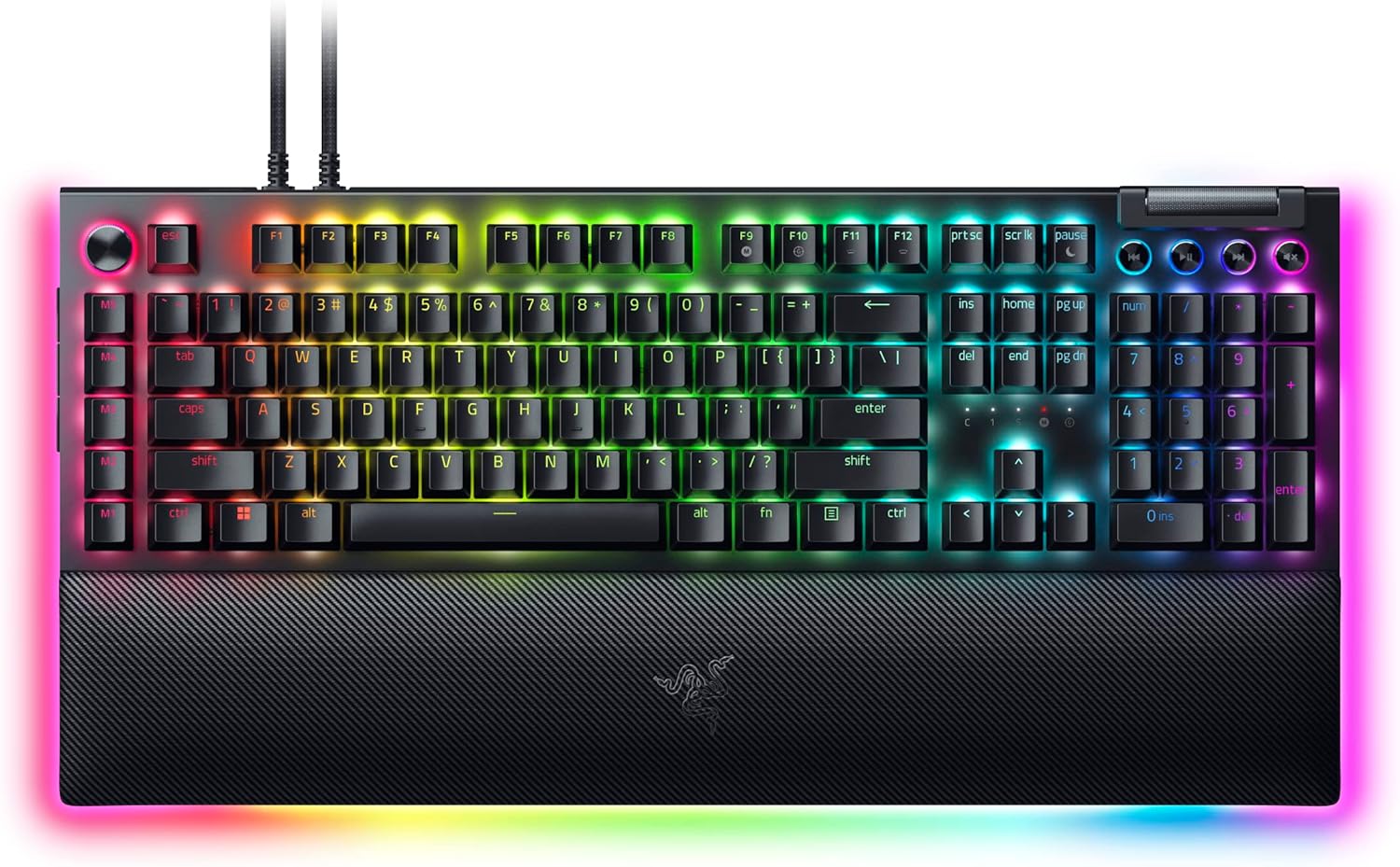
Razer BlackWidow V4 Pro If you’re in the market for a best-in-class gaming keyboard, you can’t go wrong with the Razer BlackWindow V4 Pro. Best for PC GamersThis wired keyboard is tailor-made for gamers and offers superior speed, comfort and customization options.
Woven with Razer’s Yellow Mechanical Switches, the weightage of lightning-fast and stealthy keystrokes translates into hardly audible clicks where you can confidently deliver your commands without any audio distractions. In fact, this is especially helpful as you can save some milliseconds during your most intense gaming sessions.
Fully compatible for a more immersive lighting experience, with per-key RGB illumination and a dazzling three-side underglow that showcase your gaming skill set. Connect your keyboard to your battlestation for an even better gaming experience.
The Command Dial is programmable, and there are eight dedicated macro keys for both use. With this, you can assign any extra functions and hotkeys that the game does not provide.
Rest easy: A magnetic plush leatherette wrist rest made easily enough to support extended gaming sessions, with Razer Chroma RGB illumination at the ready.
This keyboard is engineered with durable Doubleshot ABS Keycaps which will last a lot longer before the labels start to fade, and features extra-thick walls built to stand up against repetitive used.
Put simply, the Razer BlackWidow V4 Pro is designed for gamers who want both performance and aesthetics in one, making it an all-round heavy hitter of an addition to any gaming rig. If you want to see the advantages yourselves, improve your gaming performance and have fun on a new level.
2. Razer Huntsman V3 Pro – Best Analog Gaming Razer Keyboard

Well, if you want to take your gaming experience to the next level of course, then Razer Huntsman V3 Pro is made for you. This high-end gaming keyboard is a popular choice among pro gamers with its unique features that deliver the most limiting performance, catering particularly well to first-person shooter (FPS) games.
The Razer Analog Optical Switches Gen-2 at the heart of the Huntsman V3 Pro deliver incredible precision and responsiveness. Because you can adjust actuation anywhere between 0.1 and 4.0mm, you’ll be able to execute every gameplay movement with lightning-fast actuation time and perfectly mixed wheel of wooden clicks that’s fully compatible with your play style. The keyboard sports an impressive lifespan of 100 million keystrokes while ensuring longevity for long gaming stages.
The Royale Trigger feature makes your game even more exciting, you can reset the key at the slightest touch. Thereby getting a vital head start on speed and responsiveness- key when this is the difference in making or breaking your competitiveness. Razer Snap Tap also makes input priority between the keys you assign, so as mid-air direction changes that happen virtually instantaneously.
The Huntsman V3 Pro also features up to 100hr battery life, 84 keys, robust RGB backlighting and a classic black design to match your gaming performance with the most modern aesthetic for your setup. Just plug into a USB-A and take home the gold with aplomb. Get the tactile feedback you need and find out what a high-performance keyboard can do to help elevate your gaming experience.
3. Razer Pro Type Ultra – Best Productivity Mechanical Razer Keyboard
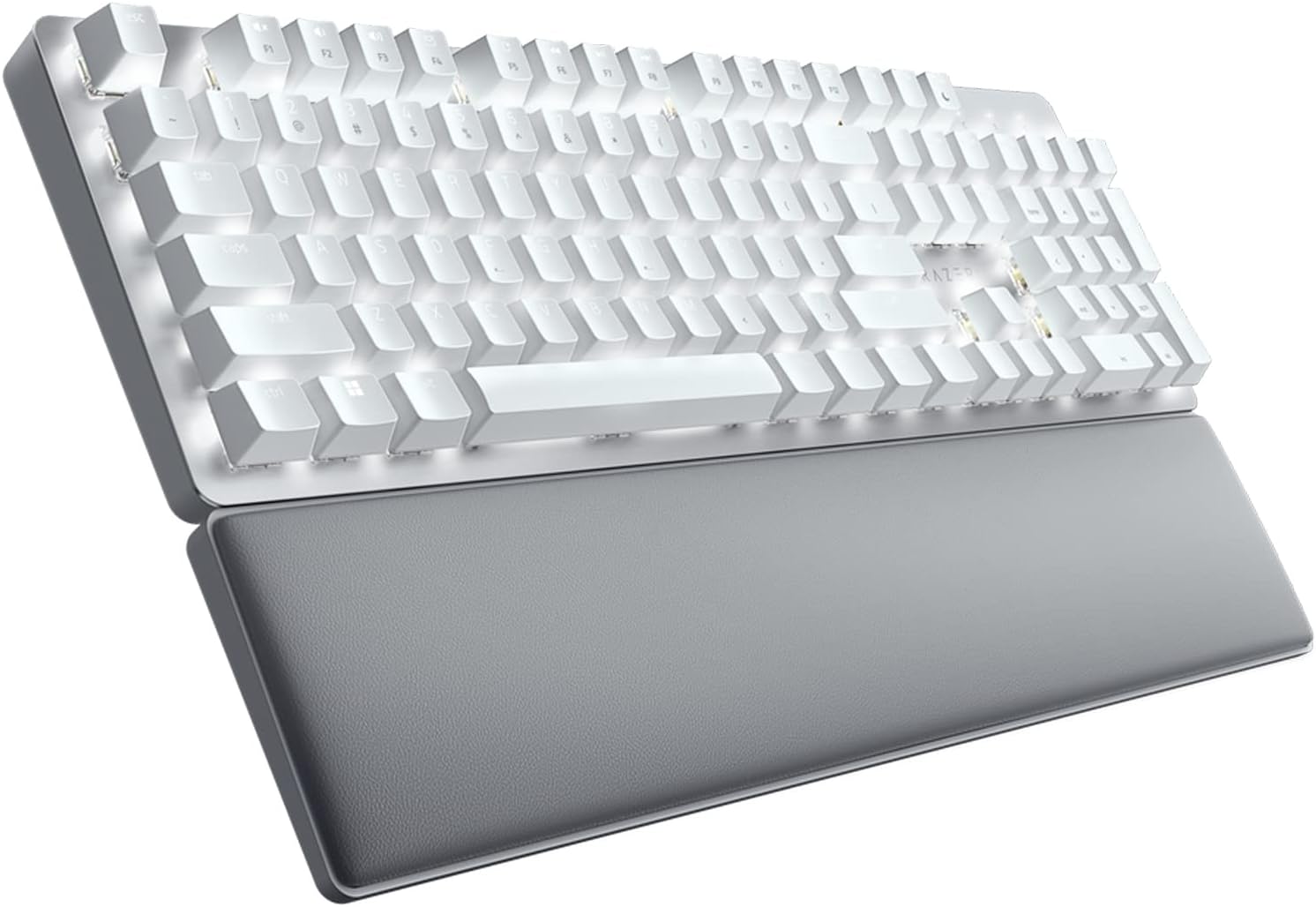
The Pro Type Ultra, on the other hand, is for anyone who wants to keep a quiet workspace while doing anything with their computer and still be productive. With its silent switches and sound-dampening foam, this mechanical keyboard is low-noise for an undisturbed working experience while at home or in the office.
Long typing session = Comfort Featuring high-quality ABS keycaps with tactile soft-touch coating, the Pro Type Ultra is a pleasure to type on every time you use it. Further, the wrist support gives a nice contour that flows well with the keyboard and takes stress off your hands after long sessions.
Having to deal with a slew of devices can quickly escalate into a nightmare, but this versatile keyboard allows you to connect to as many as four different gadgets be it your desktop or laptop, Android tablet or even TV. Easily switch between them without constant un/reconnecting for optimal multi-tasking.
The Pro Type Ultra is very customizable so you can stream line your work flow to best suit you, re-map keys, record macros and create personal short-cut s for your creative tools or office applications. Create a clean and clutter-free workspace while still utilizing the same Productivity Dongle as your keyboard with Razer HyperSpeed technology that offers wireless freedom like never before. Enjoy the Next Level of Work Experience with Razer Pro Type Ultra
4. Razer Huntsman V2 – Best Fast Optical Switch Razer Keyboard

The Razer Huntsman V2 is the best gaming keyboard if you are after the best. The second-generation linear optical switches from Razer help produce a quiet typing experience that does not lessen the keyboard’s responsiveness. The keyboard can poll at a rate of 8000Hz making the input latency experience minimal, which is for quicker response during games. First, one of the qualities you should look for in a good gaming keyboard is durability, fully, and the Huntsman V2 has doubleshot PBT keycaps that keep their color even after use.
When you have such a keyboard, you should not think twice about color fading or a shining finish, as you are ready to game or type. The other significant feature is the multifunction digital dial and dedicated media keys, enabling users to control their audio and video playback. With the Huntsman V2, you cannot be in the middle of a game and lose everything after pausing to adjust the volume. The wrist rest is ergonomic and designed for correct alignment to minimize wrist ache over extended gaming sessions.
The last quality is the hybrid on-board memory and cloud storage that allows up to five profiles for various gaming stations and lets you access your macros from any place. If you go for the Razer Huntsman V2, you will not only have a newer keyboard but also a better gaming session.
5. Razer Cynosa V2 – Best Budget Razer Keyboard

The Razer Cynosa V2 is a darn good value gaming keyboard An affordable variant with professionally designed performance and features for a typical gamer to an average enthusiast. The black design is an understated and therefore works really well with most gaming setups, the Cynosa V2 literally just fades into your psuedo-science brainwashing whilst it shines up entries to various (potentially infinite) marketing funnels.
It also offers full anti-ghosting and key rollover to allow you to perform up to ten commands at once. It means you can perform combos with your entire arsenal without concern that an input is going to get lost, particularly in the heat of battle.
In terms of customization, the Cynosa V2 shines with its elaborate Razer Chroma RGB lighting. Using a beautiful palette of 16.8 million colors, it syncs up with your favorite games and other Razer hardware, giving you the most colorful way to get in-game.Get Price →
Its spill-resistant design is also a godsend for clumsy gamers that like their long gaming sessions. Fully programmable macros with Razer Hypershift allow you to remap controls and assign keybinds, so you can execute complex commands easily.
To financial a flawless sum, this is the Razer Cynosa V2: all of it that you should video gaming your best in to be launching cost. Game to a different level on this keyboard that can keep up with whatever you throw at it.
Things to Consider Before Buying a Razer Keyboard:
Buying a Razer keyboard can significantly enhance your gaming or typing experience, but you need to evaluate several factors to ensure it fits your needs. You should consider the keyboard’s switch type, build quality, and compatibility with your setup. Pay attention to features like customizable RGB lighting, programmable keys, and software integration. Also, think about your budget and whether you prefer a full-sized or compact design. By understanding these elements, you can make an informed decision that improves both performance and comfort during use.
Understanding Actuation Points and Force
The actuation point determines how far a key must travel before registering a press, with Razer switches typically around 1.2mm to 1.9mm. Lower actuation points, like the 1.2mm on Razer Yellow switches, facilitate faster input for gaming. Actuation force, measured in grams, influences how much pressure you need to apply—lighter forces minimize finger fatigue during long sessions. By evaluating your typing or gaming style, you can select switches that optimize speed, accuracy, and comfort based on these measurable parameters.
The Impact of Sound and Feedback on Typing Experience
Acoustic feedback from switches affects both personal satisfaction and environmental noise levels. Clicky switches, such as Razer Green, generate satisfying audible clicks that can enhance typing rhythm but might distract others nearby. Conversely, silent or tactile silent switches reduce noise without sacrificing key feel, making them suitable for quieter environments. The physical feedback also guides your typing accuracy; tactile bumps alert you to a registered keypress, reducing missed inputs during intense gaming or writing sessions.
Sound and feedback influence not just your satisfaction but also how mindful you need to be about surroundings. For example, streamers often prefer quieter switches to avoid microphone interference, while office users might seek noiseless operation to maintain a professional setting. Additionally, the subtle tactile sensations can improve typing endurance by providing consistent input acknowledgment, which reduces errors and enhances overall user experience across diverse applications.
RGB Lighting and Aesthetic Preferences
Razer’s Chroma RGB lighting system offers vibrant, customizable effects that go beyond mere aesthetics, syncing lighting patterns with in-game actions and notifications. You can tailor each key’s illumination, choose from preset profiles, or create your own animations using Razer Synapse software. Consider whether you prefer subtle backlighting to enhance visibility or bold, dynamic colors that match your gaming rig and room ambiance. The effect overlays and customization may impact software resource usage, a factor worth noting if your setup is resource-sensitive.
Programmable Keys and Macros for Gamers
Programmable keys provide significant advantages for gamers by allowing the creation of complex macros and shortcuts. Razer keyboards often feature dedicated macro keys or enable remapping of existing keys, usable across different games and applications. You can assign multi-step combos, launch apps, or automate repetitive in-game commands, streamlining gameplay and improving reaction times. The ability to save profiles directly on the keyboard or cloud gives flexibility for use on different machines without setup loss.
Diving deeper, macro functionality in Razer Synapse enables intricate scripting options, including delays, loops, and conditional commands, which competitive gamers and streamers can exploit for enhanced control. The profile management system supports automatic switching based on the active game or application, reducing manual adjustments. However, monitoring updates to firmware and software is advisable, as changes can affect macro compatibility or require reconfiguration.
Materials Used in Razer Keyboards
Most Razer keyboards utilize a mix of high-grade ABS plastic for keycaps and aluminum or reinforced plastic for the chassis. Aluminum tops, especially in premium models like the BlackWidow Elite, provide additional rigidity while keeping the keyboard lightweight. The keycaps often come with laser-etched or double-shot molding to prevent fading even after prolonged use. This blend of materials balances durability with a premium feel and helps keep your keyboard looking and performing well over time.
Lifespan and Warranty Considerations
Razer typically rates its mechanical switches for up to 80 million keystrokes, meaning your keyboard is designed to last several years under heavy usage. Most Razer keyboards come with a one-year warranty, extendable in some cases when registering the product online. Understanding the warranty scope helps you gauge potential long-term support for issues like switch failures or electrical faults. Evaluating warranty terms alongside typical lifespan can save you from unexpected expenses later on.
Extending beyond the standard warranty, some users opt for third-party insurance or extended plans to protect their investment. Razer’s customer service responsiveness can vary by region, so reading user reviews might clarify what to expect if repairs become necessary. Considering replacement part availability, especially for key switches, is another practical factor; mechanical keyboards with hot-swappable switches offer easier maintenance, potentially prolonging your keyboard’s usable life well beyond the warranty period.
Software Integration and Cross-Platform Support
Razer’s Synapse software offers deep customization, enabling you to remap keys, create macros, and tweak RGB lighting effects. While Synapse is optimized for Windows, it also supports macOS, though with fewer features. Linux support is limited, and some settings might require third-party tools. For users with mixed-device environments, Razer’s cloud profiles ease switching between setups, but keep an eye on cross-platform firmware updates to maintain compatibility. Checking device-specific Synapse support ensures your keyboard performs as expected across all your systems.
Further, Synapse’s integration ties into Razer’s broader ecosystem, syncing multiple peripherals for lighting effects and macros. You can set per-application profiles that adjust key functions dynamically. The cloud storage feature safeguards your configurations and simplifies moving them between PCs. However, consistent internet access enhances this experience, and occasional software updates might introduce new features or address compatibility nuances. For users leveraging PCs and laptops across work, streaming, or gaming, this software ecosystem offers versatility but requires periodic tuning.
Setting a Budget Without Compromising Quality
Define a budget that aligns with your needs but still targets keyboards with reliable builds and key switch durability, typically rated at 80 million keystrokes or more in Razer’s lineup. Avoid ultra-budget models that may cut corners on materials or lack important features like anti-ghosting and N-key rollover. Allocating roughly $120-$150 usually secures a keyboard with mechanically tactile switches, customizable RGB, and media controls, ensuring a quality gaming or typing experience without sidelining performance for price.
Evaluating Price Trends and Value Over Time
Razer keyboards tend to maintain their value well, especially limited editions or those featuring innovative switch technology. Prices may dip slightly during seasonal sales but often rebound quickly due to brand strength and loyal user demand. You can capitalize on release cycles, purchasing just after a new model launches when previous versions see marked discounts, ensuring you get the best specs within your budget while maximizing long-term value.
Diving deeper, tracking the depreciation curve of popular Razer keyboards reveals that flagship models drop around 10-15% in price six months after launch, stabilizing thereafter. Monitoring market trends through tech forums or price-tracking websites helps identify optimal buying windows. Additionally, resale value remains robust if you maintain the keyboard in good condition, making certain Razer purchases not just a cost but a smart investment for enthusiasts planning upgrades or switches in the future.
Conclusion
Considering all points, you should evaluate your specific needs and preferences before buying a Razer keyboard. Think about the type of switches you prefer, your budget, and whether you want features like customizable RGB lighting or programmable keys. Additionally, consider the keyboard’s compatibility with your devices and the software ecosystem. By carefully assessing these factors, you can ensure your investment aligns perfectly with your gaming or work setup, providing you with both comfort and performance.
Leave a Reply