
Searching for the best Samsung tablets that truly elevate your digital life? If you’re frustrated with slow performance or clunky designs, these top-rated Android devices deliver powerful speed and crisp visuals. We’ve researched every feature—from battery longevity to sleek aesthetics—to help you find the perfect Samsung Galaxy model that meets your day-to-day needs. Get ready to experience pure satisfaction and unbeatable performance as we explore each model in detail. Let’s jump right in and transform your tablet experience!
Contents
- Top 5 Samsung Tablets:
- 1. Samsung Galaxy Tab S10 Plus – Best Samsung Tablet Overall
- 2. Samsung Galaxy Tab S9 FE Plus – Best Samsung Tablet for Battery-Life
- 3. Samsung Galaxy Tab S9 – Best Powerful Processor Samsung Tablet
- 4. Samsung Galaxy Tab S6 Lite – Best Samsung Tablet for Gaming
- 5. Samsung Galaxy Tab A9 Plus – Best Budget Samsung Tablet
- Things to Consider Before Buying a Samsung Tablet:
- Daily Tasks and Productivity Requirements
- Entertainment and Multimedia Considerations
- The Long-Term Value of Investment
- Exclusive Features of Samsung’s One UI
- Compatibility with Other Devices and Services
- Display Quality: Resolution and Screen Type
- Processing Power and Storage Options
- Average Usage vs. Charging Expectations
- Build Quality and Long-Term Reliability
- Final Words
Top 5 Samsung Tablets:
1. Samsung Galaxy Tab S10 Plus – Best Samsung Tablet Overall

Search no more for a tablet that takes the best features of tablets and laptops and puts them into one ultra functional device. The Samsung Galaxy Tab S10 Plus is the best overall pick for a Samsung tablet. Its more than 256 GB of memory lets you store enough files for all your installs.
The 12.4-inch Dynamic AMOLED 2X screen with its 2800 x 1752 pixel resolution will blow you away. Whether you’re video watching or photo editing, you’ll still appreciate this screen’s breathtaking clarity, even without the anti-glare surface.
And with the new Sketch to Image feature driven by Galaxy AI, making your basic sketches look like professional pictures is even effortless. Information retrieval is quick and intuitive, thanks to the Circle to Search option with Google — that means you can search for anything without leaving an app.
Note Assist helps you take notes of a lecture or meeting. It does the work of organizing and summarizing your notes for you, making it easier to remember information. Furthermore, the strong tablet processor lets you work or play more effective.
And last but not least, take your home automation to the next level with the SmartThings Home Insight Widget to control smart devices or see which devices are turned on at that very moment — right from your tablet. Designed to keep them in one place, the Samsung Galaxy Tab S10 Plus.
2. Samsung Galaxy Tab S9 FE Plus – Best Samsung Tablet for Battery-Life

Looking for a tablet with great battery life and a variety of functions? If that’s the case, then the Samsung Galaxy Tab S9 FE Plus is what I recommend for you. Featuring an expansive 12.4” display, scalable 2560 x 1600 resolution, and cinematic, 16:10 aspect ratio for amazing picture quality, Available in Mystic Black, Mystic Silver, and Mystic Bronze.
Its impressive Exynos processor ensures that you can jump from task to task without any lag. Whether its for your to-do list or a late night on the couch, this tablet is up to the task.
Concerned about durability? The Galaxy Tab S9 FE makes it easy to share and connect, combining the easy convenience of an Android tablet with the power of a PC, so you can enjoy the best of both worlds with the whole family, supercharged with a long-lasting battery that lasts for hours on a single charge, you’ll be using it long into the day, the Tab S9 FE is also designed to take those unexpected knocks, bumps, and drops that can come from everyday wear, with IP68 water and dust resistance, it’s ready for just about anything.
One of the more impressive aspects is the battery life – you can get 20 hours of playtime before you need to recharge. And with Super Fast Charging, quickly get back to 100%, so you can more all day, worry free.
It also features goggle search that you can use even for the things you see on your screen, so you can get quick information very easily while you are watching videos and browsing on internet. Its slim, light design is easy to carry and find a place forthe Tab measures just 45.5 mm thin and the back-modelled on a magazine flows smoothly into the side. Enjoy both technology and convenience all at your finger tips with the Samsung Galaxy Tab S9 FE Plus.
3. Samsung Galaxy Tab S9 – Best Powerful Processor Samsung Tablet
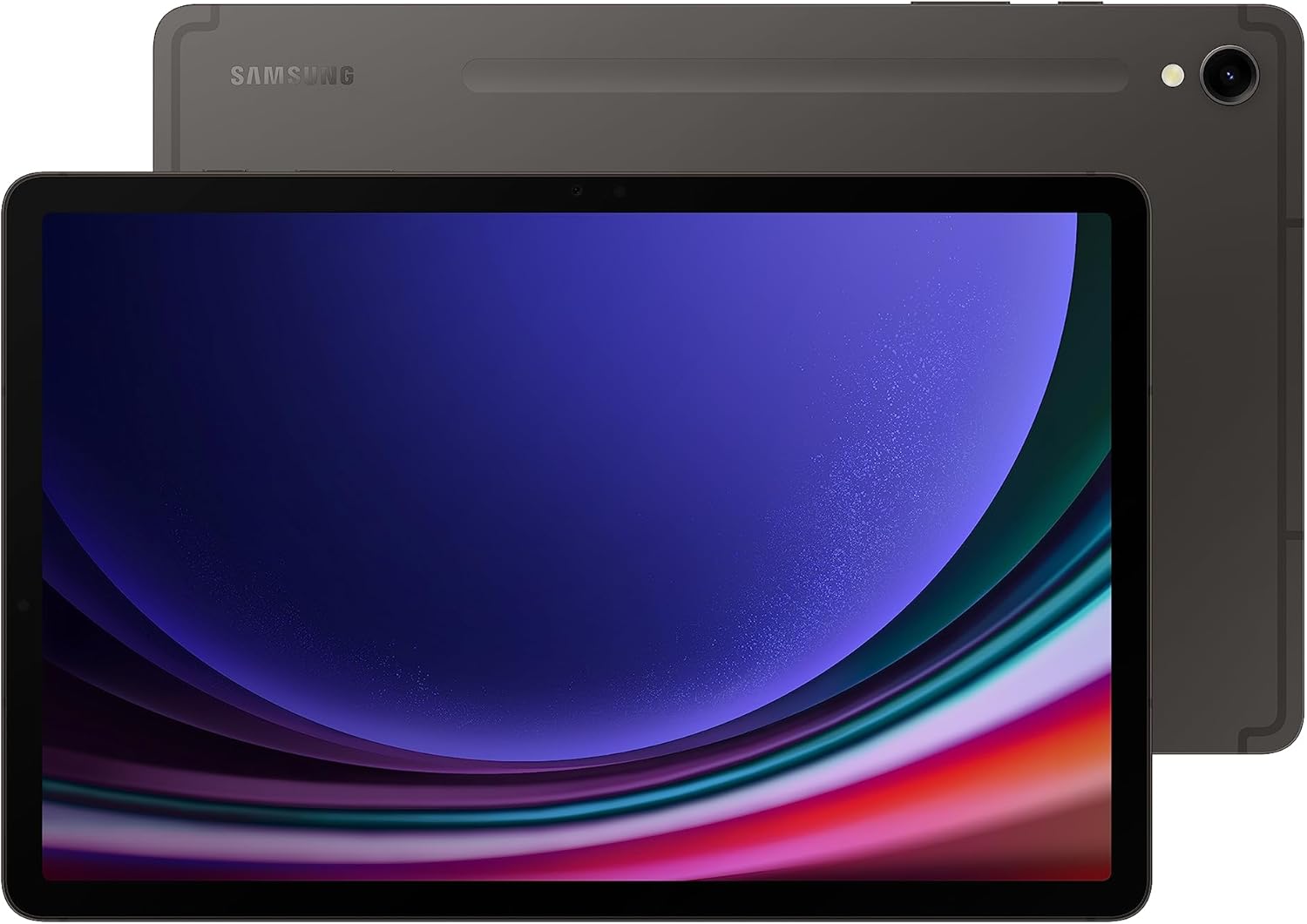
Looking for a high-quality and high-performance tablet that will give you the means to peruse the internet, read and send all of messagessimply access all of your favorite apps? The Samsung Galaxy Tab S9They are designed just for you, with a lightning-fast Snapdragon 8 Gen 2 chip to boot the strongest processor we have ever put on a Samsung tablet. Whether you’re working on an important project or pursuing some high octane gaming action, the performance will not let you down.
The 11-inch Dynamic AMOLED 2X display offers a richly vivid viewing experience with a high level of color quality and luminance. Vision Booster technology adapts image brightness and contrast for the best viewing experience outdoors, so you never miss a detail.
With a durable Armor Aluminum frame and an IP68 rating, the Galaxy Tab S9 is built for wherever your life takes you, one of few tablets that are water- and dust-resistant. This also means that you can easily carry it wherever you go, whether at home, office, or while travelling.
Up to 256GB of storage You’ll have more than enough room to store all of your movies, music, photos, games and creative projects. And with the extended battery life there’s nothing holding you back from experiencing an amazing game at the highest settings! And when you need a charge, the Super Fast Charging feature gets you back to what you love in no time. Feel the strength, endurance and style of the Galaxy Tab S9? your perfect tablet partner.
4. Samsung Galaxy Tab S6 Lite – Best Samsung Tablet for Gaming

Sometimes wireless games are simply the best. You and your Samsung Galaxy Tab S6 Lite are a match made in heaven, but you’re looking for a bit more fun. With 64 GB of built-in memory storage and a ligthweight design, you can enjoy your favorite games and apps from anywhere With a 10.4-inch, 2000 x 1200 pixel connected display, for an un-interrupted and immersive viewing experience.
This tablet includes an S Pen; you can jot notes, type emails, draw pictures, and scribble on screenshots easily. The S Pen lets you jot down notes, control your presentations and make the most of your apps – whether you’re a busy student or a working professional.
With a few pounds of weight and a modern, slim design, Galaxy Tab S6 Lite is great for on-the-go fun. Its trendy colors in mint and more let you personalize your look.
Loads of processing power to help you out are included, plus dolby atmos surround sound, and your fave games and shows are going to sound better than ever. Everything just jumps off the screen and the audio envelops you, which is a plus for hardcore gamers and venezuelan women gamers alike.
All in all, the Samsung Galaxy Tab S6 Lite isn’t just a tablet, but a complete and functional tool to fit in with your lifestyle, playing games, watching series or getting sh*t done. Get the perfect blend of convenience and features all in one package!
5. Samsung Galaxy Tab A9 Plus – Best Budget Samsung Tablet

Looking for a budget-friendly, high performing tablet? For you, the Samsung Galaxy Tab A9+ is what you should opt for. With a beautiful 11-inch display, the Tab 4 10 is a great tablet for your family. 79 79 150 150 With up to 9 hours of battery life, the Tab 4 10 is your ideal companion for work, home, and everything in between.
You will love the depth of the sound and the impressive on-screen definition of the quad speakers sound by the AKG and Dolby Atmos. Listen to music or watch the latest blockbusters with the Galaxy Tab A9+ rich sound that fills the environment.
The tablet comes with a Qualcomm Snapdragon processor, and enough memory to choose from 4GB or 8GB RAM, while storage starts at 64GB that can be expanded to a generous 1TB. Take care of business and other projects more efficiently with this ability to multitask between web browsing, email checking, and note taking — all at once!
For parents, Samsung Kids offers a range of engaging, fun learning experiences. In addition, the tab is slim and light for you to carry it with you wherever you go so fun and productivity can ‘always be within your reach. Get your perfect meeting companion in the Samsung Galaxy Tab A9+.
Things to Consider Before Buying a Samsung Tablet:
Over the years, Samsung tablets have become popular choices for work, entertainment, and creativity. Before you make your purchase, you should evaluate factors like screen size, battery life, performance, and intended use to ensure the tablet fits your needs. Understanding different models and features helps you get the best value and experience. This guide will help you make an informed decision and select the Samsung tablet that aligns perfectly with your lifestyle and preferences.
Daily Tasks and Productivity Requirements
If your tablet will primarily support daily work or study, focus on models offering robust processing power and multitasking capabilities. Samsung’s devices with the S Pen, such as the Galaxy Tab S8 series, enhance note-taking and precision tasks, while DeX mode transforms your tablet into a PC-like workspace. Consider storage options as well; at least 128GB is ideal if you handle large files or install multiple apps. Battery life exceeding 10 hours helps sustain long workdays without constant charging, and compatibility with productivity apps like Microsoft Office or Adobe Acrobat boosts efficiency.
Entertainment and Multimedia Considerations
For streaming video, gaming, or reading, display quality and audio performance become top priorities. Samsung tablets equipped with AMOLED screens, such as the Galaxy Tab S8+, offer vibrant colors and deep contrasts that enhance movies and games. Quad speakers tuned by AKG deliver immersive sound quality, perfect for Netflix marathons or Spotify sessions. Higher refresh rates, like 120Hz, also improve gaming responsiveness and smooth scrolling whether you’re browsing social media or submerging into graphic-intensive apps.
Delving deeper into multimedia usage, some Samsung tablets support HDR10+ playback, providing enhanced brightness and dynamic range for compatible streaming content. This feature brings cinematic visuals directly to your device, making it ideal if you often watch shows on platforms like Amazon Prime Video or Disney+. Additionally, expandable storage via microSD helps you maintain a vast library of offline content, useful for trips or areas with limited connectivity. Whether enjoying audiobooks or podcasts, robust Bluetooth capabilities allow seamless pairing with wireless headphones or speakers, ensuring uninterrupted entertainment experiences.
The Long-Term Value of Investment
Choosing a premium Samsung tablet can deliver greater long-term value through extended software updates, higher build quality, and versatile accessory ecosystems. Such devices often maintain performance standards three to four years post-purchase and receive at least four years of Android OS updates, unlike budget models that get limited support. This means your investment translates into reduced need for early upgrades and more sustained utility over time.
Diving deeper, a premium Galaxy Tab model’s build materials—like metal chassis and Gorilla Glass—and support for accessories such as keyboard covers and the S Pen expand functionality beyond mere tablet use. Longer software support from Samsung ensures timely security patches and new features, keeping your device secure and capable in evolving tech environments. If your workflow depends heavily on your tablet, this longevity and adaptability often justify the higher upfront cost by eliminating frequent replacements and boosting overall productivity.
Exclusive Features of Samsung’s One UI
Samsung’s One UI introduces unique features such as Edge Panels for quick access to apps and tools, enhanced DeX mode that turns your tablet into a desktop-like experience, and improved multitasking capabilities with split-screen and pop-up views. The interface prioritizes one-handed usability and customizable gesture navigation. You get exclusive software tools like Samsung Notes synced seamlessly with the S Pen, advanced screen recording options, and a system-wide dark mode designed to work optimally with the device’s AMOLED display. These enhancements can significantly elevate your productivity and user experience beyond stock Android.
Compatibility with Other Devices and Services
Samsung tablets excel in seamless integration with Samsung phones, smartwatches, TVs, and even home appliances through SmartThings, allowing synchronized notifications, file sharing, and media control across devices. You benefit from features like Quick Share for transferring files and Samsung Cloud for synchronized backups. Compatibility extends to popular services like Microsoft Office and Google Workspace but also offers Samsung-specific apps that leverage the hardware better. If you already own or plan to invest in Samsung’s ecosystem, these connectivity advantages greatly simplify your digital workflow.
Delving deeper, the interoperability extends to accessories — genuine Samsung earbuds pair effortlessly with automatic device switching, while the ecosystem supports Samsung’s S Pen across selected tablets with native app integration. Using Samsung Flow, you can mirror your phone’s screen and even unlock your tablet with your phone, enhancing security. Samsung Health syncs data across your devices, making fitness tracking more cohesive. This level of connectedness creates a unified user experience that benefits those committed to Samsung hardware and services, reducing friction and elevating convenience.
Display Quality: Resolution and Screen Type
Samsung tablets typically feature AMOLED or LCD screens, with AMOLED offering superior contrast and richer colors, perfect for media lovers. Look for resolutions of at least 2560×1600 pixels for clear text and crisp images. The screen size ranges from 8 to 11 inches, so think about portability versus immersive viewing. Higher refresh rates, like 120Hz found in models such as the Galaxy Tab S8, provide smoother scrolling and responsiveness.
Processing Power and Storage Options
Powered by Snapdragon or Samsung’s Exynos processors, the performance you get varies widely between budget and flagship tablets. RAM options generally start at 4GB, scaling up to 12GB, which impacts multitasking efficiency. Internal storage ranges from 64GB to 512GB, with many models supporting microSD expansion if you need extra space for apps, files, or media.
Looking deeper, flagship models equipped with the Snapdragon 8 Gen 1 chip deliver robust graphics and rapid app launches, outperforming mid-range processors like the Snapdragon 750G. If you edit videos or use graphic-intensive apps, leaning towards higher RAM configurations prevents lag. Storage speed also matters; UFS 3.1 storage units enhance data transfer rates, reducing load times. Assess your typical workload and multimedia demands to decide whether to invest in higher-tier specs or balance them with budget considerations.
Average Usage vs. Charging Expectations
Samsung tablets generally support a full day’s moderate use—streaming, browsing, and light gaming—before needing a recharge. The Galaxy Tab S7+ can stretch close to 14 hours under casual use, but heavier activities like 4K video playback or intensive gaming will reduce this significantly, sometimes below 8 hours. Fast charging, often around 15-45W depending on the model, mitigates downtime, letting you get back to work or entertainment quickly. Understanding your use patterns helps avoid charging anxiety and ensures the tablet aligns with your daily rhythm.
Build Quality and Long-Term Reliability
Samsung tablets typically feature metal chassis and Gorilla Glass screens, offering solid protection against everyday bumps and scratches. For instance, the Galaxy Tab S8 Ultra uses an aluminum frame paired with tough glass, balancing lightweight design with durability. However, frequent exposure to drops or spills still warrants additional protective gear. Your choice should factor in not just initial feel but also how well the tablet maintains performance and appearance over years, which varies by model and usage habits.
Beyond materials, Samsung’s firmware updates play a pivotal role in long-term reliability, often providing security patches and feature enhancements for several years post-launch. Devices like the Tab S8 series receive regular updates that extend usability and maintain smooth operation. Consider the warranty and customer support quality too, as they impact repair ease and overall ownership experience. Combining robust hardware with ongoing software support ensures your tablet remains dependable well into the future.
Final Words
The decision to buy a Samsung tablet involves evaluating your specific needs, including performance, display quality, battery life, and budget. You should also consider software updates, accessory compatibility, and brand support to ensure the device meets your daily requirements. By carefully weighing these factors, you can select a tablet that perfectly fits your lifestyle and enhances your productivity and entertainment experience.
Leave a Reply