
Finding the best ultrawide monitors can transform your cluttered workspace into a breathtaking command center. Stop struggling with cramped screens and constant tab-switching. A premium curved display offers massive screen real estate, which boosts your productivity and gaming immersion instantly. We have rigorously tested the top models to help you choose the perfect upgrade. Let’s explore the leading options for your desk setup below.
Contents
- Top 7 Ultrawide Monitors:
- 7: Sceptre 34″ Curved Ultrawide Monitor
- 6: LG UltraWide 34″ Curved
- 5: LG UltraGear 34″ Curved Gaming Monitor
- 4: Dell UltraSharp U3425WE 34″ Thunderbolt Hub Monitor
- 3: Alienware AW3423DWF 34″ Curved QD-OLED
- 2: MSI MPG 341CQPX QD-OLED 34″
- 1: LG UltraGear 45″
- Things to Consider Before Buying a Ultrawide Monitors:
- Standard 21:9 vs. Super Ultrawide 32:9
- Understanding Curvature Ratings and Viewing Comfort
- Resolution Standards and Pixel Density
- Panel Technologies: IPS, VA, and OLED Differences
- Benefits for Multitasking and Immersive Experiences
- Hardware Demands and Content Scaling Limitations
- Verifying Graphics Card Compatibility
- Measuring Workspace and Ergonomic Requirements
- Utilizing Window Management and Split-Screen Software
- Calibration Techniques for Color Accuracy
- Conclusion
Top 7 Ultrawide Monitors:
7: Sceptre 34″ Curved Ultrawide Monitor

As we begin our countdown, we have the finest entry-level ultrawide for 2026—the Sceptre 34″ Curved Ultrawide Monitor—at number seven.Ultrawide is commonly thought to be an expensive option. At the very bottom of this list, the Sceptre delivers a complete 34-inch WQHD experience, proving the opposite.Firstly, a resolution of 3440 × 1440 at 180 Hz. Featuring more than five million pixels and a refresh rate that leaves most competitors in the dust. Multitasking feels open, and games feel smooth.Coming up next: 99% sRGB with a response time of 1ms.The colors are vibrant and realistic right after opening the package. No adjustment is necessary.
Lastly, there are two DisplayPort ports. Link two devices and toggle between them. With just one screen, you can perform two processes.Cons: Colors change off-axis, and the viewing angle of a VA screen is narrower than that of an IPS panel. HDR fails to impress. Stand is height-independent and only tilts.Who it’s best for: students, first-time purchasers, and gaming on a budget. Avoid if you’re a color expert or require complete ergonomic support.
6: LG UltraWide 34″ Curved

For those looking for a step-up ultrawide display from a reputable brand, the LG UltraWide 34″ Curved is a great choice.There is a compromise in the build quality, stand, or color accuracy of inexpensive monitors. Where it will arrive is a mystery.No shortcuts were taken by the LG UltraWide 34″ Curved. The leading UltraWide brand in the United States presents 34 inches of curved QHD at 160Hz. First: At 160 Hz, using AMD FreeSync Premium. Comes with built-in tear-free gaming. You can compete or scroll with clean motion.Next up: colors that are accurate, vibrant, and sturdy enough to be used in photography, editing, and regular creative endeavors.
Thing number three: a height-adjustable stand that has MAXXAUDIO speakers fixed to it. The vast majority of screens ignore both. They are a part of LG. Less spending.Cons: VA panel; it has poor viewing angles. No USB-C. 160 Hz isn’t even close to being the best for serious gamers anymore.For regular people who value brand trustworthiness and balanced performance, this is the best option. Avoid if you’re a professional colorist or use a USB-C laptop.
5: LG UltraGear 34″ Curved Gaming Monitor
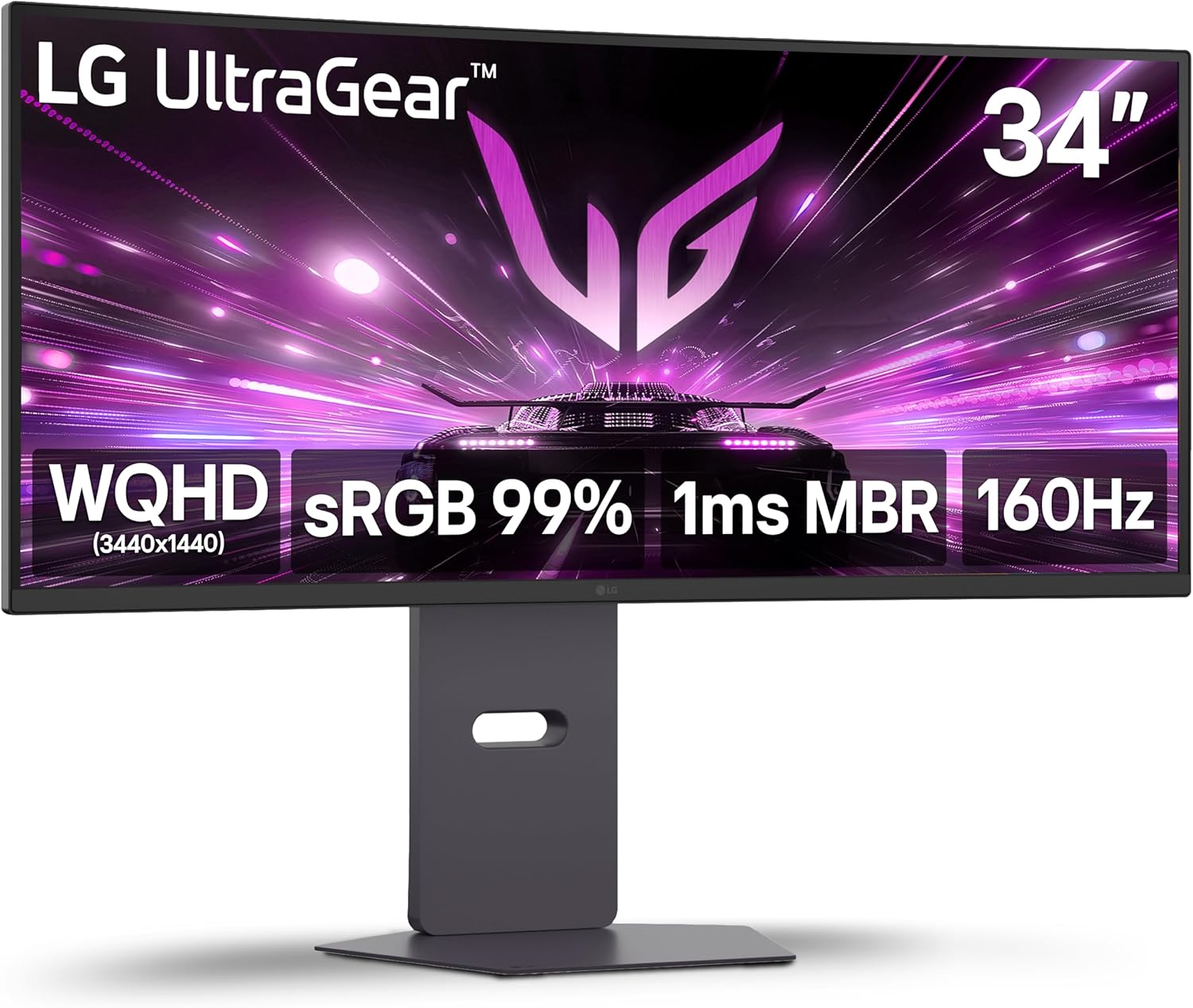
Ranking fifth is the LG UltraGear 34″ Curved Gaming Monitor, the top mid-range ultrawide display for gamers looking for LG’s legendary gaming credentials without breaking the bank on an OLED screen.One must choose between deep contrast and quick refresh on most mid-range panels.Bypassing that compromise totally is what the LG UltraGear does.To start with, blacks don’t look washed-out gray; they look really dark.Nighttime settings, dramatic cutscenes, and other gloomy situations hit with a thud. I may describe it as a feeling of contrast.The next level is 160 Hz with 1 ms response time with AMD FreeSync Premium. The motion remains smooth and undamaged regardless of whether you’re grinding rated matches or exploring wide worlds. No rough spots whatsoever.
Thirdly, an HDMI 2.1 terminal with integrated speakers and a fully adjustable stand (height, swivel, and tilt). Next-gen console compatibility is ensured by HDMI 2.1. With the ergonomic stand, you can set up without worrying about straining your neck.Cons: USB-C is not an option.Vacuum angles move off-center. In actual use, HDR10 is present but has a small impact.Those who prefer complete ergonomics, rich contrast, and smooth refresh, such as PC and console gamers, would love this monitor. Not recommended for: Color-critical tasks or USB-C users.
4: Dell UltraSharp U3425WE 34″ Thunderbolt Hub Monitor

This ultrawide display, the Dell UltraSharp U3425WE, is ideal for professionals who use laptops daily and prefer a single cable for all of their devices.The identical issue with the monitor cable, dock, USB hub, Ethernet adapter, and power brick affects the majority of remote workers. A cable cemetery is created on the desk.To begin, there is Thunderbolt 4 with a power delivery of 90W. All of your laptop’s peripherals can be powered, charged, and displayed by only one connection. I have one cable. Desk cleared. Task completed.Coming up next: the built-in KVM switch. Use a single set of input devices to manage two separate computers. Avoid changing cables. A simple push of a button.
Thirdly, the color fidelity is almost professional, and the blacks are deeper than on a regular IPS screen. Efficacy without sacrificing picture quality.Cons: maximum refresh rate of 120 Hz; this monitor isn’t meant for intense gaming. Flat OLED display. Not as affordable as other options for gaming on this site.Ideal for: people who work remotely, have two computers, or need to connect to the internet using a single cable for their work. Those who like a more fluid experience may want to look elsewhere.
3: Alienware AW3423DWF 34″ Curved QD-OLED

The Alienware AW3423DWF is the finest OLED entry point and a display that will render all your LCDs quickly outdated.OLED has been shown to you on television. True black is something you’re familiar with. And now it’s at your desk.The first is a quantum dot organic light-emitting diode (QD-OLED) that utilizes infinite contrast and per-pixel dimming. A dark pixel is entirely unaligned. It does not bleed backlight. Absolutely no shades of grayish black. Nothing more than the lack of actual depth that LCD screens provide.
Up next: a panel that combines speed and color. Instant gratification and breathtaking visuals provide for an unforgettable gaming experience.Thirdly, a glossy covering that enables the OLED display to perform to its maximum potential. Colors stand out, contrast is more intense, and HDR looks more cinematic thanks to Alienware’s finish.Cons: in well-lit areas, the shiny finish will reflect light. Just USB-C.Headphones not included.Permanent static content poses a risk of burn-in.Who should buy it: Media lovers and PC gamers who are ready to upgrade to an OLED ultrawide. Avoid in well-lit offices or if you require USB-C.
2: MSI MPG 341CQPX QD-OLED 34″

For gamers who want lightning-fast performance without sacrificing picture quality, nothing beats the MSI MPG 341CQPX premium ultrawide.An earlier limit of 165Hz was applied to OLED ultrawides. Athletes were enamored with the visuals, but frustrated by the lack of pace.The first one is a 240 Hz QD-OLED that has a response time of only 0.03 ms. Our ultrawide panel is the quickest one on the market. The improvement from 165 Hz to 240 Hz is noticeable in racing and shooter games, with cleaner action and clearer targeting.Following that, a USB-C 98W power supply with an integrated KVM, which is unusual for a gaming display. Switch between two devices’ input devices—keyboard and mouse—without removing any cables by charging your laptop through the screen. Gaming meets productivity in terms of speed.
Third, it’s Delta E under 2 from the second you plug it in, with deep blacks and explosive colors. Absolutely no setup is necessary.Restrictions: faint color splotching on tiny writing. For optimal 240 Hz performance, a robust GPU is needed.Optimal for: heavy users and competitive gamers who demand lightning-fast performance in addition to KVM and USB-C. Caution: not recommended for light or moderate GPU users.
1: LG UltraGear 45″
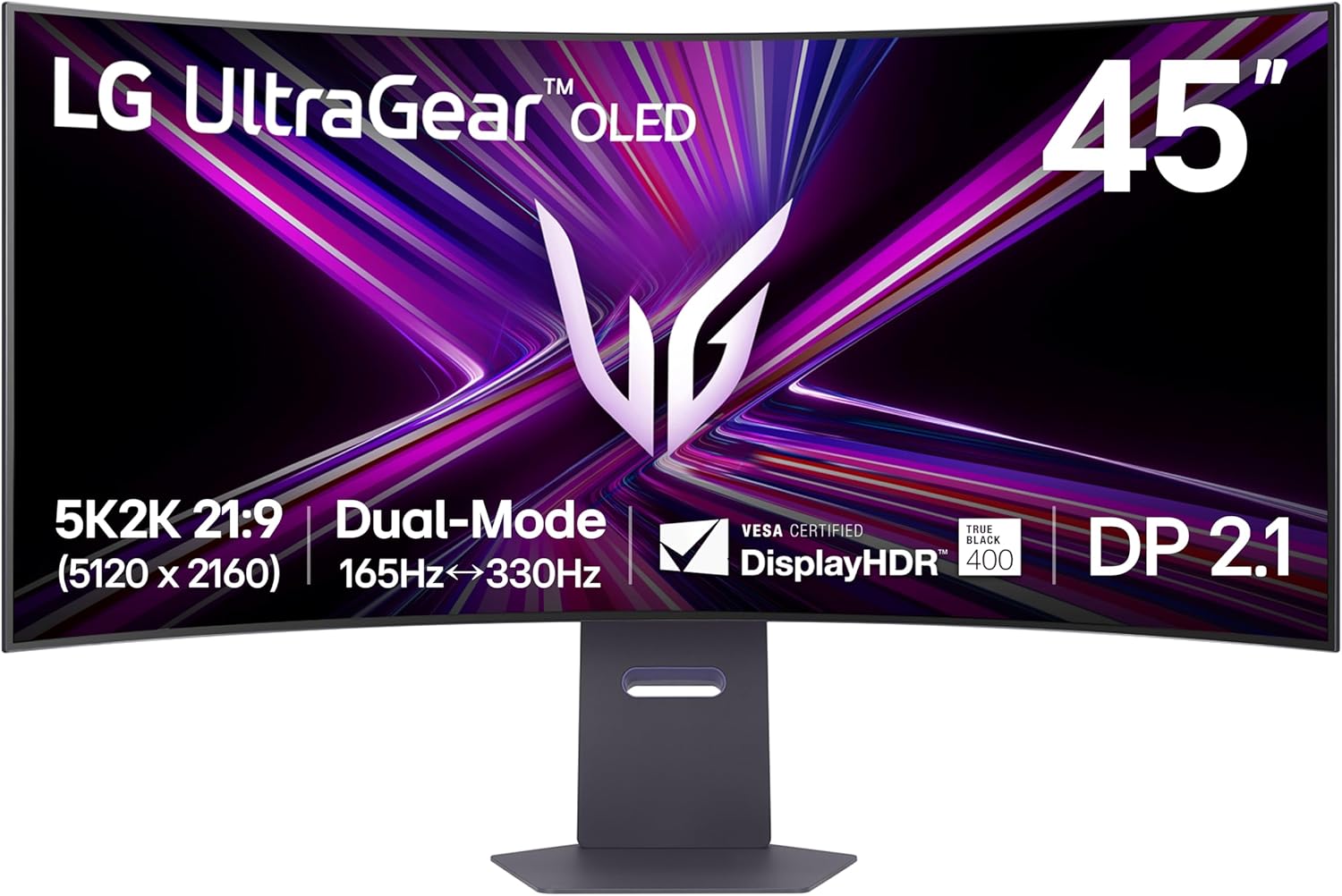
When it comes to ultrawide displays, “the number one best ultrawide monitor for 2026 is the LG UltraGear 45″—the most cutting-edge option available is without question.All the other monitors on this list are 34 inches with a resolution of 3440×1440.To start with, a 45-inch panel with 5120×2160 5K2K WOLED. This is the first ultrawide lens of its kind on Earth. The text looks sharper than on most 4K displays, at 125 ppi.Next, the MLA+ technology reaches a peak brightness of 1300 nits. The SDR brightness of OLEDs has long been a point of criticism. LG’s MLA+ engineering provides a straightforward solution to such. Stunning in the dark, brilliant during the day.
Thirdly, DisplayPort 2.1 supports dual-mode 165 Hz and 330 Hz, allowing for full 5K2K at 165 Hz, which is ideal for immersive single-player games. Reduce the refresh rate to 330 Hz for games that are in the competitive realm.Constraints: 5K2K cannot be driven without an RTX 4080 or RX 7900 XT or higher graphics card. The curve of the 800R is somewhat forceful. Matte finish, in contrast to the glossy Alienware display.Who it’s best for: professional creatives, streamers, and power players who want it all. Those who aren’t prepared to invest or who own mid-range GPUs should not buy this.
Things to Consider Before Buying a Ultrawide Monitors:
Most buyers overlook key factors when selecting ultrawide monitors. Understanding resolution, refresh rate, and panel technology is important for enhancing your workspace or gaming setup. This guide provides insights into what to evaluate, ensuring you make an informed purchase tailored to your needs.
Standard 21:9 vs. Super Ultrawide 32:9
Standard 21:9 panels provide a cinematic experience, ideal for gaming and movies. Super ultrawide 32:9 monitors, however, simulate a dual-monitor setup, enhancing multitasking capabilities.
Understanding Curvature Ratings and Viewing Comfort
Curvature ratings indicate the degree of arc applied to the screen, which affects viewing comfort and immersion. A slight curve can significantly enhance peripheral vision and reduce eye strain.
Choosing the right curvature depends on your usage. For gaming, a sharper curve (like 1800R) offers an immersive experience, while for office work, a subtle curve (like 3000R or 4000R) can provide comfort during long hours. Testing different curves might help you gauge which suits your preferences best.
Resolution Standards and Pixel Density
Choosing the right resolution is paramount for sharp imagery. Higher pixel density results in clearer visuals, making it easier for you to focus on details in games or professional graphics work.
Panel Technologies: IPS, VA, and OLED Differences
Understanding panel technologies is imperative for optimal visual experience. IPS panels offer superior color accuracy and viewing angles, while VA panels excel in contrast ratios. OLED monitors stand out with deeper blacks and vibrant colors but may come at a higher price point.
Each panel type has unique strengths and weaknesses. IPS panels provide consistent color performance, ideal for designers and gamers alike. VA panels excel in delivering deep blacks and high contrast, making them well-suited for movie enthusiasts. OLED technology offers unmatched color vibrancy and pixel-level lighting control, which can enhance your visuals significantly; however, consider considering durability and burn-in issues associated with OLED displays before making a decision.
Benefits for Multitasking and Immersive Experiences
Enjoy streamlined multitasking as ultrawide monitors provide ample screen space for multiple applications. Gamers and movie enthusiasts benefit from an immersive experience, with a wider field of view enhancing engagement. The reduced bezel allows for uninterrupted visuals, making it an excellent choice for a focused workflow.
Hardware Demands and Content Scaling Limitations
Considering hardware demands is necessary, as ultrawide monitors often require more powerful graphics cards. Content scaling can present challenges, especially with older applications that may not support ultrawide resolutions effectively. This may result in distorted images or inconsistencies. High resolutions can strain older hardware, necessitating upgrades for optimal performance. Software compatibility can also be troublesome; certain programs may not display correctly on ultrawide screens, impacting usability. This means you must assess your current setup and consider potential adjustments before committing to an ultrawide monitor.
Verifying Graphics Card Compatibility
Check your graphics card specifications against the requirements of the ultrawide monitor. Ensure it supports the desired resolution and refresh rate. This compatibility will prevent performance bottlenecks and ensure optimal visual experiences.
Measuring Workspace and Ergonomic Requirements
Evaluate your desk space and viewing distance before finalizing your ultrawide monitor choice. An appropriately sized monitor enhances comfort and productivity, while proper positioning reduces strain.
Assessing your workspace involves identifying available desk area and ensuring that the monitor fits comfortably without crowding other equipment. A well-placed screen should be at eye level to minimize neck strain, allowing you to enjoy the benefits of an ultrawide display without discomfort during extended use.
Utilizing Window Management and Split-Screen Software
Maximizing screen real estate requires effective window management. Use built-in features or third-party software to arrange multiple applications side by side. This efficiency can streamline workflow, allowing you to focus on simultaneous tasks without constant toggling between windows.
Calibration Techniques for Color Accuracy
Achieving color accuracy starts with proper calibration. Use calibration tools or settings available in your monitor’s menu. This ensures colors are true-to-life, which is crucial for tasks like graphic design or photo editing.
Calibration can be done through hardware tools or software solutions. Start by adjusting brightness and contrast, then proceed to color temperature settings. Using a colorimeter will yield the most precise results, providing a detailed analysis of your display’s performance. Regular calibration can help maintain consistency across different applications and lighting conditions, ultimately enhancing your visual output.
Conclusion
Presently, consider resolution, curvature, and compatibility when choosing an ultrawide monitor. Assess your workspace and budget to ensure the monitor meets your needs. Prioritize features that enhance your productivity or gaming experience. Making an informed decision will enhance your overall satisfaction with the investment.
Leave a Reply