
Finding the best webcams for online classes shouldn’t be a struggle. If you are tired of looking blurry or grainy during lectures, you deserve a crystal-clear image that commands attention. High-quality video makes a massive difference in your remote learning success. We have tested the top options to help you look professional and confident every time you log on. Stop settling for poor gear and upgrade your setup today. Let’s dive into our favorite picks.
Contents
- Top 7 Webcams for Online Classes:
- 7: EMEET C950 1080P Webcam
- 6: NexiGo N60 1080P Webcam
- 5: Logitech C920x HD Pro Webcam
- 4: Anker PowerConf C200 2K Webcam
- 3: Logitech Brio 500 Full HD Webcam
- 2: OBSBOT Meet 2 4K Webcam
- 1: Insta360 Link 2 Pro PTZ 4K Webcam
- Things to Consider Before Buying a Webcams for Online Classes:
- Integrated vs. External Peripheral Options
- USB Plug-and-Play vs. Professional Streamer Models
- Resolution, Frame Rate, and Low-Light Performance
- Lens Quality and Field of View Dimensions
- Benefits of High-End Optical Hardware
- Drawbacks of Entry-Level Budget Units
- Identifying Compatibility with Learning Management Systems
- Setting a Realistic Budget for Educational Needs
- Mastering Lighting and Background Composition
- Enhancing Audio Clarity with External Microphones
- Conclusion
Top 7 Webcams for Online Classes:
7: EMEET C950 1080P Webcam

in 2026, the EMEET C950 will be the greatest low-cost webcam for virtual classrooms.Every call you make using your laptop’s built-in camera will come out looking blurry and amateurish.No more worries about that with the C950 around. Simply plug in and you’re good to go.At the top of the list is 1080p Full HD with 30 frames per second. Sharp, clear—a huge improvement over the built-in camera on any laptop.Following that, a tangible cover that may be slid shut once class is over. No tape needed, real protection.
The last piece of equipment you need to make sure your lecturer can hear you properly is a noise-canceling microphone.Limitations: you can only look at the object at arm’s length. When holding group calls, the 70° field of vision is too small. No command over software.Optimal for: first-year students and learners on a tight budget. Not suitable for: pupils requiring extensive movement or large frames.
6: NexiGo N60 1080P Webcam
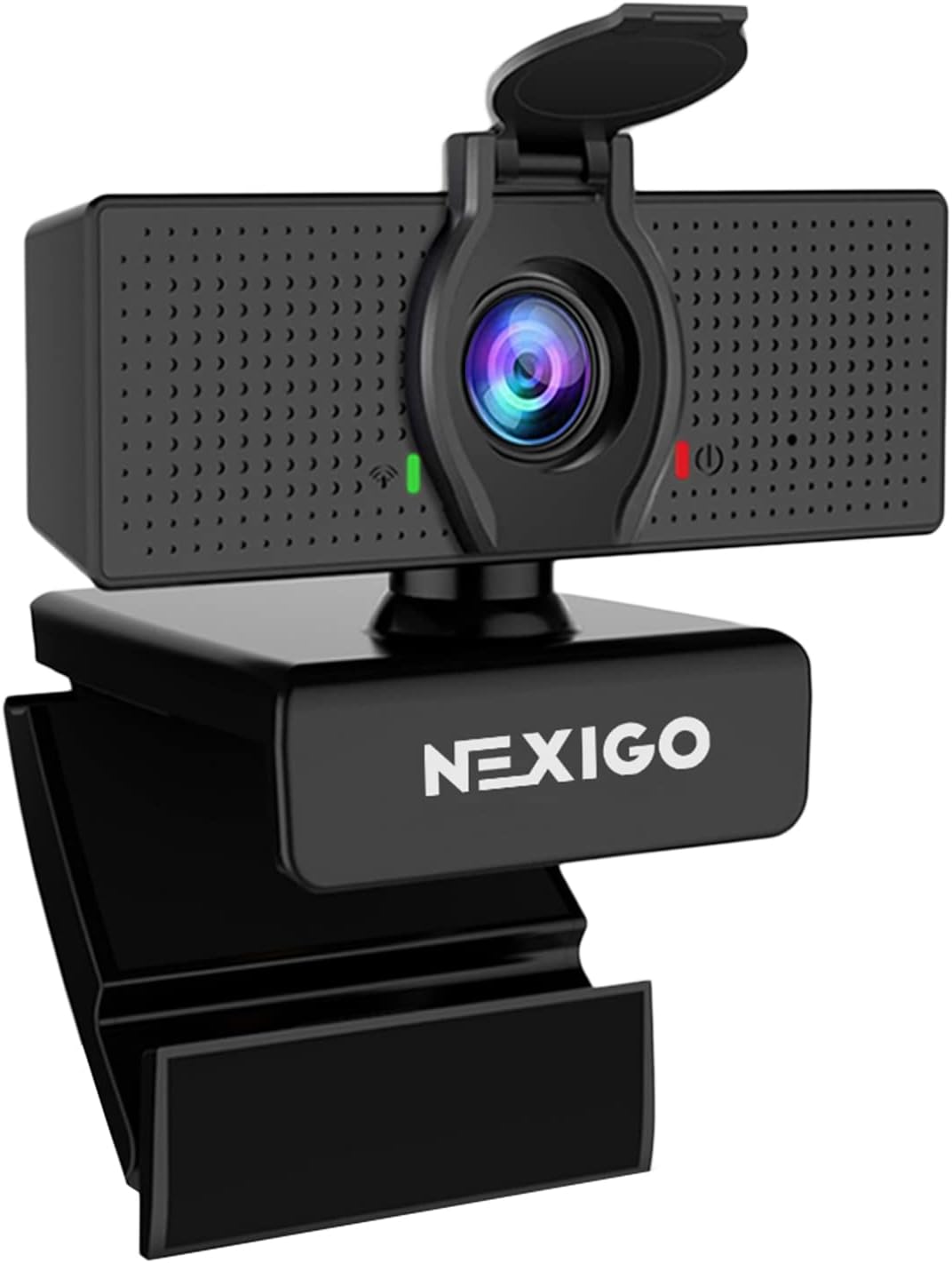
Introducing the NexiGo N60 — the ultimate cheap webcam with versatile software controls.Most of the time, when you use a basic webcam, it will only show your dorm room because of the set frame.This is an issue that the N60 fixes with its control features, which are absent from the majority of cameras in this category.The first is that, even in cramped dorm rooms, your entire upper body will be captured by the 110° wide-angle lens.The next feature is a software-adjustable field of view, which can be wide for conference calls or narrow for presentations.
Last but not least, a little tripod is supplied, so you may use it anywhere, not only on your computer screen.Downside: no autofocus to follow moving subjects; fixed focus. Mic is functional, but it isn’t remarkable. For PCs and Macs only.Students in small groups or on group study calls will benefit the most from this. Avoid if you require focusing or high-quality audio.
5: Logitech C920x HD Pro Webcam

The first major update here is the Logitech C920x HD Pro, the standard 1080p webcam in the industry.In low light, inexpensive cameras fail miserably. For a long time, the C920x was the go-to choice for both students and professionals.To start, it has an HD autofocus lens made of five elements of glass, so your photographs will be pin-sharp even as you move. Keep your face clear in class.Afterwards, high-dynamic-range (HDR) light correction takes into account both ambient light and ambient backlighting. Regardless of how the environment acts, you always manage to look sharp.
Missing: green screen.Drawback: there is no actual privacy shutter. The field of view is narrower at 78° compared to competitors. No USB-C; an adaptor is required for more modern laptops.College students, those learning to give presentations, and anyone else seeking credibility should choose this option. Not for: anyone who require a privacy shutter or who want 4K.
4: Anker PowerConf C200 2K Webcam

The Anker PowerConf C200 is the ideal mid-range webcam if you’re looking for clearer footage and accurate framing.Under some conditions, even high-definition webcams can look clumsy. You have greater control and resolution with the C200.One notable improvement above 1080p is the 2K resolution at 1440p, which provides noticeably clearer details ideal for business presentations and phone conversations.A trio of movable fields of view—65°, 78°, and 95°—follow. Expert portraiture for examinations at 65 degrees. Extensive coverage at 95 degrees.
At last, two microphones that cancel out background noise using artificial intelligence and have an adjustable reduction setting—true filtering for noisy shared apartments.Problem: There is no physical dial for field of view (FOV) switching; instead, you need to use the Anker app. More configuration required compared to competitors’ plug-and-play technology. For PCs and Macs only.Most effective for: those who value adaptability, as well as those who learn best in busy, distracting environments. Not for: anyone who require 4K or want the easiest setup possible.
3: Logitech Brio 500 Full HD Webcam

The top-tier, 1080p webcam designed for use in virtual classrooms—the Logitech Brio 500.Your static camera isn’t capturing the diagram or notes you’re trying to display. That is resolved by the Brio 500.To start, RightSight auto-framing maintains your center of gravity regardless of how you move or gesture. Never again will you float out of shot.Up next, RightLight 4’s AI exposure correction takes care of poorly lit areas and reverse lighting. You always exude an air of professionalism.
At last: By lowering the camera to the ground, Show Mode makes it possible to see schematics, notes, or pages from a textbook. Not a single camera on this site can claim to achieve this.Downside: This only supports 1080p resolution. Some installations require an adaptor due to USB-C.Prices are greater than those of certain 4K similar options.Ideal for: those exhibiting tangible items, online tutors, and dedicated students.
2: OBSBOT Meet 2 4K Webcam

Introducing the OBSBOT Meet 2, the ultimate little 4K webcam for students seeking cinematic performance on the go.Your lights, headphones, and workstation arrangement have all been improved. Even in 2019, your webcam gives you a 2013 vibe.Up first: a 1/2-inch CMOS sensor capable of 4K at 30 frames per second; this is the same sensor used in far more costly cameras. Precise, sharp, and remarkable even in dim light.Next: Phase Detection Autofocus, an AI auto-framing feature, maintains your center of gravity regardless of how you lean, gesture, or shift.No required motorized components.
Lastly, you can zoom and reframe without using your hands thanks to gesture control. Just point to zoom or flip your palm to zoom. Keep quiet in the classroom.The downside is that the privacy shutter is not integrated but rather a separate tab. On extremely thin displays, the mount sways.Not compatible with Windows Hello.Ideal for: content creators, instructors who want to record sessions, and students who desire 4K. Those who want Windows Hello or a built-in shutter will not find this suitable.
1: Insta360 Link 2 Pro PTZ 4K Webcam

In 2026, the most cutting-edge webcam on the market, designed specifically for mobile learners and teachers, is the Insta360 Link 2 Pro. It is the greatest webcam for online classes.It is you who instruct. This is your presentation. A whiteboard awaits you. If a webcam is motionless, it will lose you.You may stand up, pace, or even walk to a whiteboard while a 2-axis motorized gimbal physically follows you. It’s all very smooth.And secondly, as soon as you walk up to your whiteboard, Whiteboard Mode will automatically frame it—full screen, no adjustments needed.
Finally, the biggest sensor in any consumer webcam, a 1/1.3-inch CMOS, powers DeskView Mode, which points downwards at your desk.As a fourth benefit, beamforming directional audio eliminates background noise and echo.Drawback: our prices are the highest. Not compatible with Windows Hello or ARM-based Windows. An app’s learning curve is real.Ideal for: teachers, students of presentation skills, content providers, and instructors. Note that this is not suitable for students on a tight budget or anyone using Windows Hello.
Things to Consider Before Buying a Webcams for Online Classes:
There’s a lot to think about when selecting the right webcam for your online classes. From resolution to compatibility, understanding these factors will help you choose a device that enhances your virtual learning experience and ensures clear communication with instructors and classmates.
Integrated vs. External Peripheral Options
Integrated webcams offer convenience and portability, while external options can enhance image quality and provide more features. Depending on your environment, choosing the right type impacts your overall learning experience.
USB Plug-and-Play vs. Professional Streamer Models
USB plug-and-play webcams are user-friendly and great for quick setups. In contrast, professional streamer models often come with advanced features that enhance video quality, catering to those seeking high-performance options.
USB plug-and-play webcams are excellent for students looking for ease of use and quick accessibility. They typically require minimal setup, allowing you to jump right into classes without hassle. On the other hand, professional streamer models cater to those who prioritize quality, featuring better lenses, higher resolutions, and customizable settings. This extra investment may be worthwhile for serious learners focused on enhancing their online presence.
Resolution, Frame Rate, and Low-Light Performance
Resolution refers to the clarity of the image, while frame rate measures how smoothly the video plays. Low-light performance ensures visibility in dim settings. Aim for at least 1080p resolution and 30 fps for optimal results.
Lens Quality and Field of View Dimensions
Lens quality impacts image sharpness and color accuracy, while field of view (FOV) dimensions determine how much of the environment is visible. A wider FOV can capture more background, which is beneficial for group settings.
Investing in a webcam with superior lens quality leads to sharper images, reducing blurriness and enhancing color fidelity. A wider field of view, typically around 90 degrees, includes more participants in the frame, enhancing collaboration during classes. This combination ensures you look professional and allows clarity during interactions, thereby improving the overall learning atmosphere.
Benefits of High-End Optical Hardware
High-end optical hardware provides superior image clarity and detail. Expect enhanced performance in various lighting conditions, ensuring that you look professional during online classes. Such webcams often come with advanced features like presets and auto-focus, creating a more engaging learning experience.
Drawbacks of Entry-Level Budget Units
Entry-level budget webcams tend to compromise on quality, offering inferior video resolution and audio clarity. This might lead to a less engaging experience, making it hard to capture important visual cues during classes.
Lower build quality often results in a limited lifespan and susceptibility to damage. Connectivity issues may arise, affecting the video stream or causing disconnections during crucial moments. With basic features, these units lack the enhancements of more sophisticated models, making it challenging to maintain high engagement levels in a competitive online learning environment.
Identifying Compatibility with Learning Management Systems
Confirm that the webcam integrates smoothly with your chosen learning management systems, such as Zoom or Google Classroom, to avoid technical issues during classes.
Setting a Realistic Budget for Educational Needs
Establish your budget based on quality and necessary features, ensuring the webcam meets your specific educational requirements without overspending.
Assessing your budget involves considering not only the price of the webcam but also its features that support online learning. Factor in additional costs like accessories or software, and prioritize crucial functions over extravagant features that may not enhance your educational experience.
Mastering Lighting and Background Composition
Lighting plays a significant role in how you appear on camera. Position yourself facing a window or use soft, diffused lights to create a flattering effect. Avoid harsh overhead lights that can cast unflattering shadows. Choosing a subtle background, free from distractions, completes the look and keeps the focus on you during the lesson.
Enhancing Audio Clarity with External Microphones
External microphones can dramatically improve audio quality. Built-in laptop microphones often capture ambient noise, which detracts from your lessons. Using a dedicated mic filters distractions, providing clearer sound for both you and your students.
Quality audio is crucial for effective communication in an online class. An external microphone reduces background noise while providing a crisp and clear sound. USB or XLR mics are excellent choices, with USB mics being user-friendly and XLR options offering professional audio quality. Investing in a microphone will greatly enhance your teaching and maintain student engagement.
Conclusion
Considering all points, you should assess the resolution, frame rate, and compatibility of webcams before making a purchase for online classes. Audio quality and adjustable settings also play significant roles in ensuring a productive learning environment. Making these informed choices will enhance your online learning experience.
Leave a Reply