
Best Wireless Android Auto Adapters make your car feel modern and cable-free, and we tested top plug-and-play dongles to find the most reliable options. If you’re fed up with messy cords and spotty Bluetooth, this guide shows easy setups and proven picks that save time and keep calls and maps crisp. You’ll love the game-changing freedom of a frustration-free drive. Ready to find the perfect adapter? Let’s dive in.
Contents
- Top 7 Wireless Android Auto Adapters:
- 7: TECHLANE 2026 Upgraded 2-in-1 Wireless CarPlay & Android Auto Adapter
- 6: TMDCHWY 2-in-1 Wireless CarPlay & Android Auto Adapter
- 5: Teeran 2 in 1 Wireless CarPlay and Android Auto Adapter
- 4: Mavlou C3020B Metal Mini Wireless CarPlay & Android Auto Adapter
- 3: Spedal 2026 2-in-1 Wireless CarPlay & Android Auto Adapter
- 2: OTTOCAST Mini Edge 2-in-1 Wireless CarPlay & Android Auto Adapter
- 1: AAWireless Two Wireless Android Auto Adapter
- Things to Consider Before Buying a Wireless Android Auto Adapter:
- Plug-and-Play USB Dongles
- Integrated Multimedia and AI Boxes
- Vehicle Head Unit Requirements
- Smartphone Operating System Versions
- Benefits of Cable-Free Connectivity
- Potential Latency and Battery Drain Issues
- Managing Wi-Fi Interference
- Regular Firmware Update Procedures
- Final Words
Top 7 Wireless Android Auto Adapters:
7: TECHLANE 2026 Upgraded 2-in-1 Wireless CarPlay & Android Auto Adapter
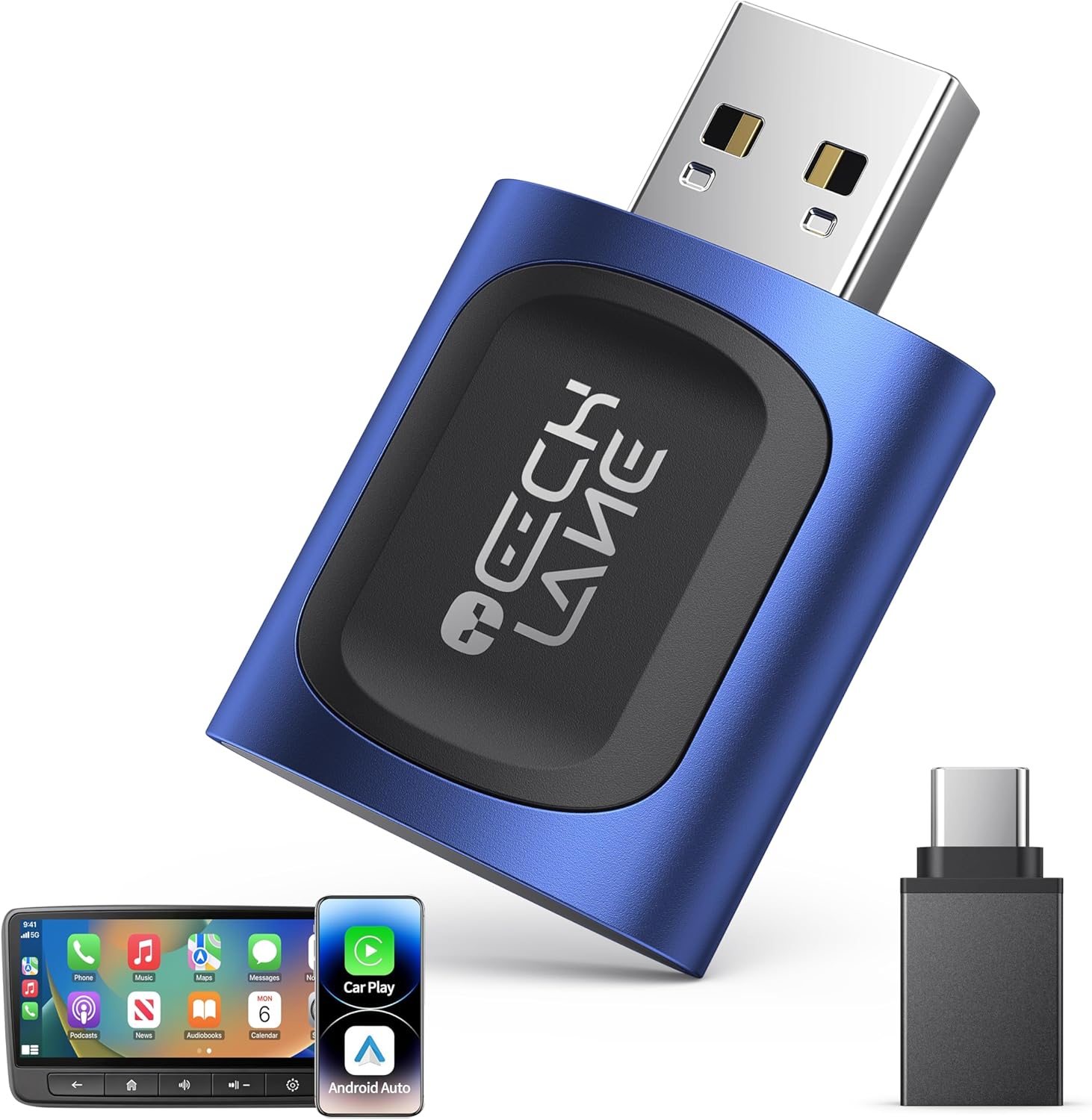
The most effective low-cost cable cutter is the TECHLANE 2-in-1.Wireless Android Auto is something you’re after, but you’re not sure it’s worth the hassle to actually get it. Thanks to the TECHLANE, that test is a breeze.First things first: Bluetooth 5.4 and 5G Wi-Fi. As soon as the engine starts up, your phone automatically connects.The following feature is built in: USB-C and USB-A. Fits any port on your vehicle, plus there’s no converter to worry about losing.
Lastly, there is no apps and no settings menu. Similar to hooking up a speaker, pairing occurs through Bluetooth.Not a fan: it’s plastic, not metal. An unremarkable brand with a limited history. No supplementary software to fix an uncooperative link.Ideal for: people purchasing their first vehicle or the second vehicle overall. This is not the right choice for drivers looking for a high-end design or ongoing software updates.
6: TMDCHWY 2-in-1 Wireless CarPlay & Android Auto Adapter

The TMDCHWY 2-in-1 is the ideal basic upgrade for drivers who aren’t picky.In congested areas, basic adapters may experience stuttering.The song cuts out. In the midst of a turn, the map becomes unusable.To begin, there is a dual-band chipset that operates at 2.4GHz and 5.8GHz. To keep navigation and audio flowing, the signal is given somewhere to go via two bands.Now we will go on to the three-step setup process. Drive after plugging in and pairing via Bluetooth. It automatically reconnects at each start.
A sleek, nearly flat design that accommodates both USB and USB-C ports is now available.Drawbacks: Make sure your vehicle has factory-wired Android Auto before placing an order, as the listing provides only limited information about compatibility. Brand unknown. Absence of app.This dongle is ideal for commuters who prefer a plug-and-forget solution. Do not purchase if you are looking for a well-known brand or comprehensive car manual.
5: Teeran 2 in 1 Wireless CarPlay and Android Auto Adapter

Those motorists who despise cluttered dashboards will love the Teeran 2 in 1 adaptor.The majority of dongles cling to the USB port without any consideration. In theory, the Teeran should vanish into thin air.To begin, a corpse that is around the size of a US dollar coin. A snug fit and flush seating are achieved by the tapered form.Following that, you will be reconnected in a flash. Thanks to dual-band chips, Android Auto can be prepared nearly simultaneously with the engine.
When your USB port is inconveniently located or at an angle, you can use the included USB-A and USB-C extension cords.Negative: You won’t be able to address firmware issues because there is no companion app. Microscopic enough to be lost in the traffic. Brand history that is brief.For vehicles with neat interiors or those with exposed console ports, this is the best option. Not for: those who want to fiddle with settings.
4: Mavlou C3020B Metal Mini Wireless CarPlay & Android Auto Adapter

The Mavlou C3020B is an excellent choice for extended road trips in hot weather.Inexpensive adapters degrade due to heat. As a plastic dongle gets hot from being left in the sun and ran for hours, the connection begins to drop.First, a metal frame that has been precisely machined. A metal case helps keep the chip’s temperature constant throughout lengthy travels by drawing heat away from it.The following step is a dual-band chipset that operates on both the 2.4GHz and 5GHz frequencies. This will ensure a steady connection with almost no latency when using calls, music, or maps.
At last, a 2.6-centimeter square body that maintains a stable seat position even on bumpy roads thanks to its weight distribution.Disadvantage: firmware control does not have an accompanying app. For vehicles manufactured after 2016 only. Nothing frills, like a built-in GPS or a button to swap between phones.Perfect for: those who enjoy long drives and drivers in hot climates. Not for: those looking for advanced functionality or app controls.
3: Spedal 2026 2-in-1 Wireless CarPlay & Android Auto Adapter

When it comes to cutting-edge wireless technology, nothing beats the Spedal CL322M.Older radios are compatible with older adapters. The most common places for lag and dropouts to occur in congested traffic are around the hotspots of other vehicles.First things first:Bluetooth 5.4 and Wi-Fi 6. Superior to Wi-Fi 5 units in terms of data transmission speed and interference resistance.The next step will be a smart chip that can detect your phone and automatically switch protocols, so you can use an Android today and an iPhone tomorrow.
At long last, a little stick with a well-planned thermal arrangement. With its built-in cooling system, it connects directly into the port.Disadvantage: compared to the Teeran, reconnection takes 5–15 seconds longer. Surface material: matte plastic rather than metal. Absence of companion app.Ideal for: household members with a variety of phones and city drivers in regions with strong signals. Drivers seeking the quickest startup time should not use this.
2: OTTOCAST Mini Edge 2-in-1 Wireless CarPlay & Android Auto Adapter

The most accurate adaptor for OTTOCAST Mini Edge navigation.When you go wireless, your phone is less likely to be in an area with a strong GPS signal, such a pocket or a bag. When you’re in downtown streets or in a tunnel, your map position can change.Start with GPS passthrough. When driving in crowded urban areas, parking garages, or tunnels, it may be necessary to switch from using your phone’s GPS to using the vehicle’s built-in GPS.
Following that, a housing made of aluminum alloy, which dissipates heat more effectively than plastic, ensuring consistent performance even after extended periods of navigation.Lastly, it allows you to reconnect to the last phone you used and remembers two phones.Included is a 90-degree adapter for use in confined areas.Negative: the memory is limited to two phones. Having your car’s own GPS is essential for GPS passthrough to work. A less-established model that is relatively fresh.Perfect for those who rely on maps, such as delivery people and city commuters. Avoid if your household has three or more mobile phones.
1: AAWireless Two Wireless Android Auto Adapter

If you’re looking for a wireless adapter specifically designed for Android Auto, go no further than the AAWireless Two.Here, every other adaptor juggles two different systems. When a connection acts up, they don’t offer any options for fixing it. You just go ahead and disconnect it and cross your fingers.To start, it’s all about Android Auto. Everything is built for Android 11 and newer phones; there is no CarPlay mode.Next: a complimentary app. Maintain up-to-date firmware, fix issues, and personalize settings, including enabling localized Wi-Fi to avoid interference. Of these adapters, none have the feature.
Thirdly, the gadget has a multipurpose button. To quickly pair or switch phones without going into the settings, press it.Forth, it can link an infinite number of phones. It is compatible with all of the house’s drivers.Downside: iPhone users will not be able to use CarPlay. Even with protection, stability can be compromised by outside sources like hotspots or dashcams. A setup step is added by the program.Who it’s best for: People who solely own Android devices, people who like to tinker, and people who utilize shared cars. Avoid: families with both iPhones and Android devices.
Things to Consider Before Buying a Wireless Android Auto Adapter:
Selecting a wireless Android Auto adapter can significantly enhance your driving experience. From compatibility to performance, several factors will influence your purchasing decision. Evaluating these elements will help ensure you choose an adapter that meets your specific needs and integrates smoothly with your vehicle’s system.
Plug-and-Play USB Dongles
Plug-and-play USB dongles offer straightforward installation, often requiring just a single connection to your vehicle’s USB port. These devices usually prioritize basic functionality, making them a great choice for users who primarily want to access Android Auto features without additional complexities. While they may not include expansive features, they can effectively support calls, navigation, and music streaming, satisfying fundamental in-car connectivity needs.
Integrated Multimedia and AI Boxes
Integrated multimedia and AI boxes bring an extensive range of capabilities beyond simple connectivity. These devices often include features like high-definition video output and advanced voice recognition, transforming your vehicle into an entertainment hub. Users seeking a versatile experience benefit from capabilities such as direct streaming from popular services. With the ability to run apps independently of your phone, these boxes enable a richer digital experience during drives.
Vehicle Head Unit Requirements
Head units must be compatible with Android Auto for successful operation. Many newer model vehicles come equipped with this feature, but older vehicles may require an aftermarket head unit upgrade. Look for specific brands and models that explicitly support wireless connections, as not all Android Auto-compatible head units offer this functionality. If your vehicle doesn’t meet these specifications, investing in a new head unit could be a necessary step.
Smartphone Operating System Versions
Your smartphone’s operating system must support the latest version of Android Auto for optimal performance. Generally, Android 8.0 (Oreo) and above are needed for a wireless connection. Ensure that your device is updated to the latest software, as this can enhance stability and functionality. Compatibility issues can arise if you’re using an older device or operating system, making it essential to verify these requirements before purchasing an adapter.
Benefits of Cable-Free Connectivity
Wireless adapters transform your driving experience by providing cable-free access to Android Auto features. With no cables in the way, getting into and out of your car becomes more convenient. This flexibility enables you to connect multiple devices without having to interchange cables, which is especially helpful for families or rideshare drivers. Moreover, the simplified connection process contributes to a safer driving environment, allowing you to focus on the road rather than on plugging in devices.
Potential Latency and Battery Drain Issues
Audio latency can be a significant drawback of wireless connectivity. Users have reported noticeable delays in sound, particularly during video playback or gaming. These delays disrupt the overall experience, especially during navigation where timely audio cues are essential. Additionally, the use of wireless adapters can lead to increased battery consumption on your smartphone. Frequent charging may become necessary, particularly on longer trips, detracting from the convenience that wireless functionality aims to offer.
Managing Wi-Fi Interference
Managing Wi-Fi interference plays a significant role in maintaining a stable connection. Physical obstacles, such as walls and furniture, can weaken signals considerably. Ensure the adapter is placed in a location with minimal obstructions. Additionally, electronic devices often emit signals that can interfere with your Wi-Fi. Keep devices like Bluetooth speakers or baby monitors away from the adapter to improve performance. Experimenting with the location of your router may also yield better results.
Regular Firmware Update Procedures
Regular firmware updates can substantially enhance your adapter’s performance. Checking for firmware updates should be part of your routine maintenance. Outdated firmware may lead to performance issues or potential security vulnerabilities. Manufacturers often release updates to resolve bugs or improve compatibility with your vehicle’s infotainment system. Establishing a schedule for these updates ensures that your device remains efficient and secure, helping maintain a reliable connection.
Final Words
Evaluating your specific needs and vehicle compatibility is essential before purchasing a wireless Android Auto adapter. Consider the adapter’s connection stability, the range of features, and customer reviews of performance in real-world scenarios. Pricing varies significantly among models, so assess your budget alongside necessary features. Investing in a reputable brand can lead to a smoother user experience, making your daily commutes more enjoyable and connected.
Leave a Reply