
Hunting for the best Xbox Series X headset shouldn’t feel like a difficult boss battle. If you are tired of muffled audio ruining your game, you deserve a serious upgrade. We tested top wireless gaming headphones to help you find explosive, immersive sound on any budget. Get ready to hear every hidden footstep and dominate the competition with crystal-clear audio. Let’s dive into the top picks that will supercharge your gaming experience.
Contents
- Top 5 Xbox Series X Headset:
- 1. SteelSeries Arctis Nova Pro – Best Xbox Series X Headset Overall
- 2. ASTRO Gaming A50 – Best Xbox Series X Headset with Charging Base
- 3. Turtle Beach Stealth 700 Gen 2 MAX – Best Immersive Wireless Xbox Series X Headset
- 4. SteelSeries Arctis Nova 7X – Best Multi-Platform Xbox Series X Headset
- 5. HyperX CloudX – Best Budget Xbox Series X Headset
- Things to Consider Before Buying a Xbox Series X Headset:
- Wired Headsets
- Sound Quality
- Comfort and Fit
- Advantages of Wired Headsets
- Disadvantages of Wireless Headsets
- Compatibility with Other Devices
- Research Options
- Read Reviews
- Cleaning and Care
- Troubleshooting Common Issues
- Final Words
Top 5 Xbox Series X Headset:
1. SteelSeries Arctis Nova Pro – Best Xbox Series X Headset Overall

This is the perfect headset for you if you’re looking for a high-quality Xbox Series X experience that immerses you in the game. All sounds, including explosions, footsteps, and conversation, sound crisp and detailed when using high-fidelity drivers.Immersive surround sound is yours with 360° Spatial Audio, allowing you to hear speech cues, reloads, and each stride from any angle. Perfect for cross-platform play, it works flawlessly with both Xbox One’s Microsoft Spatial Sound and PS5’s Tempest 3D Audio.
To help you concentrate, a 4-mic hybrid Active Noise Cancellation technology reduces ambient noise; in Transparency Mode, you can adjust the amount of ambient noise you wish to hear.Thanks to the Infinity Power System’s hot-swap feature, you may use one battery while the other charges, allowing you to stay in the game for longer. With the OLED Base Station’s dual USB connections, you can connect two devices at once and easily toggle between your Xbox, PC, Mac, PlayStation, or Switch. In addition, the foundation allows you to control EQ, volume, and ChatMix without having to go into menus.
Two-Way Audio Streams allow you to listen to music, podcasts, Discord, or phone calls over Bluetooth while playing lag-free games over 2.4 GHz. This arrangement offers a great deal of control and versatility if you’re looking for a single headset that can handle all your communication and gaming demands.
2. ASTRO Gaming A50 – Best Xbox Series X Headset with Charging Base
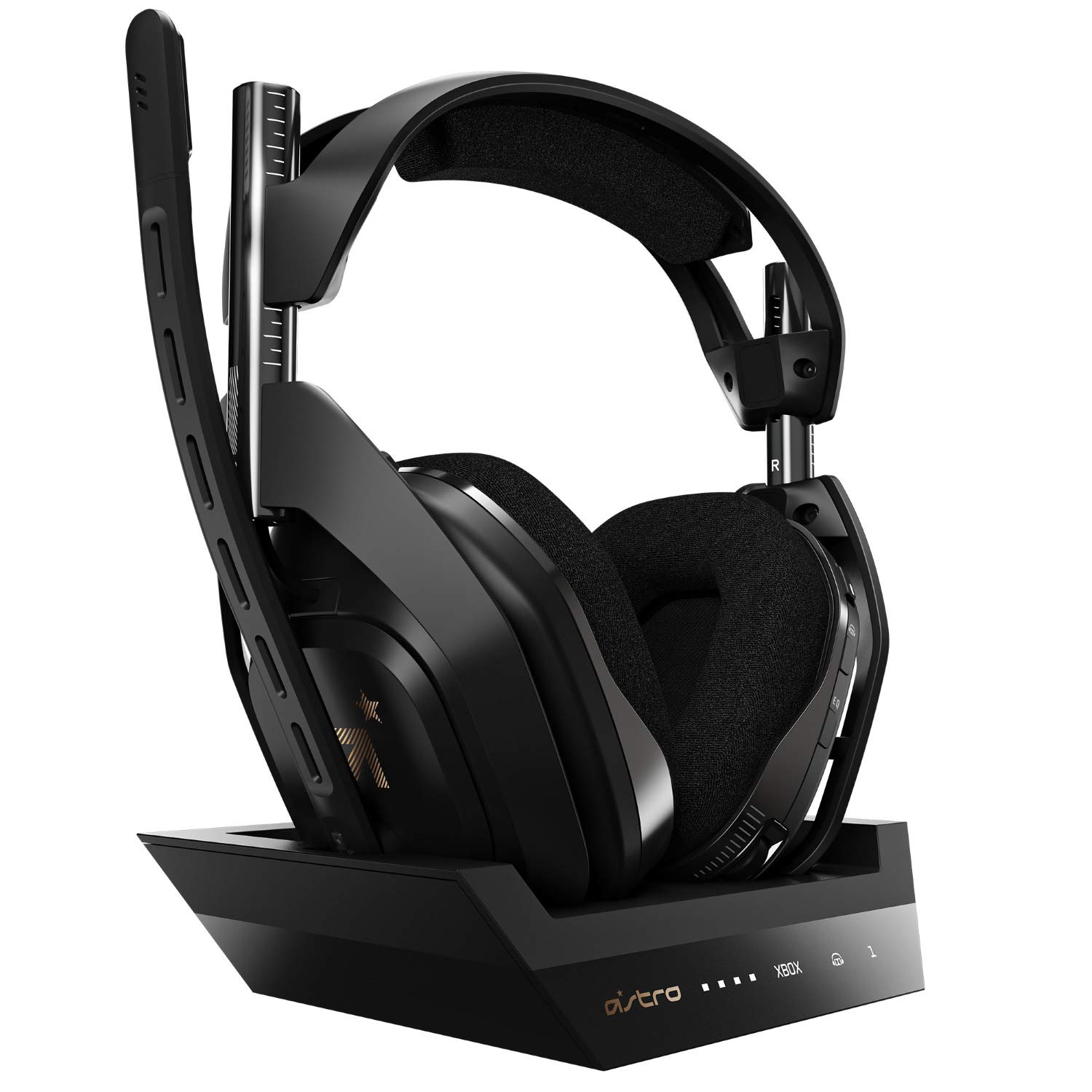
This is a custom-built, high-end Xbox Series X headset, perfect for those who want a solid foundation for their entire gaming setup. Cinematic, high-resolution sound is delivered by Dolby Audio, making explosions, dialogue, and ambient details feel more alive. Accurate object-based audio is available with Dolby Atmos support, allowing for significantly better tracking of footfall, gunshots, and movement in competitive games.
The game-to-voice balancing ensures that you maintain control over the audio. When you’re working with your squad but still need to hear every cue around you, you may simply determine how much conversation versus in-game sound you want. Access even more advanced features with the free Astro Command Center program, which is compatible with Windows 10, Xbox One, and Mac. Customize your audio to fit your playstyle and favorite genres by adjusting mic levels, EQ profiles, and presets.
For those lengthy sessions or weekend marathons, a rechargeable lithium-ion battery with over 15 hours of use is perfect. Your headset will have a permanent residence when paired with the charging station, allowing it to remain fully charged even during matches. Clean game and speech audio, as well as game-to-voice balance for streaming and chatting without additional hardware, are provided via the USB sound card feature on personal computers. If you’re looking for a configuration that will immerse you in the game with detailed control, immersive sound, and the comfort of a docked wireless headset, this is it.
3. Turtle Beach Stealth 700 Gen 2 MAX – Best Immersive Wireless Xbox Series X Headset

This wireless Xbox headset is tailor-made for your playing style, so you can enjoy long sessions without sacrificing comfort or immersion. This headset is an authorized Xbox accessory; it has a smooth connection to your system and uses a patented, lag-free 2.4GHz wireless connection to maintain audio synchronization, so your sound doesn’t fall behind the action.
You’ll be able to hear every detail, from footsteps to gunfire and ambient noises, thanks to the high-performance 50mm Nanoclear speakers that have been fine-tuned for immersive surround-style sound. With the Gen 2 microphone, you won’t have to shout to be heard in team chat; your callouts will be crystal clear.
You can game for several nights without worrying about finding an outlet because to the long battery life (almost 40 hours on a single charge).With Bluetooth, you can listen to music, utilize chat apps, or answer calls without taking your headphones off or putting down your game.The design incorporates both comfort and durability. The ProSpecs-friendly fit alleviates strain on the eyes from wearing spectacles, and the gel-cooled memory foam ear cushions keep your ears cool. Everyday use and travel are made easier with a metal-reinforced headband. The Turtle Beach Audio Hub desktop app allows you to update firmware and fine-tune settings for the greatest performance and latest features. Whether you’re looking for all-day comfort, wireless mobility, and rich sound, this headset has you covered.
4. SteelSeries Arctis Nova 7X – Best Multi-Platform Xbox Series X Headset

If you’re looking for a headset that can handle all of your gaming needs, this one is designed to be compatible with Xbox, PC, PlayStation, Switch, and mobile devices. You won’t miss a thing—footsteps, reloads, and ambient details—thanks to the over-ear cups’ built-in sound isolation and neodymium magnetic drivers, which create a comprehensive soundstage with crisp highs, accurate mids, and deep bass.
Whether you’re playing a story-driven game or a competitive match, you’ll have a better sense of direction with 360° Spatial Audio and complete support for Microsoft Spatial Sound and Tempest 3D Audio.You can maintain two simultaneous connections with Dual Audio Streams. When you want to chat or multitask without halting, you may mix in conversations, Discord, or music from your phone over Bluetooth while gaming over the lossless wireless connection.
There will be fewer charges thanks to the 38-hour battery life, and with USB-C Fast Charge, you can get up to 6 hours of playtime from a quick 15-minute top-up.
Whenever you need a crystal-clear audio chat, just slide the retractable mic out. When you’re not using it, it simply slides back into its place. Even after hours of use, the AirWeave memory foam ear cushions and adjustable steel headband will ensure a snug and pleasant fit. This is all you need if you’re looking for a single, adaptable headset that can go with you wherever your day takes you.
5. HyperX CloudX – Best Budget Xbox Series X Headset
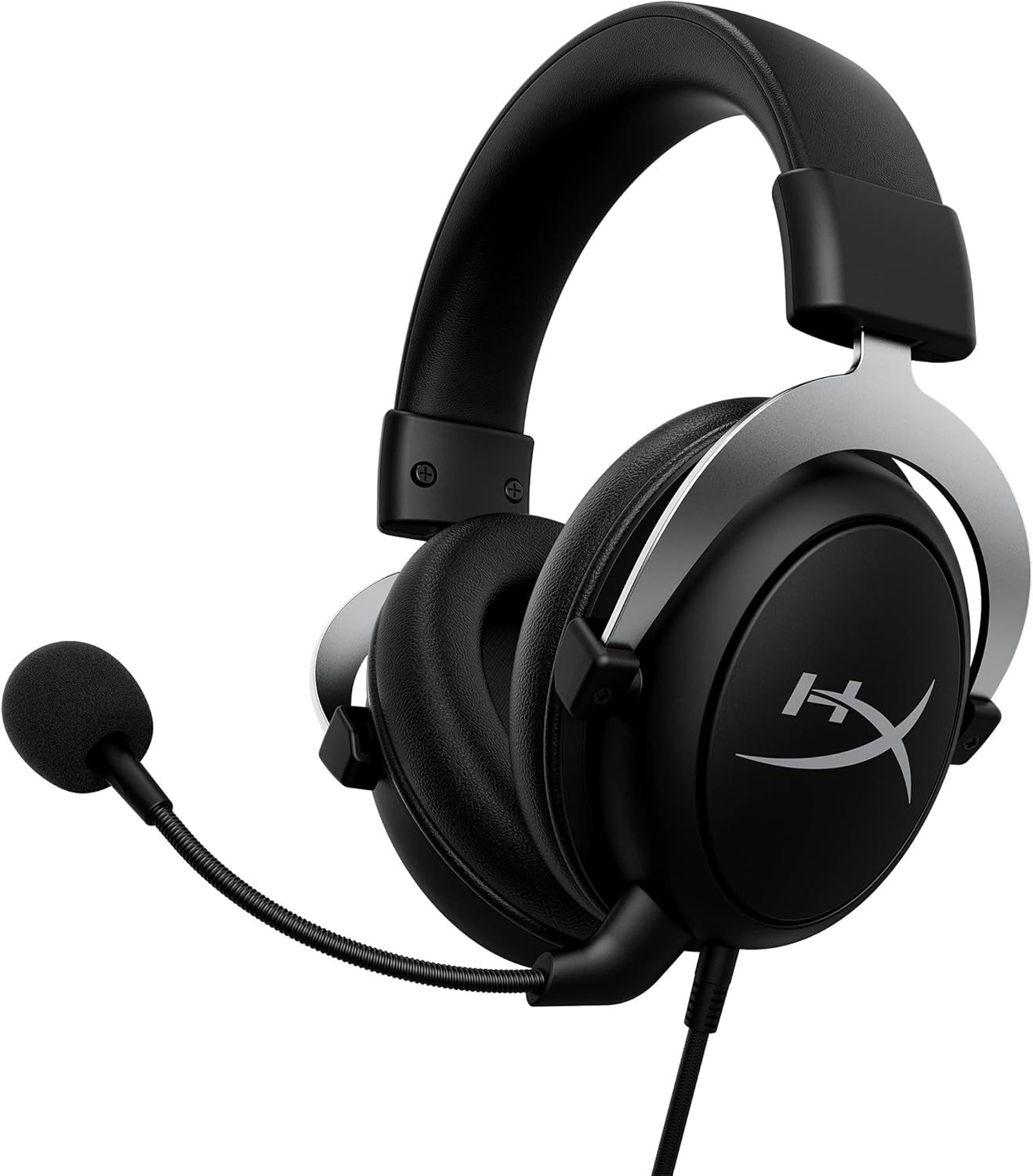
This inexpensive Xbox headset will hold up to your gaming habits and still feel reliable night after night. Microsoft has confirmed that this fully licensed Xbox headset is compatible with all controllers that feature a 3.5 mm connector, so all you have to do is plug it in and start playing right away.
With these headphones, you can enjoy the legendary over-ear comfort that has been HyperX’s trademark, even after hours of gaming. Because of its lightweight aluminum frame, it is durable enough to withstand everyday use, travel, and the odd rage quit without feeling delicate.In order to help you pick up on minor auditory cues like footfall, reloading, and ambient details, the sound has been fine-tuned for immersion with improved bass and clear lows, mids, and highs. No need to stop and fiddle with the console settings when the action gets intense since there are handy in-line audio controls that let you swiftly adjust the volume and mute the mic.
You may communicate more clearly with your teammates while simultaneously lowering background noise with the removable noise-cancelling microphone. Just take the mic out when you’re not using it to talk for a more natural, less bulky experience, such when you’re watching TV or listening to music.
Everyday wear and tear won’t be able to break the pliability and tangle resistance of a braided cable. This model meets all of your needs and keeps you focused on the game if you’re looking for an inexpensive, comfy, and reliable wired headset for Xbox.
Things to Consider Before Buying a Xbox Series X Headset:
Over your next headset purchase you should evaluate compatibility with Xbox Series X, audio fidelity (including spatial audio), microphone clarity for party chat, comfort for long sessions, wireless latency and battery life, build quality, and platform features like chat mixing and firmware updates so you avoid compatibility surprises and get consistent performance.
Wired Headsets
You get near-zero latency with wired options using a 3.5mm jack or USB; plug directly into your controller or console and avoid battery management, making wired ideal for competitive shooters and long sessions. Prices range from about for basic models to for premium units with detachable mics and software EQ. Models like HyperX Cloud II give 7.1 virtual surround via USB, while Turtle Beach Recon 70 keeps things simple and lightweight.
Sound Quality
You need clear mids for dialogue and precise treble for positional cues; 40-50 mm neodymium drivers with a neutral-to-slightly-warm tuning often give the best balance for immersive single-player and competitive FPS. Spatial formats like Dolby Atmos or Windows Sonic will improve localization of footsteps and gunfire, while wired USB or 3.5mm connections avoid codec compression; if bass matters, look for controlled low-end rather than boomy emphasis to prevent masking highs.
Comfort and Fit
You should test clamping force, headband adjustability, and earcup size-aim for headsets in the 250-380 g range with breathable memory-foam cushions to stay comfortable during 2-6 hour sessions; shallower earcups suit glasses wearers, while larger cups (over ~95 mm inner diameter) help distribute pressure. The ability to swap pads or adjust headbands extends lifespan and comfort.
You’ll notice differences between designs: suspended “ski-goggle” headbands reduce top-head pressure, while firmer clamping gives stability during movement. Materials matter-veg-tanned leatherette traps heat, perforated leather or fabric breathes better. If you wear glasses, seek low-profile seams and softer inner rims; testing a headset for 30-60 minutes before committing, or buying from retailers with easy returns, prevents long-term discomfort.
Advantages of Wired Headsets
You get ultra-low latency (<1 ms in many USB/analog setups) and stable audio without battery concerns, which is why esports players often use wired models; for example, tournaments commonly mandate wired connections to avoid wireless dropouts, and wired headsets like the HyperX Cloud series deliver high fidelity for a lower price per sound quality than many wireless equivalents.
Disadvantages of Wireless Headsets
You’ll face battery management, potential 2.4 GHz interference, and higher cost-typical wireless headsets weigh 20-40 g more than wired analog units and demand charging cycles, with mainstream models offering 10-30 hours of runtime that can degrade over 2-3 years depending on usage patterns.
To mitigate wireless issues you can prioritize headsets that use Xbox Wireless instead of generic Bluetooth, update firmware regularly, and keep the base station unobstructed and within 1-3 meters for best performance; choosing units with swappable batteries or fast-charge features (30-60 minutes for several hours of play on some models) also reduces downtime, while wired fallback options protect you during long sessions or low-battery situations.
Compatibility with Other Devices
You should verify whether a headset uses Xbox Wireless, Bluetooth, USB-C, or a 3.5 mm jack: Xbox consoles do not support Bluetooth audio natively, so Xbox Wireless or wired connections are preferable. Check that the headset offers PC drivers or a 2.4 GHz dongle for low-latency PC play, and confirm mobile call support via Bluetooth or auxiliary jack for on-the-go use.
Perceiving how you’ll use the headset across platforms helps avoid surprises: look for explicit Xbox Wireless certification on product pages, confirm Windows 10/11 support or included USB dongles for PC, and prefer models advertising simultaneous connections if you want game audio on console while taking phone calls via Bluetooth. Consider firmware update frequency and community reports on cross-platform quirks before buying.
Research Options
You should shortlist models by comparing specs and real-world numbers: battery life (e.g., 15-25 hours on many wireless units), driver size (40-50 mm), and native Xbox Wireless support versus Bluetooth. Prioritize headsets with proven low-latency connections-SteelSeries Arctis 9X, Astro A50, Turtle Beach Stealth series and Razer Kaira Pro are typical starting points. Also filter by price tiers to match features like surround sound, detachable mics, and build quality to your needs.
Read Reviews
You should read both professional tests and user feedback to catch real issues: check measured frequency response, mic voice samples, comfort over 2-4 hour sessions, and reported firmware bugs. Use sources like YouTube breakdowns, RTINGS-style measurements, and verified Amazon reviews to compare how a headset performs day-to-day versus its spec sheet.
Dive deeper into review details by looking for repeatable measurements and long-term reports: seek graphs showing bass/treble balance, driver distortion at various volumes, and microphone clarity in noisy environments. You should scan Reddit threads (r/XboxSeriesX) and retailer Q&A for reports on durability, battery degradation over months, and how firmware updates changed performance; that reveals whether a model like the Arctis 9X maintains comfort and battery life after six months or if users report crackling issues under heavy use.
Cleaning and Care
You should clean ear pads and headband foam every 2-3 months using a microfiber cloth and 70% isopropyl alcohol on stubborn spots; remove pads if the manufacturer allows and air-dry for 24 hours. Use compressed air from 20-30 cm to clear dust from ports, and avoid submerging components or exposing them to humidity above 60%. Rotate between two headsets or replace pads every 12-18 months if you game daily to preserve comfort and acoustic seal.
Troubleshooting Common Issues
You can fix many problems with quick, specific steps: test the headset on a phone or PC to isolate console vs. headset faults, update firmware via the maker’s app (Astro, SteelSeries, Turtle Beach, etc.), and re-pair wireless units by holding power + pairing for 10-15 seconds. For wired issues check the 3.5mm TRRS connection or try a 1.8 m spare cable; for wireless dropouts reduce distance below 10 m and avoid 2.4 GHz congestion.
When deeper troubleshooting is needed, follow a short diagnostic flow: 1) swap devices to confirm the headset, 2) update firmware and drivers, 3) adjust mic gain (example: raise from −6 dB to +3 dB if voice is quiet), and 4) test after a full charge cycle. If interference persists, move your router 1-2 m away or switch Wi‑Fi to 5 GHz; collect serial numbers and logs before contacting support for faster resolution.
Final Words
Summing up, before buying an Xbox Series X headset you should weigh compatibility, audio quality, microphone clarity, comfort for long sessions, wireless latency and battery life, build durability, and whether features like spatial audio or customization match your play style, then compare prices and warranty to ensure the headset fits your needs and budget.
Leave a Reply